46
Getting Started
Setting up your computer
5.375 x 8.375 ver 2.3.2
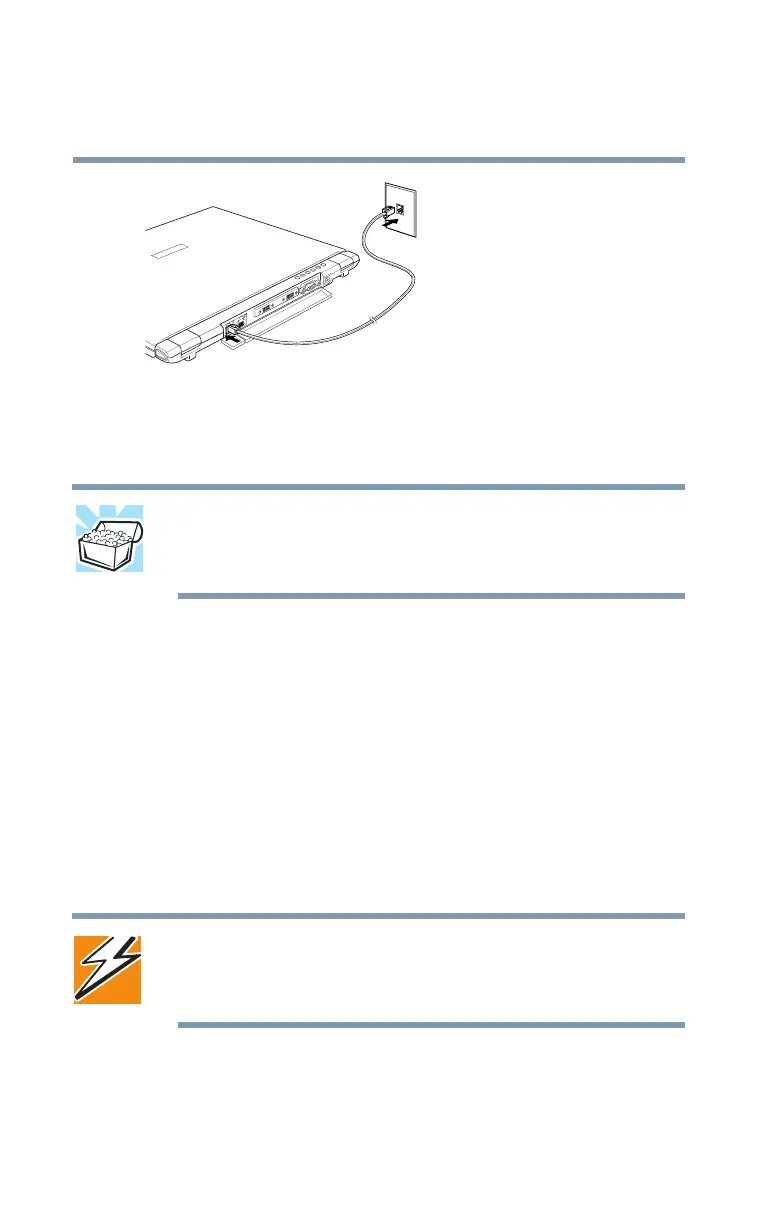
Connecting the internal modem
3 Connect the other end of the telephone cable to the jack
of a standard voice-grade telephone line.
HINT: If you are using a telephone line at home, disable Call
Waiting before you connect through the modem. Call Waiting
interrupts transmission.
Connecting to a power source
Your computer requires power to operate. Use the power
cable and AC adapter to connect the computer to a live power
outlet, or use the main battery and the optional high-capacity
battery.
Connecting to an AC outlet
The AC adapter enables you to power the computer from a
wall outlet and to charge the computer’s main battery.
DANGER: Hold the power cable by its plug when you connect/
disconnect it. Do NOT pull the cable itself. Doing so may damage
the power cable and result in a short circuit or electric shock.



 To Next Page
 Loading...





