INITIAL SETTINGS
2-10
You can set the number of rings before the unit answers in AUTO mode using the
procedure below.
Factory setting: 2
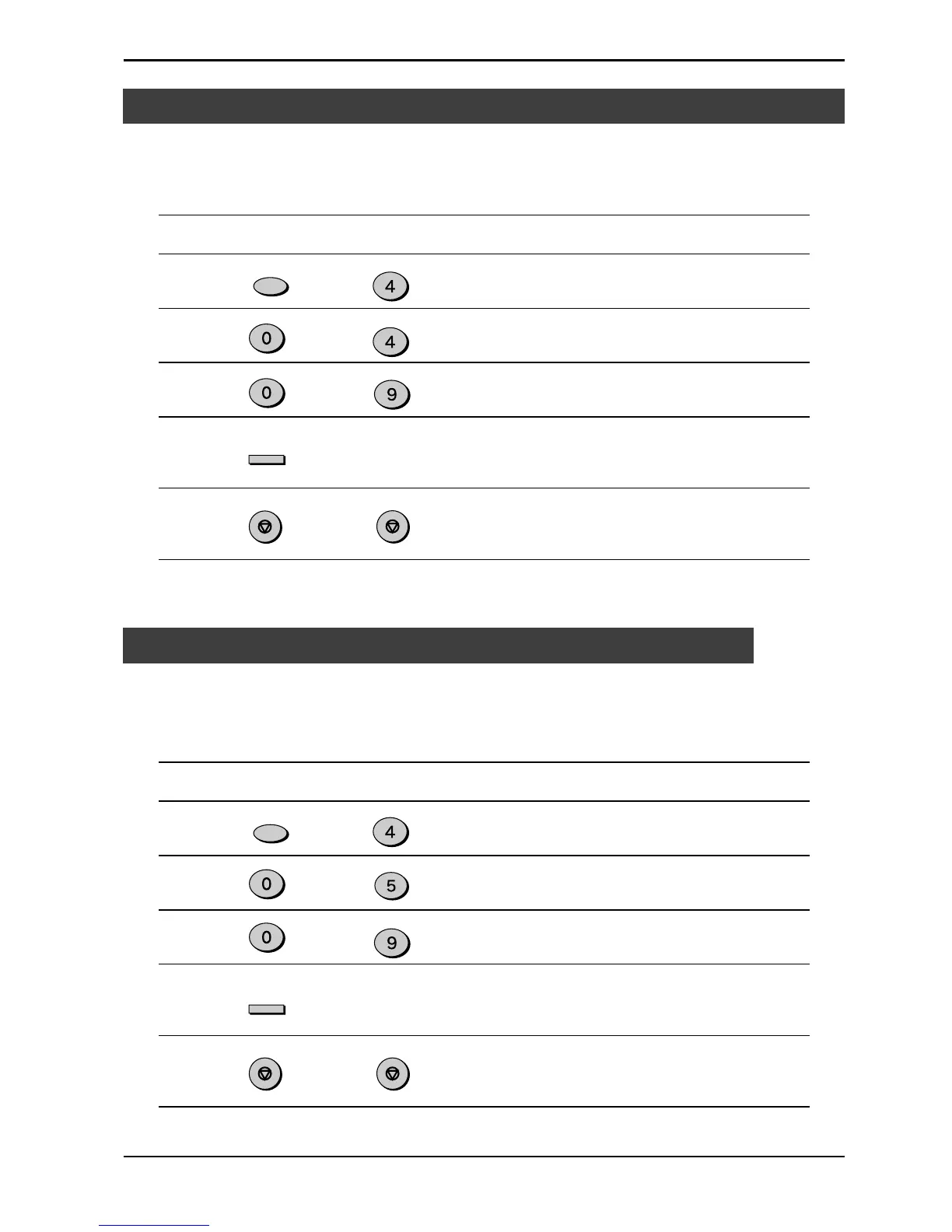
Step Press these keys Comments
1 “OPTION SETTING” will appear
in the display.
2 “# OF RINGS(AUTO)” will
appear in the display.
3 Select the number of rings you
would like to use (0 to 9).
4 “STORED” will appear in the
display.
5 Press the STOP key twice to
exit.
Setting the Number of Rings for Auto Reception
to
The number of rings before the unit answers in MANUAL mode can also be set. If you
do not want the unit to answer at all in MANUAL Mode, select “0” in Step 3 below.
Factory setting: 0 (OFF)
Step Press these keys Comments
1 “OPTION SETTING” will appear
in the display.
2 “# OF RINGS(MAN.)” will
appear in the display.
3 Select the number of rings you
would like to use (0 to 9).
4 “STORED” will appear in the
display.
5 Press the STOP key twice to
exit.
Setting the Number of Rings for Manual Reception
Fax Setup
to
Note: If the external telephone is connected, the external telephone rings once
regardless the number of rings is set to 0.
FUNCTION
GHI
ENTER
STOP
STOP
WXYZ
GHI
FUNCTION
GHI
ENTER
WXYZ
JKL
STOP STOP


 To Next Page
 Loading...






