INITIAL SETTINGS
2-22
Storing Numbers Under Group Keys
Group keys allow you to dial a group of fax numbers by simply pressing the appropriate
Group key once. They are convenient for the Broadcasting function, which is used to
transmit a document to a group of fax machines.
All Rapid keys can be programmed as Group keys. To program or clear a group key,
follow the steps below. Note that one key cannot be programmed as both a Rapid key
and a Group key at the same time.
• Up to 50 fax numbers can be stored in one Group key.
• Only Rapid keys and Speed Dial numbers can be stored in a Group key. No full
numbers can be stored.
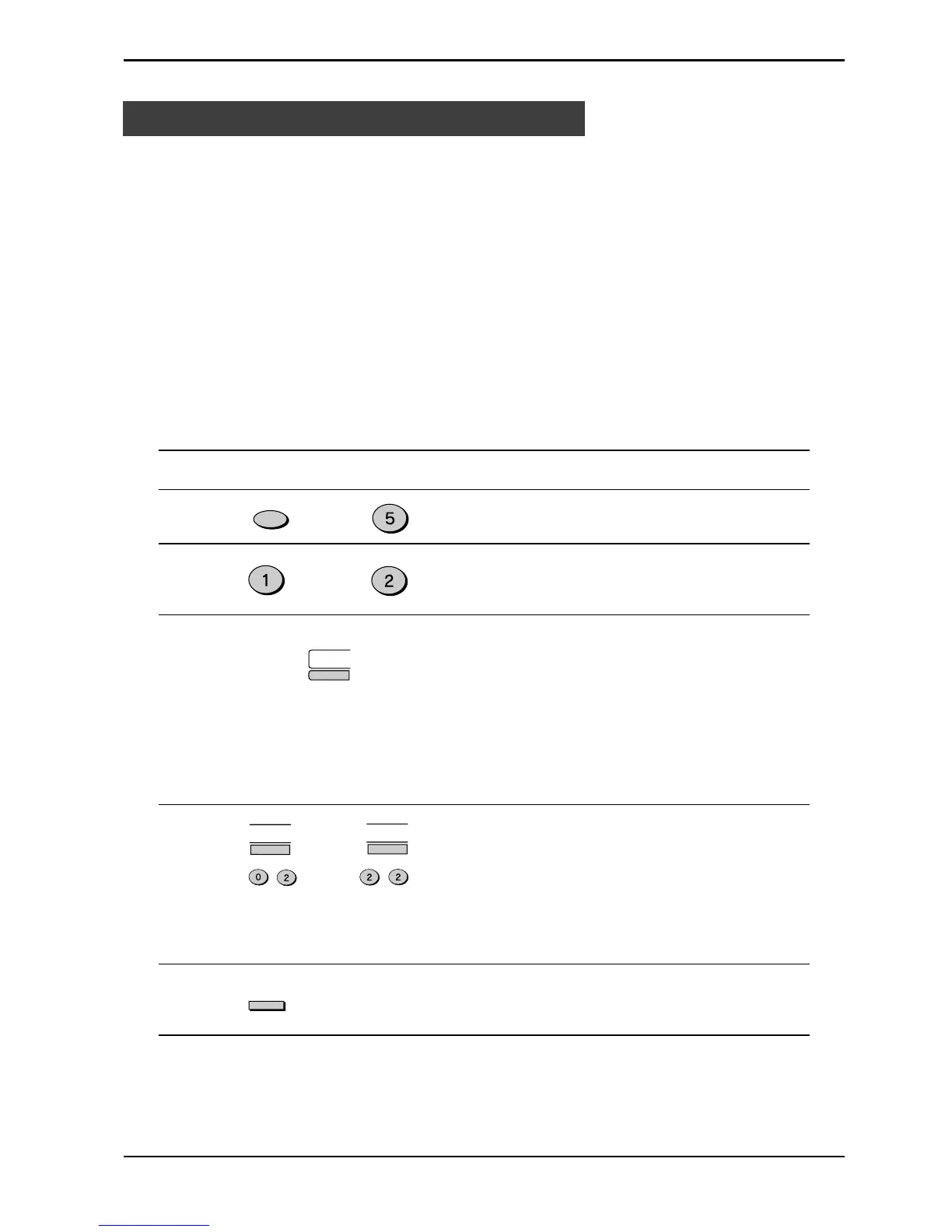
Use the following procedure to store numbers under Group keys:
Step Press these keys Comments
1 “GROUP ENTRY MODE” will
appear in the display.
2 Press “1” (SET) to program a
Group key, or “2” (CLEAR) to
clear a Group key.
3 Setting:
Press the Rapid key you wish to
use as a Group key . “GROUP
#=XX” will appear in the display,
followed by “DIAL #=”
Clearing:
Press the Group key you wish
to clear, and then go to Step 7.
(example)
4 Enter fax numbers using one or
both of the following methods:
• Press one or more Rapid
keys.
• Enter one or more Speed
Dial numbers with the
number keys.
(example)
5 “ENTER GROUP NAME” will
appear in the display.
Fax Setup
or
FUNCTION
JKL
ABC
02
09
. . .
ABC
. . .
ABC
ABC
01
ENTER


 To Next Page
 Loading...






