HOW TO USE THE FAX FUNCTION
4-14
If there is a problem with the unit, you can use the Data Transfer function to have
received faxes read into memory and then sent to a different fax machine for printing.
This function is used when you cannot print received faxes, for example when the
unit runs out of toner, a misfeed occurs.
Factory setting: 2
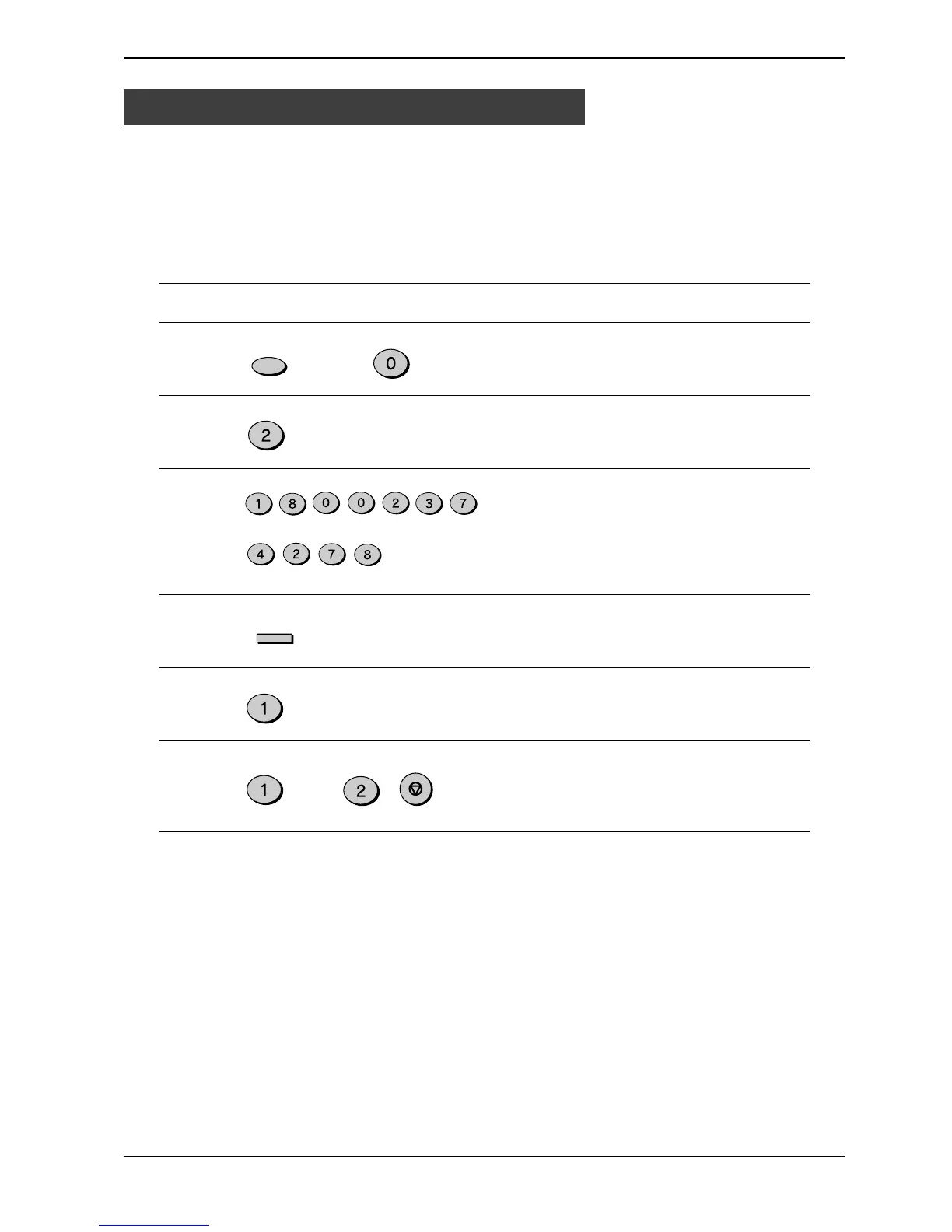
Step Press these keys Comments
1 “RX DATA TRANSFER” will
appear in the display.
2 “FAX NUMBER” will appear in
the display.
3 Enter the transferring fax
number (maximum 20 digits)
by pressing the number keys.
4 “RX DATA TRANSFER” will
appear in the display.
5 “TRANSFER ?” will appear in
the display.
6 Press 1 to turn Data Transfer
on, or 2 and the STOP key to
turn it off.
Data Transfer
ENTER
TUV
ABC
DEF
PQRS
GHI
ABC
PQRS
TUV
Special Functions
(example : 18002374278)
FUNCTION
ABC
or
ABC
STOP


 To Next Page
 Loading...






