HOW TO USE THE FAX FUNCTION
4-28
It is also possible to have the unit automatically print out Transmission and
Reception Activity Reports at designated times (for example, daily, every two days,
weekly, etc.) and every 50 operations.
Factory setting : 5 (NO)
Step Press these keys Comments
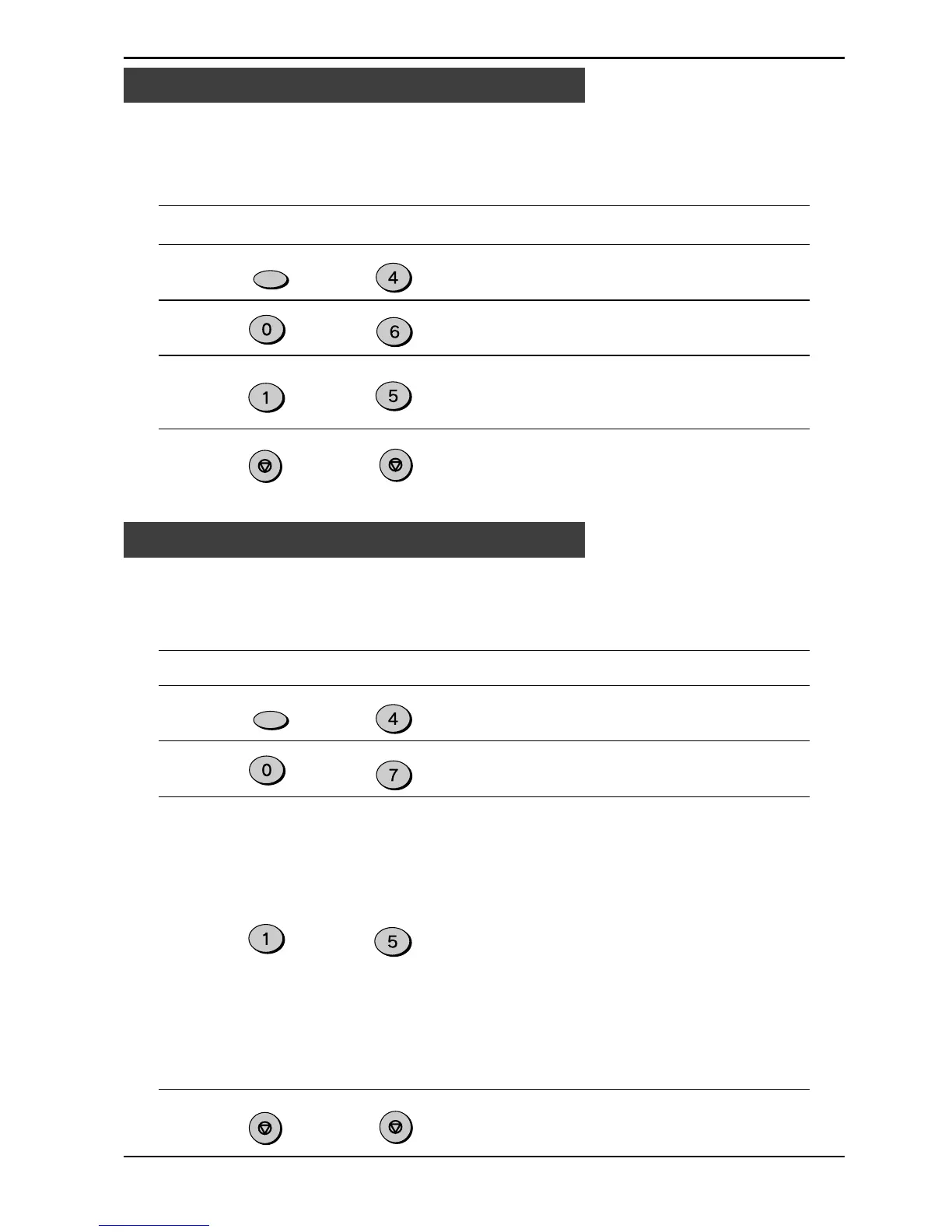
1 “OPTION SETTING” will
appear in the display.
2 “AUTO LISTING” will appear in
the display.
3 Press 1 for /DAY, 2 for /2 DAY,
3 for /4DAY, 4 for /WEEK, or 5
for OFF.
4 Press the STOP key twice to
exit.
Activity Report Auto Listing
to
You can choose to have various Transaction Reports printed out after certain activities
on the unit: transmission, reception, or error. To use this feature, follow this procedure:
Factory setting: 2 (ERROR/TIMER)
Step Press these keys Comments
1 “OPTION SETTING” will
appear in the display.
2 “TRANSACTION LIST” will
appear in the display.
3 Select the report setting:
1 (ALWAYS PRINT):
After each transmission,
reception, or error.
2 (ERROR/TIMER):
After an error or timer
operation only.
3 (SEND ONLY):
After a transmission only.
4 (NEVER PRINT):
Never prints.
5 (ERROR ONLY):
After an error only.
“STORED” will appear in the
display.
4 Press the STOP key twice to
exit.
Printing Transaction Reports
to
Printing Out Reports
FUNCTION
GHI
STOP
STOP
JKL
MNO
FUNCTION
GHI
JKL
PQRS
STOP
STOP


 To Next Page
 Loading...






