33
OTHERS (NOISE EMISSION)
Noise emission values
The following shows noise emission values as measured according to ISO7779.
Sound power level L
WAd
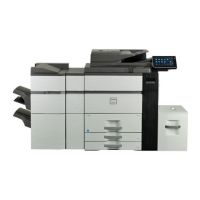
e-STUDIO907 e-STUDIO1057 e-STUDIO1207
Operating 7.9 B 8.0 B 8.1 B
Standby - - -
Noise emission
Security Precautions
Sound pressure level LpAm
e-STUDIO907 e-STUDIO1057 e-STUDIO1207
Operating 61 dB 62 dB 62 dB
Standby - - -
• Operating: With options MX-FN21, MX-RB18, and MX-MFX1.
• Standby: “ -” = less than background noise.
To Administrators
• To avoid physical security problems, such as hardware removal or inappropriate
disassembly at the installation site, take all necessary measures, such as checking
who enters and leaves the site.
• When connecting this product with an outer network such as the Internet, only
operate it in a network environment protected by a rewall, etc. to prevent
information from being leaked due to incorrect settings or avoid illegal access by
unauthorized users.
• To prevent the conguration settings from being altered improperly or similar, before
you use this product, change the administrator and user registration passwords set
by factory default. Also, be sure periodically to change each password set for this
product.
• In order to make proper use of the network and user management functions, be
sure to read the User's Manual rst.
• Be sure to understand the security policy and its procedure in your organization, and
manage and operate this equipment and external devices according to the policy after
rst reading the operator's manual. Then explain the security instructions to general
users who are authorized to use this equipment to let them conform to the security rule.
In order to make correct use of this product’s security function, rst read the following precautions
carefully. Be sure to assign administrators who have enough capability to sustain responsible man-
agement since signicant privileges for managing and handling this equipment will be given them.
• Provide general users with the appropriate privilege of using this equipment and
keep supervising its correct operation.
• Always check if the network function and user management function are enabled
in order to maintain security. Should you happen to come across any abnormality,
contact your service technician immediately. See the User's Manual for the checking
method.
• If any failure or unauthorized access occurs in this equipment, check the logs in Job
Logs to nd the cause. For details of checking logs, refer to the User's Manual.
• Check your log regularly to guard against unauthorized access by identity theft.
To general users
• After you have nished operating the equipment, be careful not to forget to remove
any originals, printed paper or USB storage devices.
• Change the password regularly. Make sure not to use any predictable number such
as your birthday or employee ID number, and keep it secret.
• Do not leave the equipment during the performance of the job since your originals
may be seen or the output paper could be taken by someone.


 To Next Page
 Loading...









