3.Setting the IP Fax Function
30 Setting the IP Fax Function from TopAccess
Address Book
You can manage a recipient list to be used in IP Fax transmission.
Access TopAccess. Click the [Registration] tab > [Address Book].
P.30 “[Address Book] screen”
P.31 “[Create Destination information]/[Edit Destination information] screen”
P.33 “[Search Address List] screen”
P.34 “[Create Group information]/[Edit Group information] screen”
For details about Address Book, refer to the TopAccess Guide.
Address Book can be also managed using the touch panel.
P.49 “Address (User)”
P.51 “Managing groups in address book (User)”
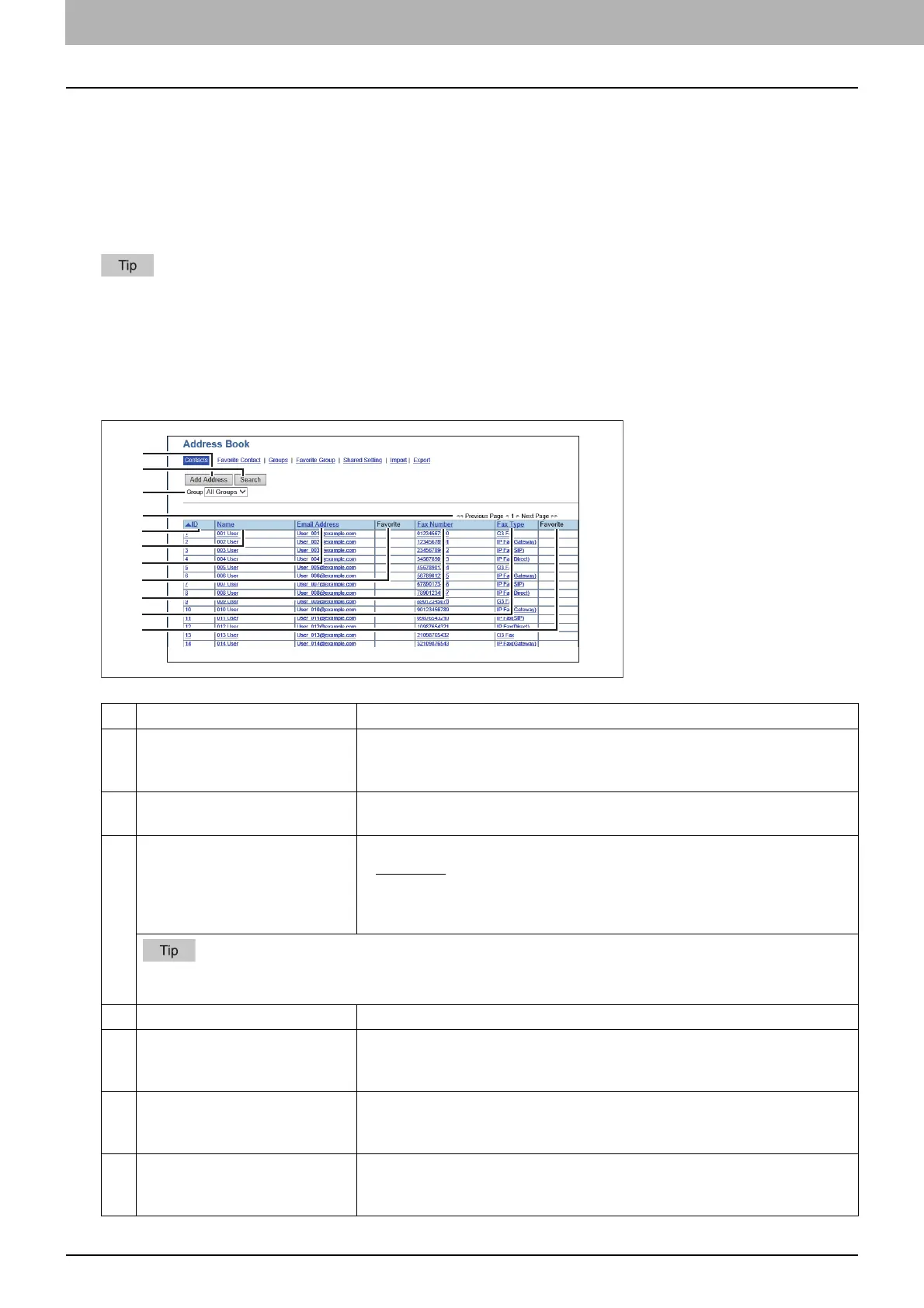
[Address Book] screen
Item name Description
1 [Add Address] button Select this to add a new recipient to the address book.
P.31 “[Create Destination information]/[Edit Destination information]
screen”
2 [Search] button Select this to search a recipient from the address book. For details about the
[Search Contact] screen, refer to the TopAccess Guide.
3 Group Select a group to display in the address list.
All Groups — Displays all the groups.
Local — Displays the local address book.
Shared — Displays the shared address book.
This is only available when [Shared Setting] - [Shared Address Book] is set to [Enable (Primary)] or [Enable
(Secondary)].
4 Select Page Selects a page when there are 101 items or more.
5 ID The registered ID of the recipient is displayed.
P.31 “[Create Destination information]/[Edit Destination information]
screen”
6 Name The name registered to the recipient is displayed.
P.31 “[Create Destination information]/[Edit Destination information]
screen”
7 Email Address The E-mail address registered to the recipient is displayed.
P.31 “[Create Destination information]/[Edit Destination information]
screen”

 To Next Page
 Loading...
 Need help?
 General