270
12.WHEN THE GRAPHIC SYMBOLS BLINK ON THE TOUCH PANEL
5.CLEAR PAPER SYMBOL (Cont.)
12
4
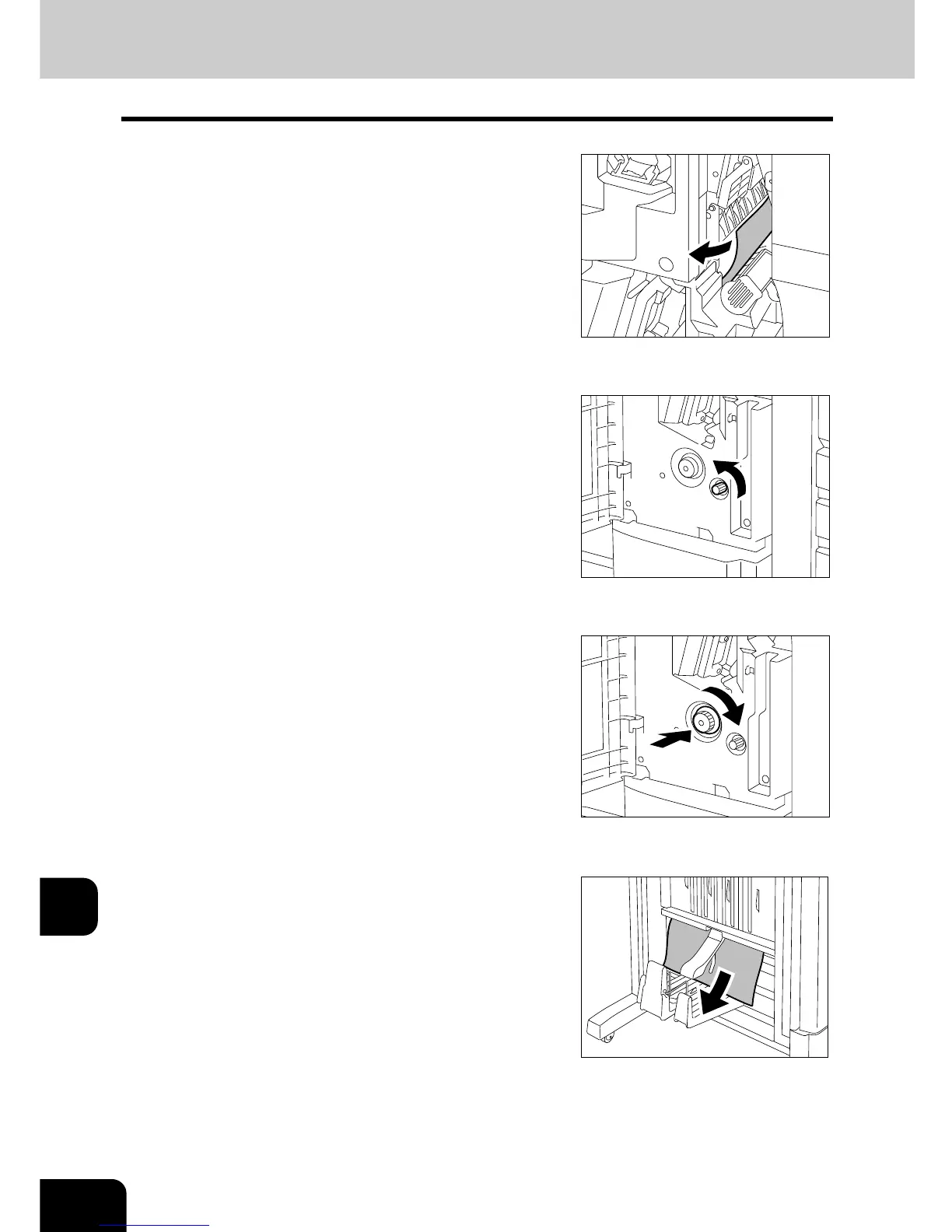
Remove any misfed paper and return the
handle to its original position.
5
Turn the right-hand knob
counterclockwise.
6
Pushing the left-hand knob, turn it
clockwise.
7
Remove any misfed paper on the exit side
of the saddle stitch unit.








 To Next Page