2.GA-1211-EX/GA-1310-EX SPECIFIC FUNCTIONS
Operations From the Control Panel 31
2 GA-1211-EX/GA-1310-EX SPECIFIC FUNCTIONS
SCAN
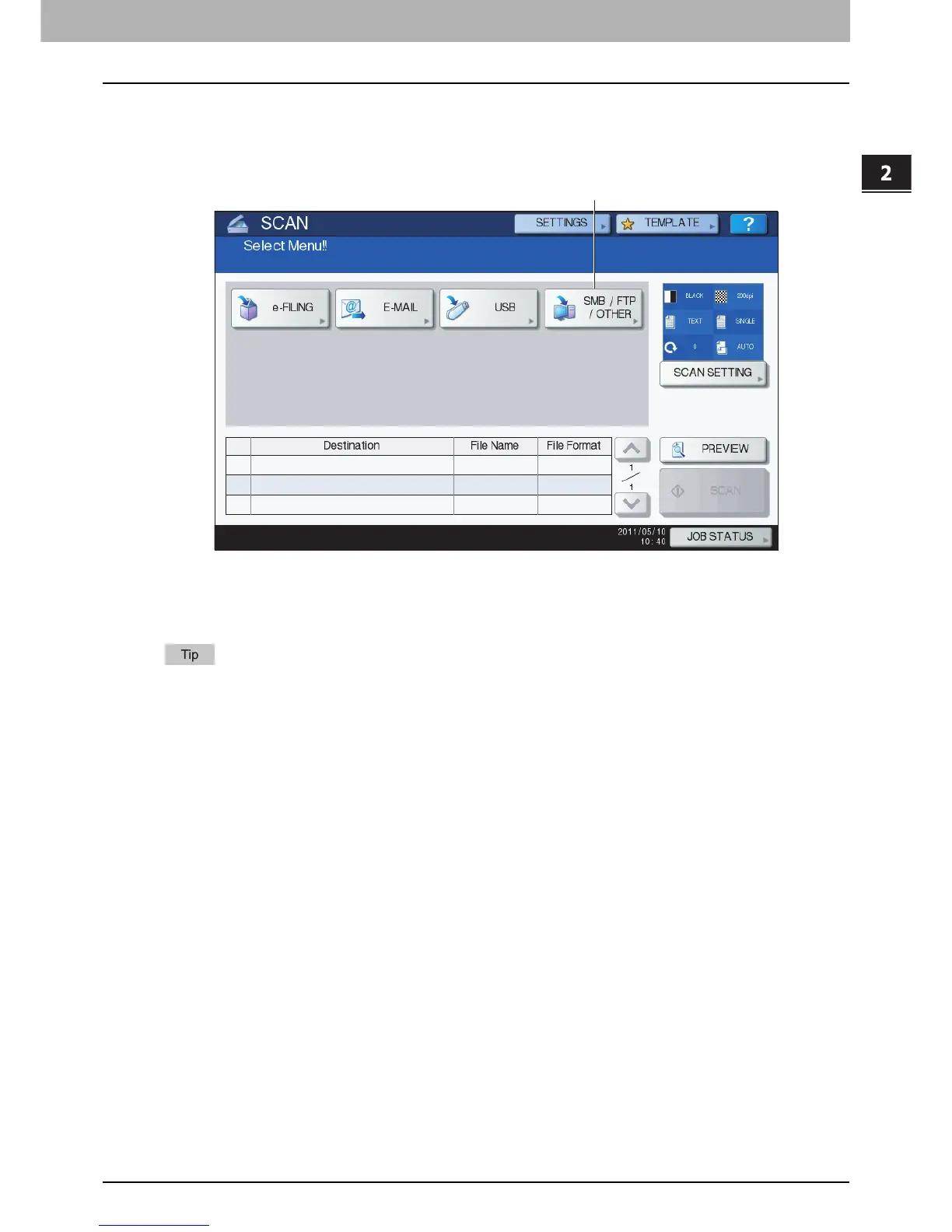
When you press the [SCAN] button on the control panel, the SCAN screen is displayed on the touch panel.
The following button is provided for the equipment with the controller attached:
[SMB/FTP/OTHER]
This button allows you to use the GA-1211-EX/GA-1310-EX specific scan functions.
To learn more about them, see the following section:
P.32 “Scan to SMB/FTP/OTHER”
For instructions on how to perform Scan to e-Filing, Scan to E-mail and Scan to USB, refer to the Scanning Guide.
1



 To Next Page
 Loading...


