2 OPERATIONS WITH THIS EQUIPMENT
Managing User Boxes/Folders 27
Managing User Boxes/Folders
You can manage user boxes and folders in the e-Filing using the control panel of this equipment.
P.27 “Creating user boxes”
P.30 “Editing user boxes”
P.32 “Deleting user boxes/folders”
Folders can be created and edited using a client computer.
P.46 “Creating user boxes and folders”
P.52 “Renaming user boxes and folders”
P.56 “Modifying and displaying user box and folder properties”
Creating user boxes
You can create user boxes (up to 200).
1
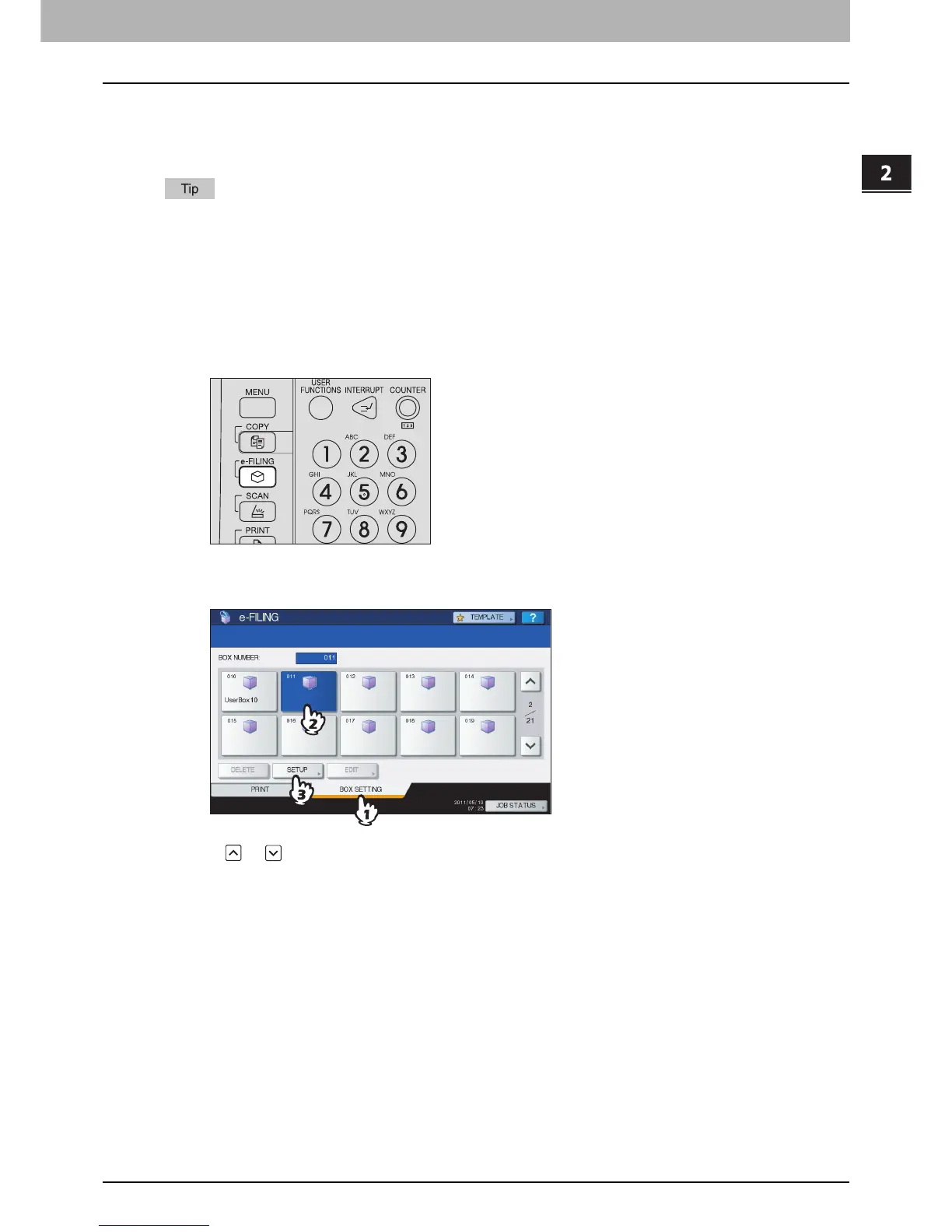
Press the [e-FILING] button on the control panel.
2
Press the [BOX SETTING] tab, select an unregistered button numbered from “001” to
“200”, then press [SETUP].
Press or to switch the pages. You can also directly specify the box number (3-digit) the using digital keys.



 To Next Page
 Loading...











