5.MANAGING DOCUMENTS
How To Manage Documents 79
5 MANAGING DOCUMENTS
4
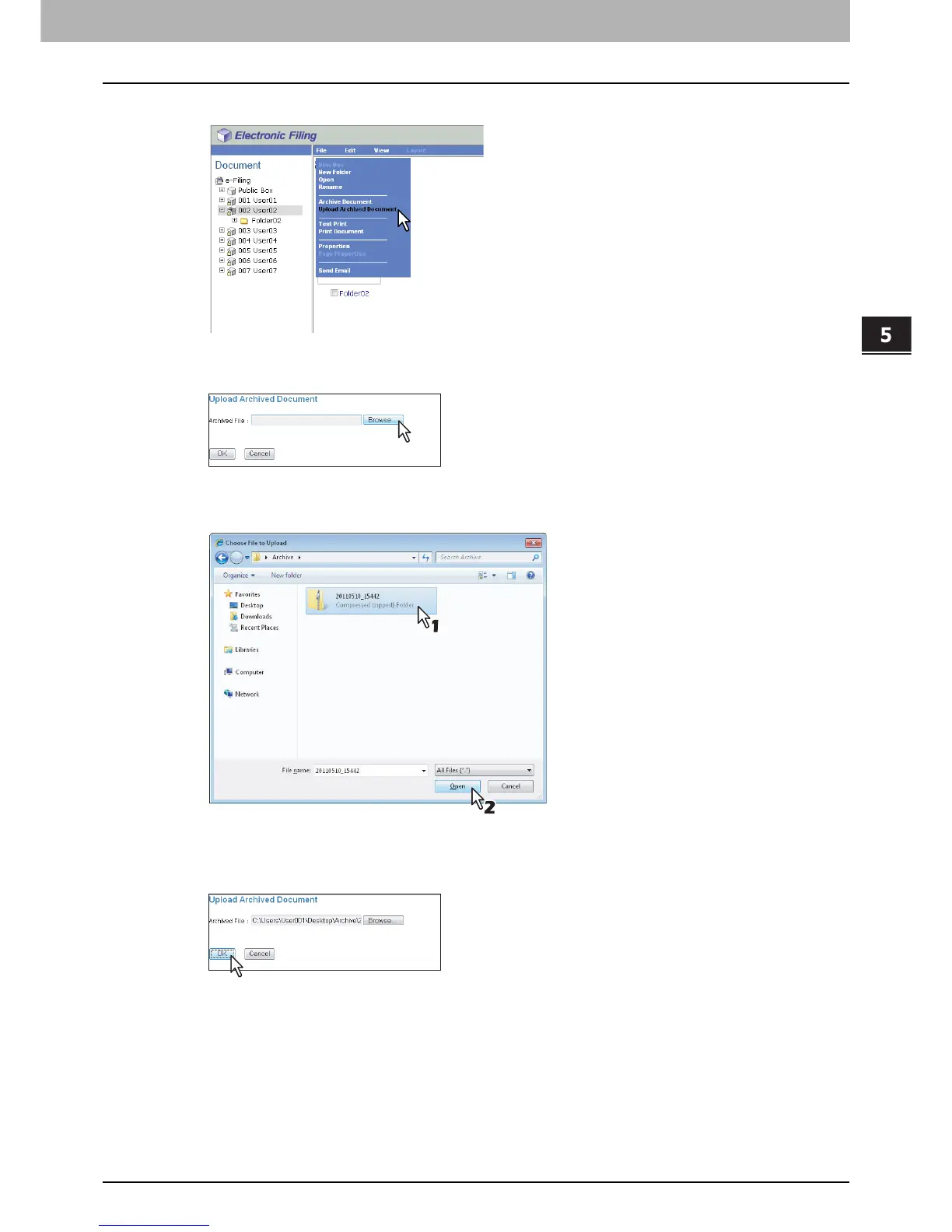
Select [Upload Archived Document] from the [File] menu.
The Upload Archived Document window appears.
5
Click [Browse].
The [Choose File] dialog box appears.
6
Select the archived file to be uploaded and click [Open].
This will return you to the Upload Archived Document window, and the folder path of the selected file will be
displayed in the [Archived File] box.
7
Click [OK].
The confirmation dialog box appears.



 To Next Page
 Loading...











