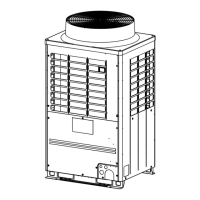
SMMS-i
Owner’s Manual
SMMS-i
Owner’s Manual
–9–
4 CORRECT USAGE
• When you use the air conditioner for the first time or change the settings, follow the procedures below.
From next time, pushing the button starts running of the air conditioner with the chosen settings.
Preparation
Turn on the power switch
• When turned on, the separation line appears and blinks on the remote controller display.
* The remote controller will not work for about 1 minute after turning on the power. This is not a
malfunction.
REQUIREMENT
• Keep the power switch turned on during use.
• When you resume using the air conditioner after a long period of disuse, turn on the power switch at least 12
hours before starting running.
Operations
1 Push the button.
The operation lamp lights up.
2 Push the “MODE ” button to select a
operation mode.
Each time you push the button, the operation
mode and its icon change in the following order:
“ Dry” is not available for the concealed duct
high static type.
3 Push the button to stop running.
The operation lamp turns off.
Changing the fan speed
1 Push the “FAN ” button to select a fan
speed.
• Each time you push the button, fan speed and
its indication change in the following order:
(“ Auto” cannot be selected in the FAN
mode.)
• When heating, if the room does not heat up
using “ Low”, select “ High” or
“ Medium”.
• The temperature sensor detects the return air
temperature at the indoor unit, which may
slightly differ from the actual room temperature
depending on installation condition. Set
temperature is a target of room temperature.
• The fan speed selection function is not available
for the concealed duct high static type. Fan
speed is fixed and the indicator is fixed to
“ High”.
SET
TIME
TIMER SET
TEST
FILTER
RESET
TEMP.
CL
FAN
SAVE
SWING/FIX
VENT
MODE
ON / OFF
UNIT LOUVER
1
2
Heat-pump model
Heat
Dry
Cool
Fan
(Dehumidify)
Cooling only model
Dry Cool
Fan
(Dehumidify)
Low Medium High
Auto
Changing the set
Temperature
1 Push the “TEMP. ” buttons.
Push to increase the temperature, and to
decrease the temperature. (The set temperature
cannot be changed in the fan mode.)
NOTE
When cooling
Running starts in approximately 1 minute.
When heating [For Heat-pump model only]
• The air conditioner may continue running in the fan
mode for about 30 seconds after stopping heating.
• The heated air comes out after a 3 to 5 minutes of
pre-heating with the indoor fan kept turned off. (The
pre-heat indicator is displayed on the remote
controller.)
• The fan speed becomes extremely low when the
room temperature has reached the set temperature.
However, for concealed duct high static types, the
fan speed does not change after the temperature
has reached to the set temperature.
17-EN 18-EN
+00EH99936401.book Page 9 Thursday, August 26, 2010 6:52 PM



 To Next Page
 Loading...