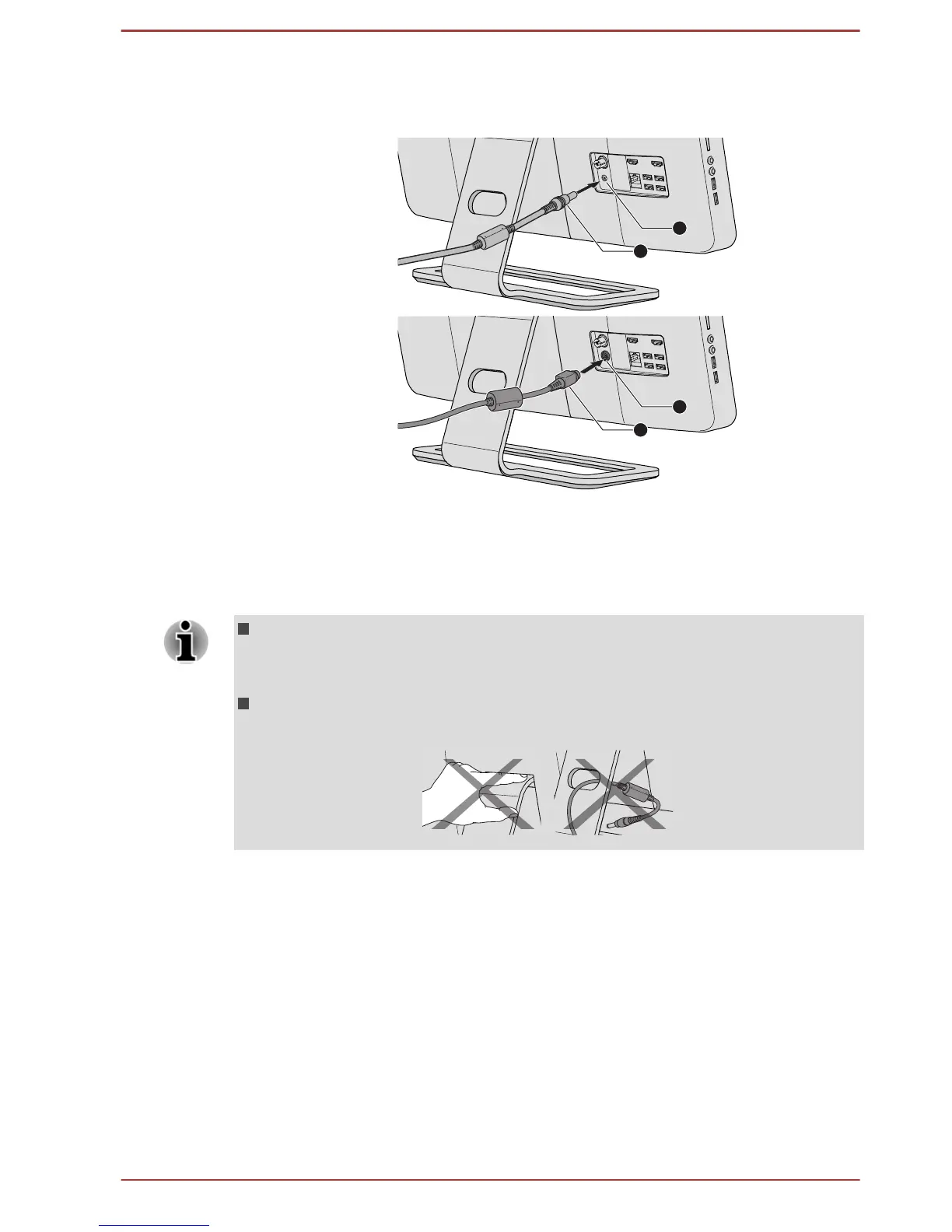
2. Connect the AC adaptor’s DC output plug to the DC IN 19V jack on
your computer.
Figure 2-3 Connecting the DC output plug to the computer
1. DC IN 19V jack 2. DC output plug
Product appearance depends on the model you purchased.
3.
Plug the power cord into a live wall outlet - the Power
indicator on the
front of the computer should glow.
Be careful not to place your fingers on the hinge between the
computer’s back and the stand as this could cause personal injury
such as the finger pinch.
For models with subwoofer, it is recommended not allow the cables to
be passed from the hole on the stand as this could bring interference.
Installing the battery of the keyboard and mouse
Installing the battery of the mouse
1. Open the battery cover on your wireless mouse.
User's Manual 2-5



 To Next Page
 Loading...








