Additional memory module is a precision electronic component that
may be fatally damaged by static electricity. Since the human body
can carry static electricity, it is important that you discharge yourself
before touching or installing any additional memory modules. To
discharge your body’s static electricity, simply touch any metal close to
you with bare hands.
Installing memory module
To install memory module, follow the steps as detailed below:
1.
Click Power
in the Settings charm, and then click Shut down while
holding down the SHIFT key - ensure that the Power indicator is off.
2. Remove the AC adaptor and all cables and peripherals connected to
the computer.
3. Turn the computer upside down.
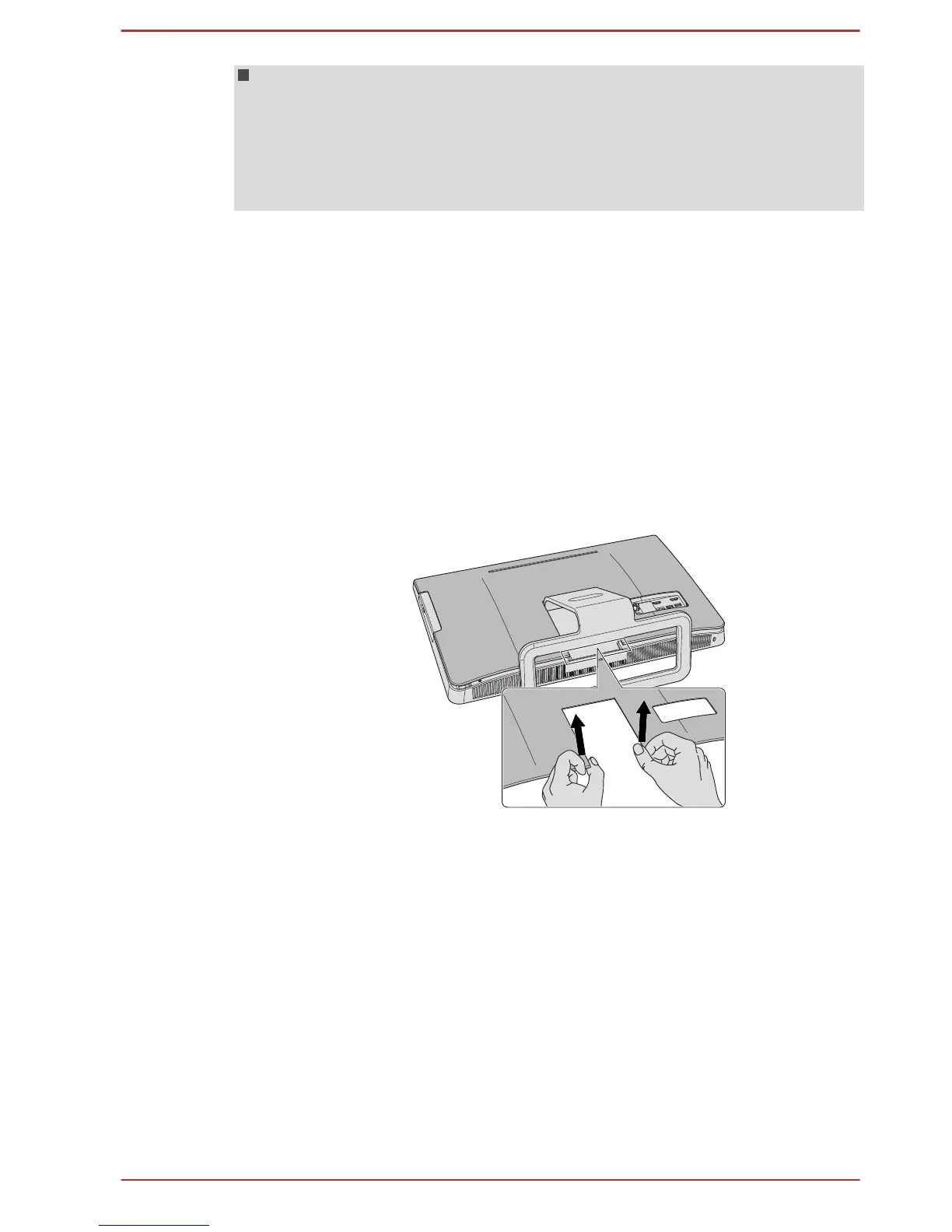
4. Slide your fingernails or thin objects under the cover as the picture
shows below and lift the whole back on to open the large cover.
Figure 4-14 Opening the back cover
User's Manual 4-32



 To Next Page
 Loading...








