Battery
indicator(keyboard)
This indicator glows for nine to ten seconds when
keyboard is turned on. Blinking for five seconds
shows the battery of the keyboard is low. And
fast blinking for two seconds and then going off
shows the battery of the keyboard is exhausted.
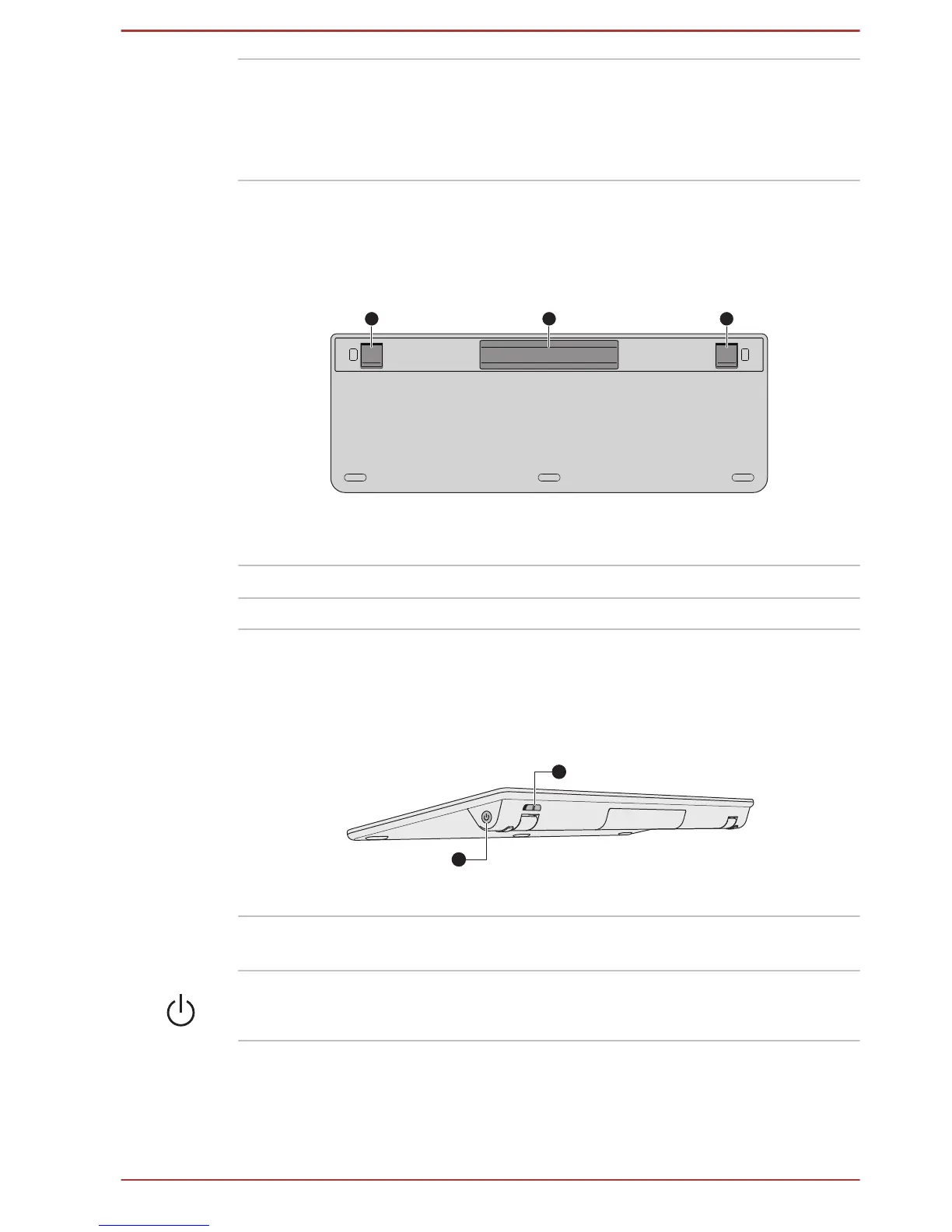
Underside
The following figure shows the underside of the wireless keyboard.
Figure 3-7 underside of the wireless keyboard
1. Stand 3. Stand
2. Battery cover
Stand Used to let the keyboard tilted at an angle.
Battery cover Used to cover the batteries of the keyboard.
Back
The following figure shows the back of the wireless keyboard.
Figure 3-8 Back of the wireless keyboard
1. Power button 3. Power switch (keyboard)
Power switch
(keyboard)
Used for turning on/off the power of the
keyboard.
Power button Used for turning on/off the power of the
computer.
User's Manual 3-10



 To Next Page
 Loading...








