© 2018 Touchjet™ All Rights Reserved14
(Optional) Adjust your screen size
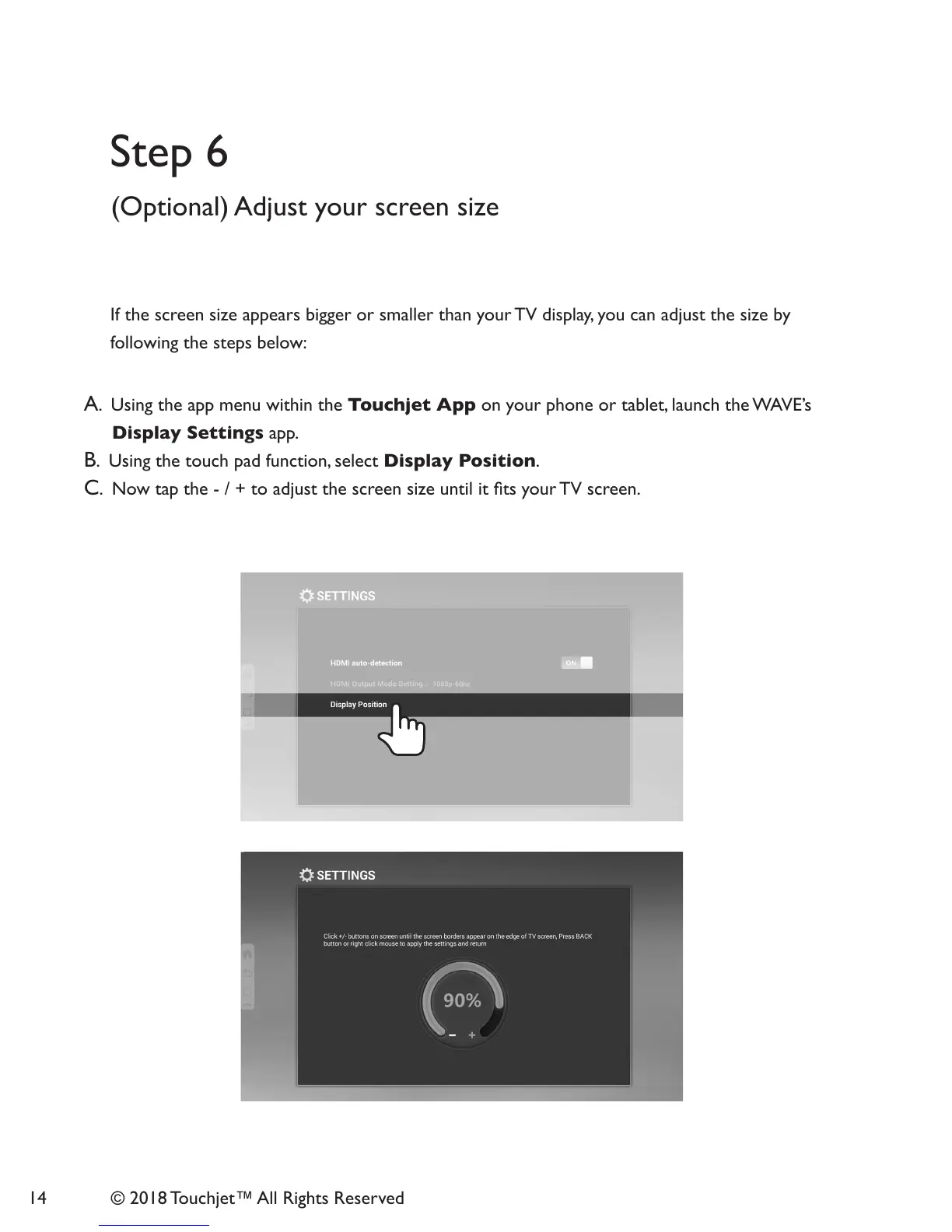
A. Using the app menu within the Touchjet App on your phone or tablet, launch the WAVE’s
Display Settings app.
B. Using the touch pad function, select Display Position.
C. Now tap the - / + to adjust the screen size until it ts your TV screen.
If the screen size appears bigger or smaller than your TV display, you can adjust the size by
following the steps below:
Step 6



 To Next Page