© 2018 Touchjet™ All Rights Reserved 17
There are two ways to set up Wi-Fi on your WAVE. You can set up the Wi-Fi directly
on the WAVE using nger touch, or use the Touchjet App on your smartphone or tablet.
Setup Via the WAVE
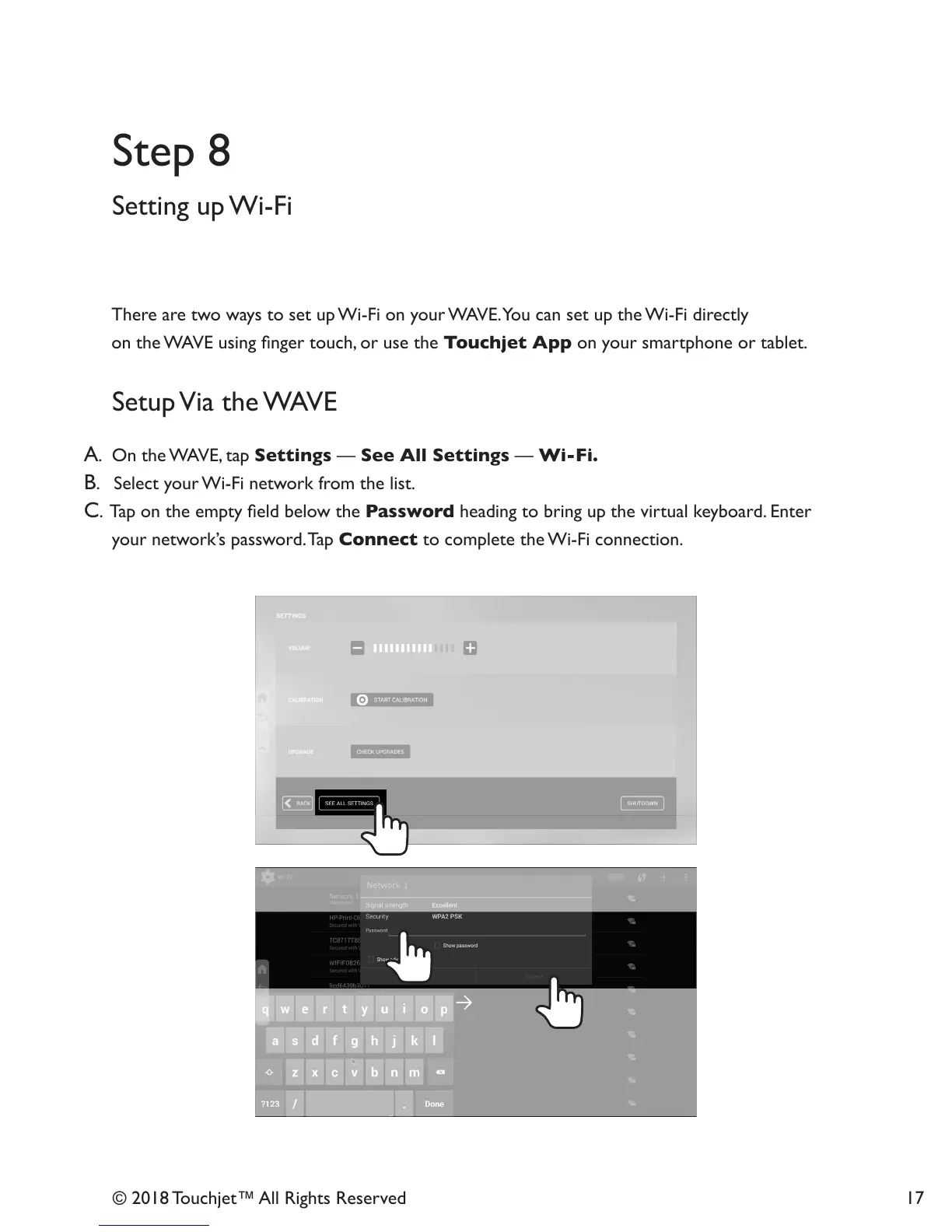
A. On the WAVE, tap Settings — See All Settings — Wi-Fi.
B. Select your Wi-Fi network from the list.
C. Tap on the empty eld below the Password heading to bring up the virtual keyboard. Enter
your network’s password. Tap Connect to complete the Wi-Fi connection.
Setting up Wi-Fi
Step 8



 To Next Page