© 2018 Touchjet™ All Rights Reserved 15
Touchscreen calibration
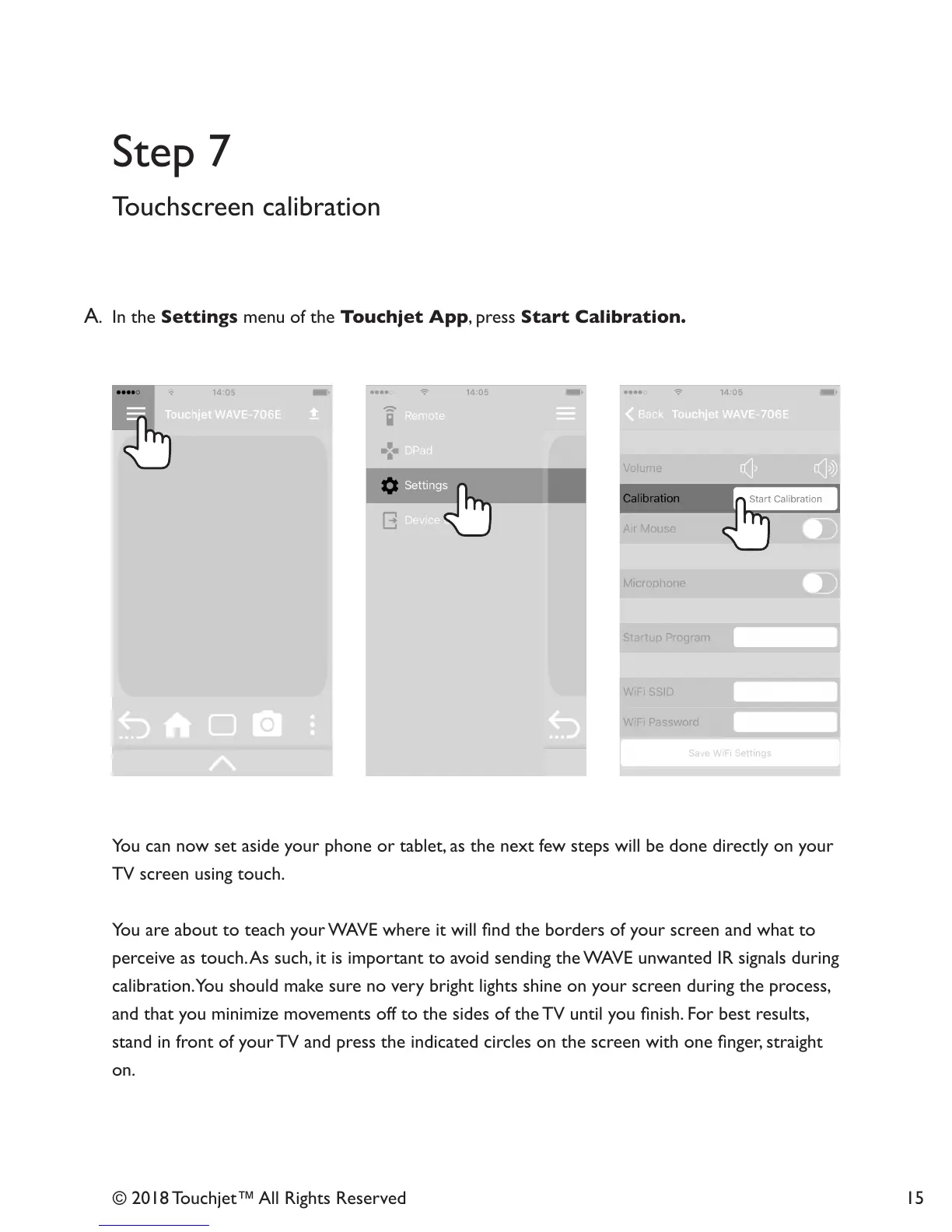
A. In the Settings menu of the Touchjet App, press Start Calibration.
You can now set aside your phone or tablet, as the next few steps will be done directly on your
TV screen using touch.
You are about to teach your WAVE where it will nd the borders of your screen and what to
perceive as touch. As such, it is important to avoid sending the WAVE unwanted IR signals during
calibration. You should make sure no very bright lights shine on your screen during the process,
and that you minimize movements off to the sides of the TV until you nish. For best results,
stand in front of your TV and press the indicated circles on the screen with one nger, straight
on.
Step 7



 To Next Page