© 2018 Touchjet™ All Rights Reserved10
Step 3
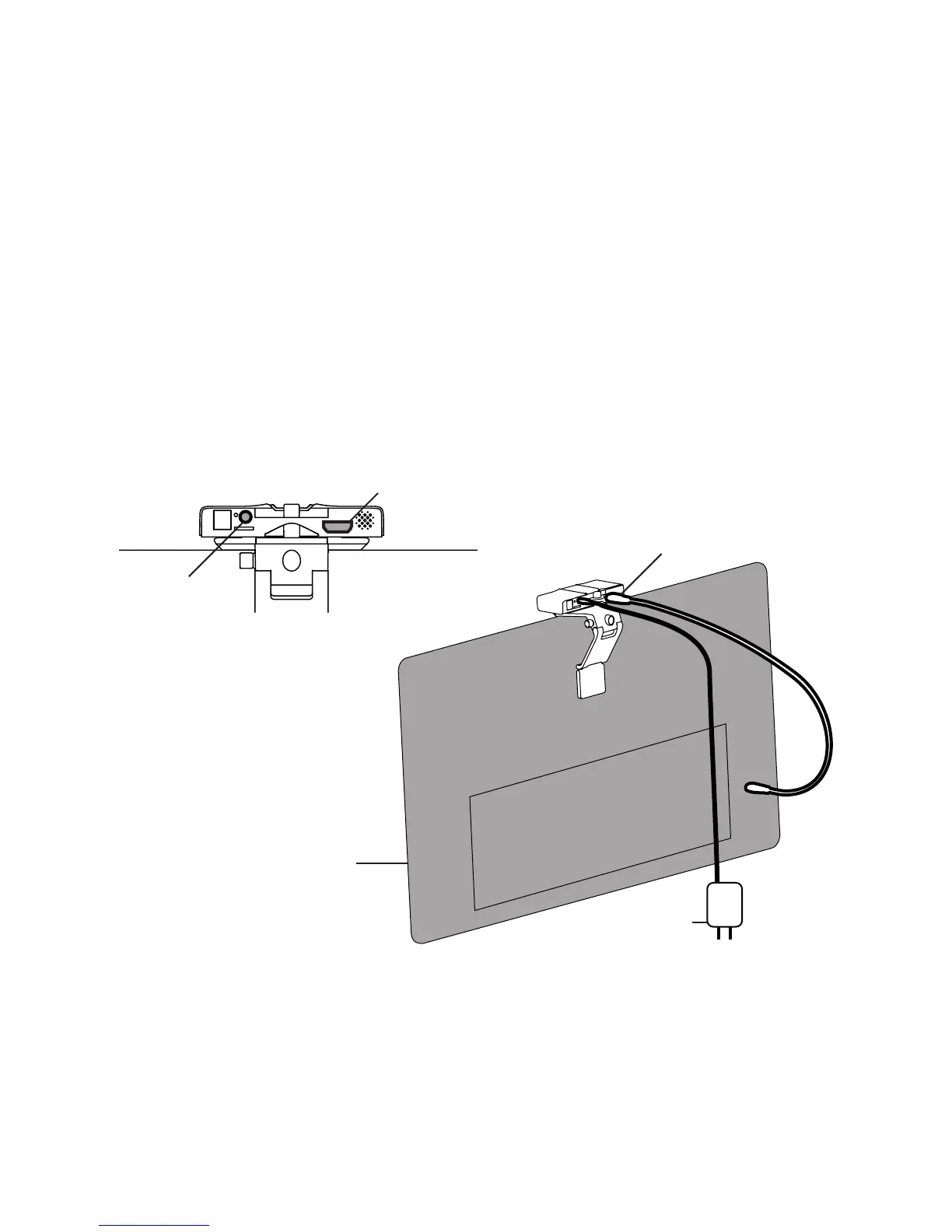
Connect to HDMI and power
HDMI
A. Insert one end of your HDMI Cable into the HDMI Port on the back of the Android
Box, and the other into an HDMI Port on your TV. Note: the plug will not go all the way
into the box, do not try to push it in further once the red power light comes on.
Back of TV
Power Adapter
HDMI Port
HDMI Cable (not included)
DC Input
WAVE AC Adapter
B. Insert the DC plug on the WAVE AC Adapter cord into the DC Input connector on the
back of the Android Box.
C. Insert the AC plug into a 120V AC power outlet. Note: we recommend plugging your WAVE
into a power strip so that you can easily turn the device on and off.



 To Next Page