© 2018 Touchjet™ All Rights Reserved 9
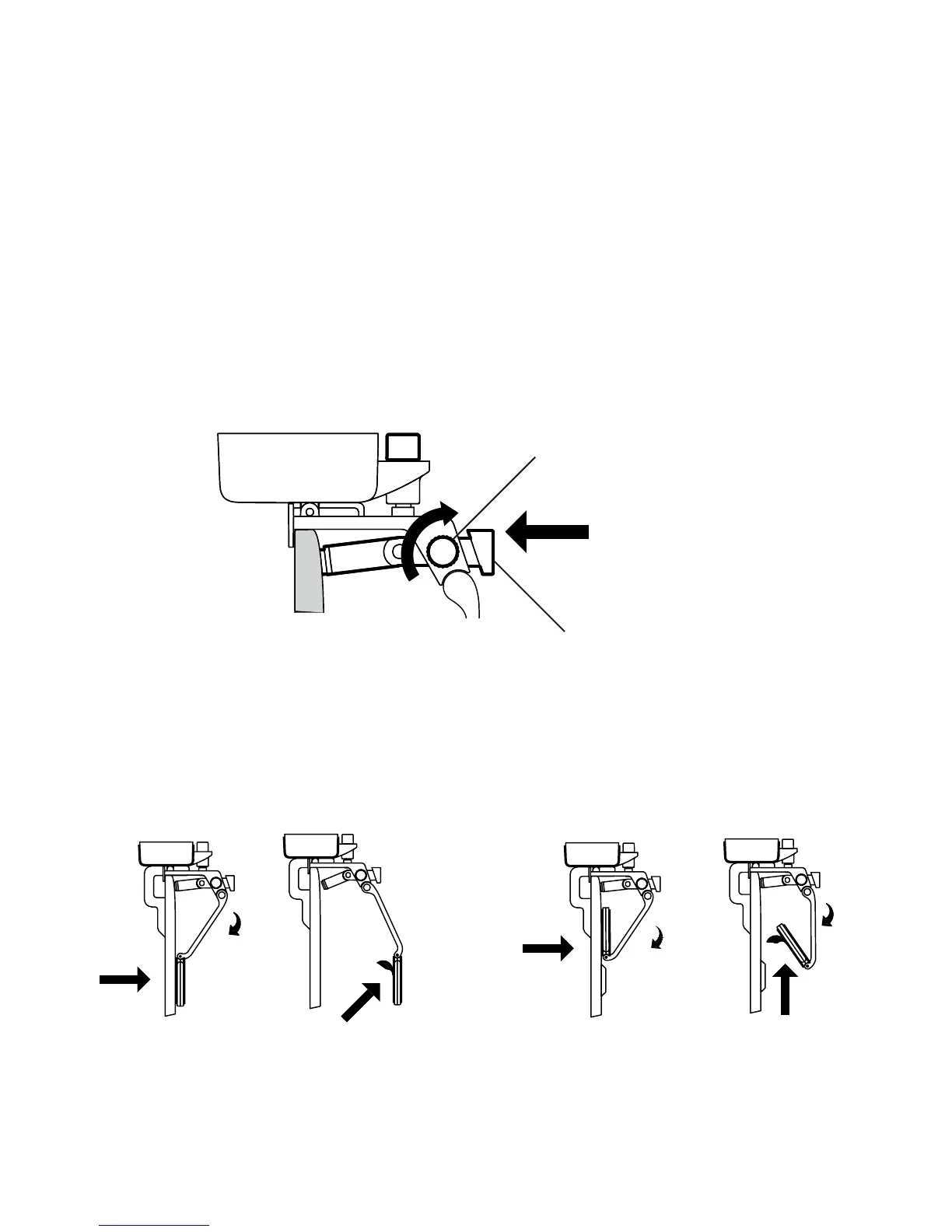
C. Press the Bracing Rod rmly onto the back of the TV. There should be no gap. Tighten the
Bracing Knob to fasten the rod in place.
Bracing Rod
Bracing Knob
D. Remove the Protective Film from the Velcro Tape attached to the Velcro Pad and
keeping the Android Box in place. Press it rmly onto the back of your TV.
E. Slide the Alignment Tool out from underneath the box to remove it.



 To Next Page