© 2018 Touchjet™ All Rights Reserved 11
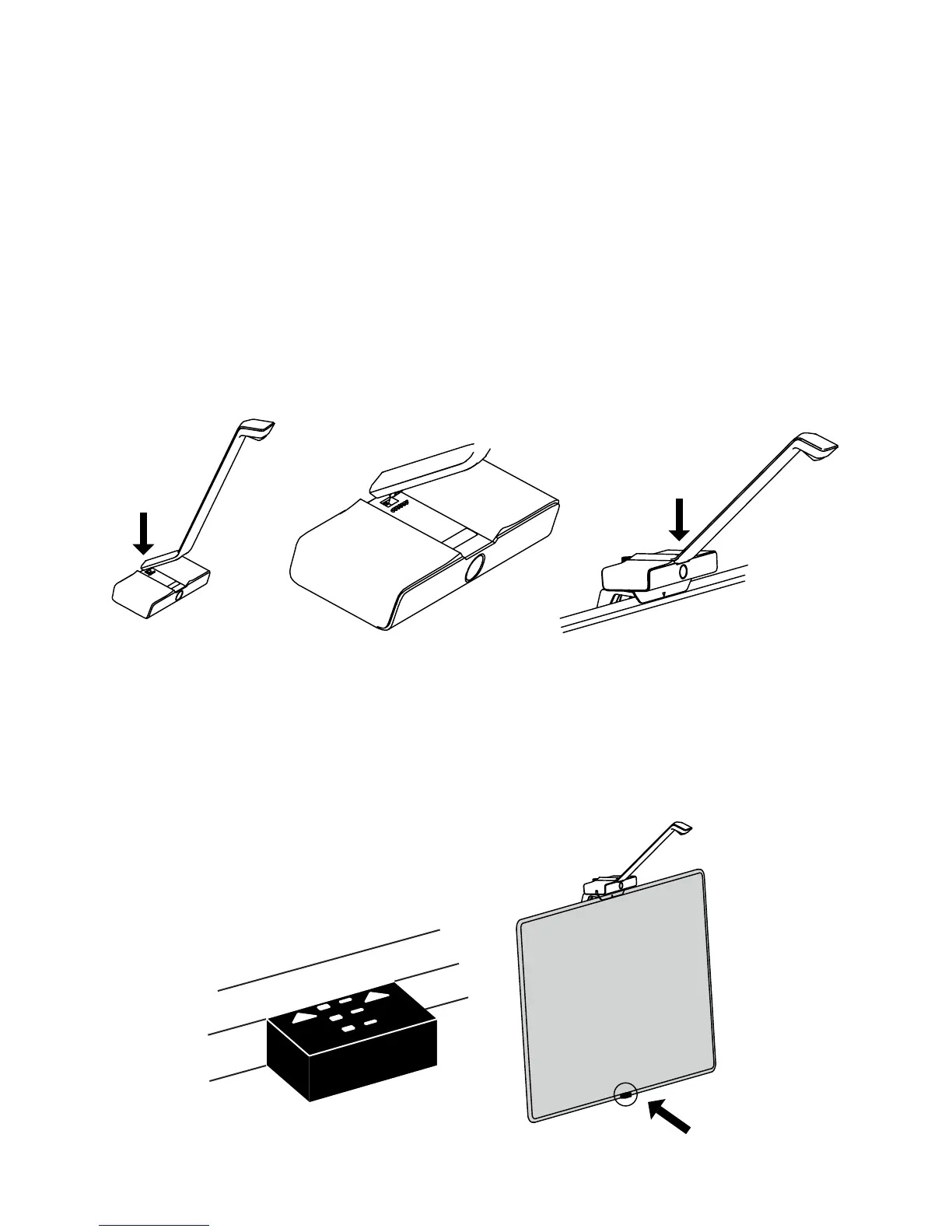
A. Connect the WAVE Arm to the top of the Android Box by carefully place the lip at the
base of the arm into the rectangular opening atop the box. The WAVE Arm should snap into
place so that there is no gap between the arm and the box.
B. Place the Infrared Sensor at against the bottom of your TV frame. Face the sensor lights up
toward the WAVE unit and the arrows toward your screen. The colored lights of the Infrared
Sensor will indicate the angle of the infrared lasers emitting from your Android Box. Your
goal is to align them parallel to your TV screen.
Step 4
Connect the WAVE Arm and align the infrared wall



 To Next Page