© 2018 Touchjet™ All Rights Reserved18
Setup via the Touchjet App
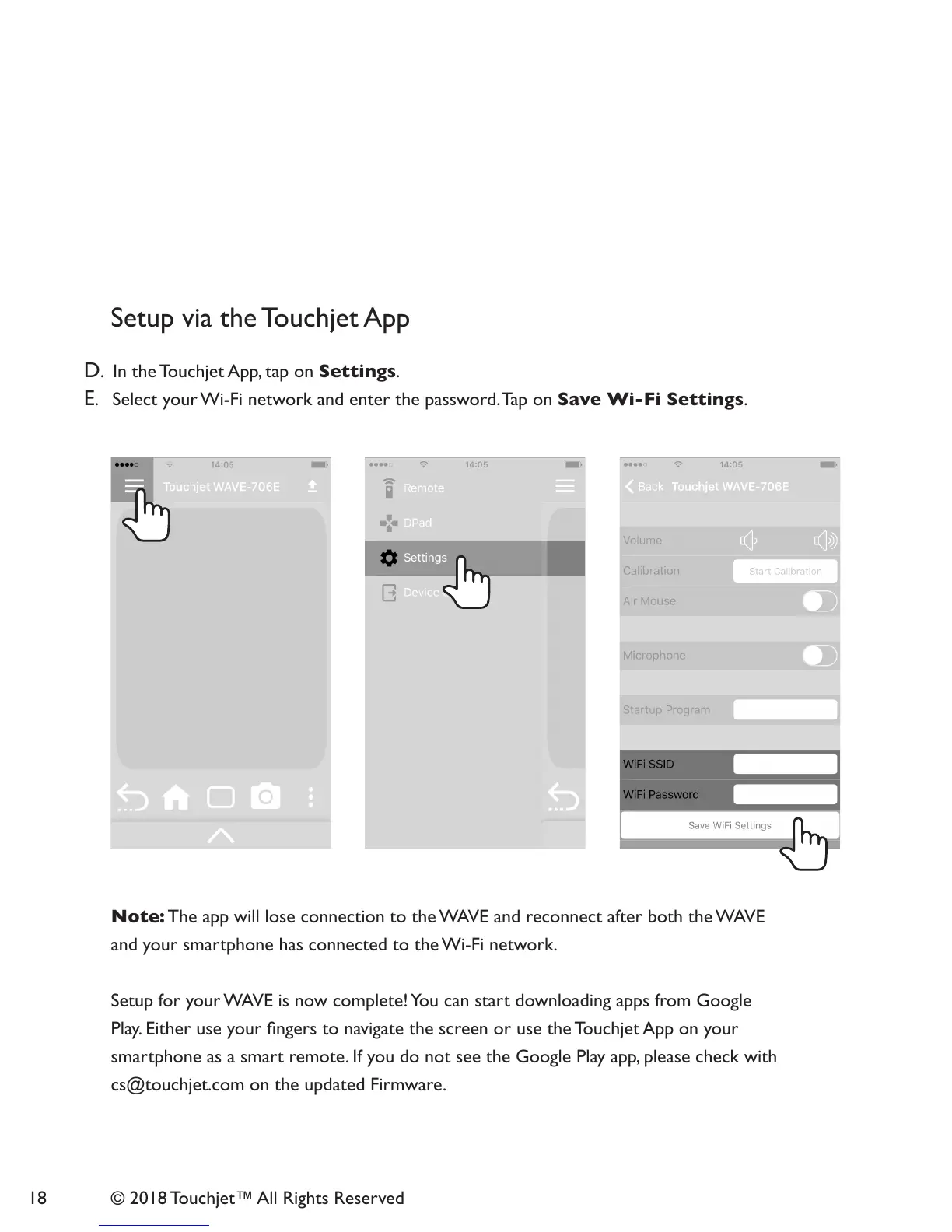
D. In the Touchjet App, tap on Settings.
E. Select your Wi-Fi network and enter the password. Tap on Save Wi-Fi Settings.
Note: The app will lose connection to the WAVE and reconnect after both the WAVE
and your smartphone has connected to the Wi-Fi network.
Setup for your WAVE is now complete! You can start downloading apps from Google
Play. Either use your ngers to navigate the screen or use the Touchjet App on your
smartphone as a smart remote. If you do not see the Google Play app, please check with
cs@touchjet.com on the updated Firmware.



 To Next Page