7
GETTING TO KNOW YOUR AIR FRYER
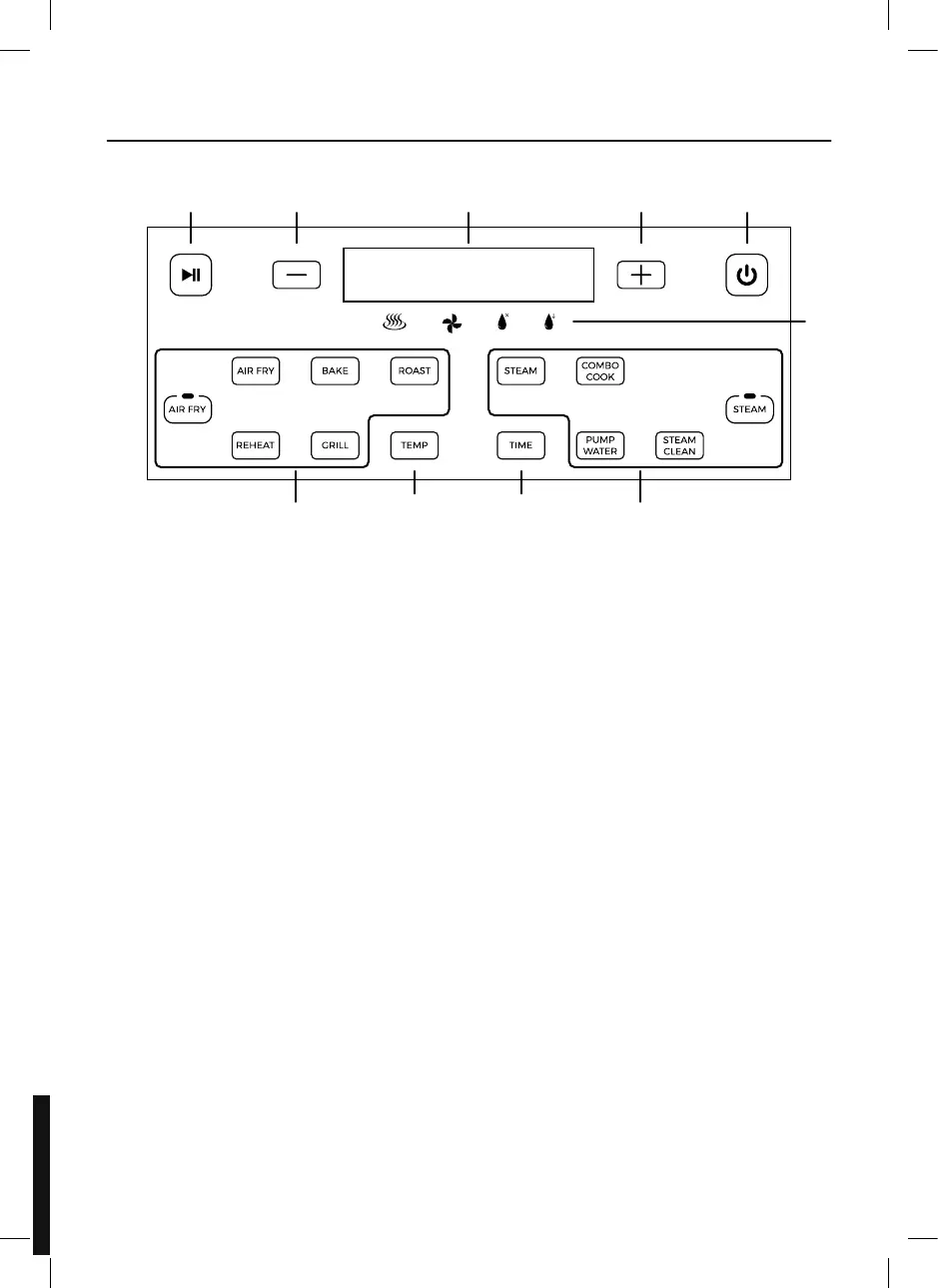
CONTROL PANEL AND DISPLAY
1. Start/Pause Key
2. Time/Temperature - Key
3. LED Display
4. Time/Temperature + Key
5. Power ON/OFF Key
6. Function Indicators
7. Steam Function Control Panel
8. Time Selection Key
9. Temperature Selection Key
10. Air Frying Function Control Panel
1 2
10 789
3 4 5
6
AIR FRYING MODE
Air Fry – A regular air fry cycle, ideal
for creating low-fat fried snacks.
Bake - Automatically sets the ideal time
and temperature for baking bread, cakes
or snacks.
Roast – Automatically sets the ideal time
or vegetables.
Grill - Automatically sets the ideal time
or vegetables.
Reheat - Automatically sets the ideal time
and temperature for reheating ingredients.
STEAM MODE
Steam – A regular steam cycle, ideal for
creating a variety of simple steamed meals.
Combo Cook – This function combines the
unit’s air frying and steaming functions
within a single cycle, making it ideal for
creating full meals in one go.
Steam Clean – This function automatically
cleans the unit after a cooking cycle,
minimizing the need for manual
maintenance.
Pump Water – This function pumps
the remaining water out of the water tank
after a cycle, minimizing the need
for manual emptying.



 To Next Page