ADVANCED FUNCTIONS
05 4RUNNER NAVI_U (L/O 0408)
93
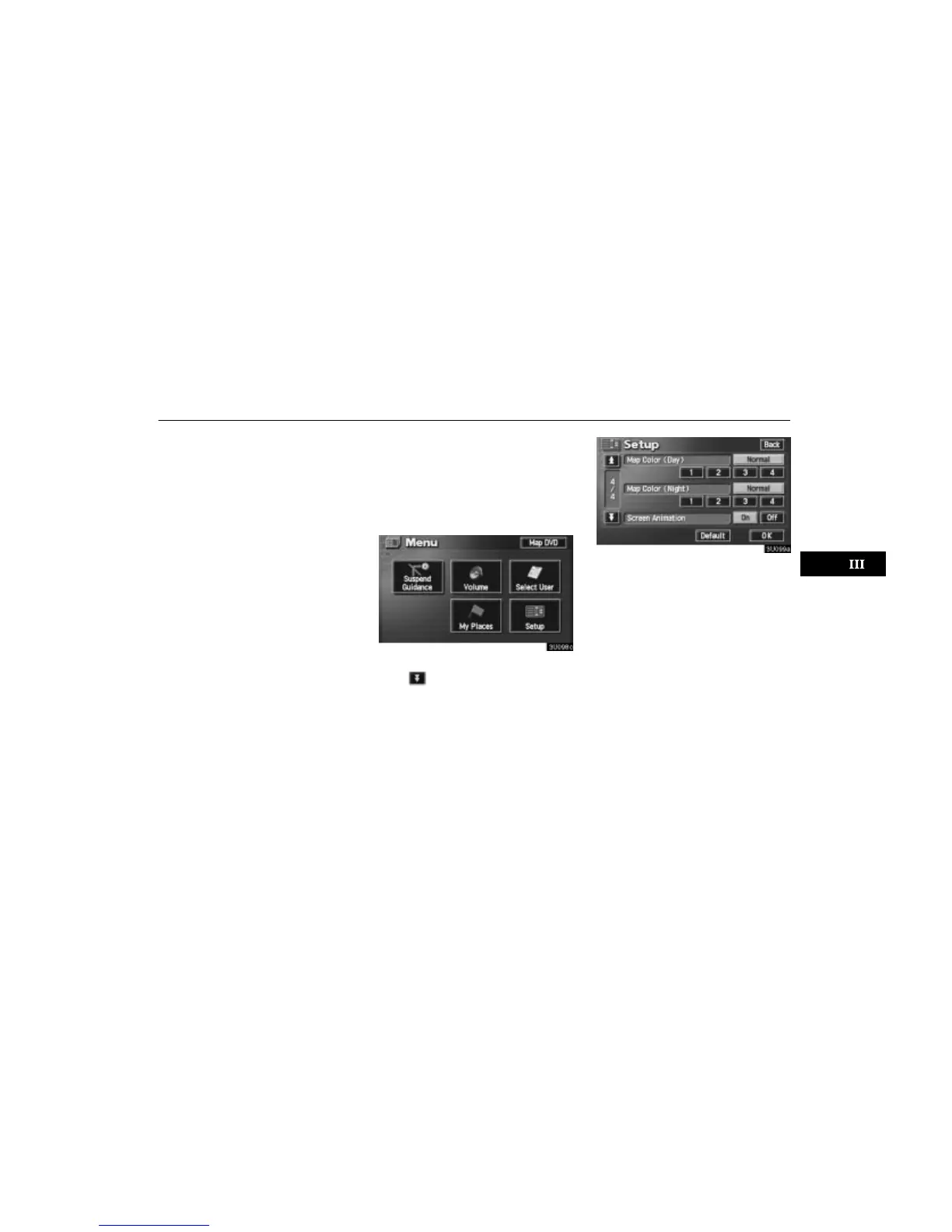
3. Touch the desired color for day and/or
night map and then touch the “OK”
switch to return the map screen.
Touch the
“Normal” switch to return to the
default map color.
Screen animation
When the “Screen Animation” feature is
turned on, some switches and screens be-
come animated. (e.g.: change map guid-
ance on the map screen)
To turn the “Screen Animation” mode on:
1. Push the
“MENU” button.
2. Touch the “Setup” switch. Then
touch
switch three times to display
page 4 of the “Setup” screen.
3. Touch the “On” switch of “Screen
Animation” and touch the “OK” switch.






 To Next Page