OTHER FUNCTIONS
05 4RUNNER NAVI_U (L/O 0408)
97
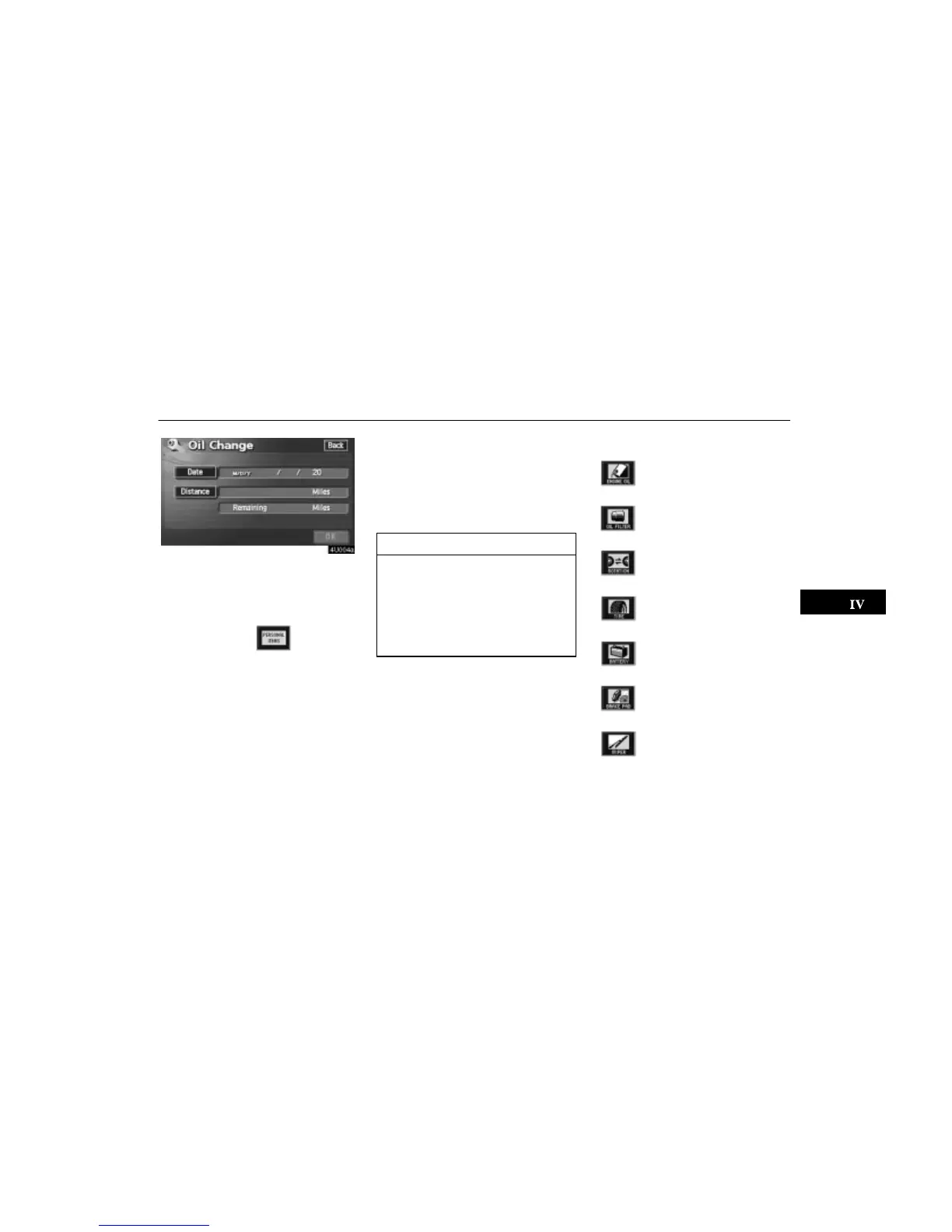
Notice of “Date”: You can input the next
maintenance date.
Notice of “Distance”: You can input the driv-
ing distance until the next maintenance
check.
When you touch the switch on the
“Maintenance” screen, the screen changes to
the “Personal Event” screen. Touch the keys
to input the desired name and then input con-
ditions.
After you input the date and/or distance,
touch the “OK” switch. The screen then re-
turns to the “Maintenance” screen.
The following switches appear.
“Delete All”: To cancel all conditions which
have been inputted.
“Reset All”: To reset the item which has sat-
isfied a condition.
Touch the
“Off” switch at the top of the
“Maintenance” screen to turn off the informa-
tion screen.
When your vehicle needs to be serviced, the
icon color will change to orange.
INFORMATION
For scheduled maintenance informa-
tion, please refer to the “Scheduled
Maintenance Guide” or “Owner’s
Manual Supplement”.
Depending on driving or road condi-
tions, the actual date and distance
may differ from the stored date and
distance in the system.
Information items
Oil change
Replace oil filter
Rotate tires
Replace tires
Replace battery
Replace brake linings
Replace wiper blades





 To Next Page