OTHER FUNCTIONS
05 4RUNNER NAVI_U (L/O 0408)
105
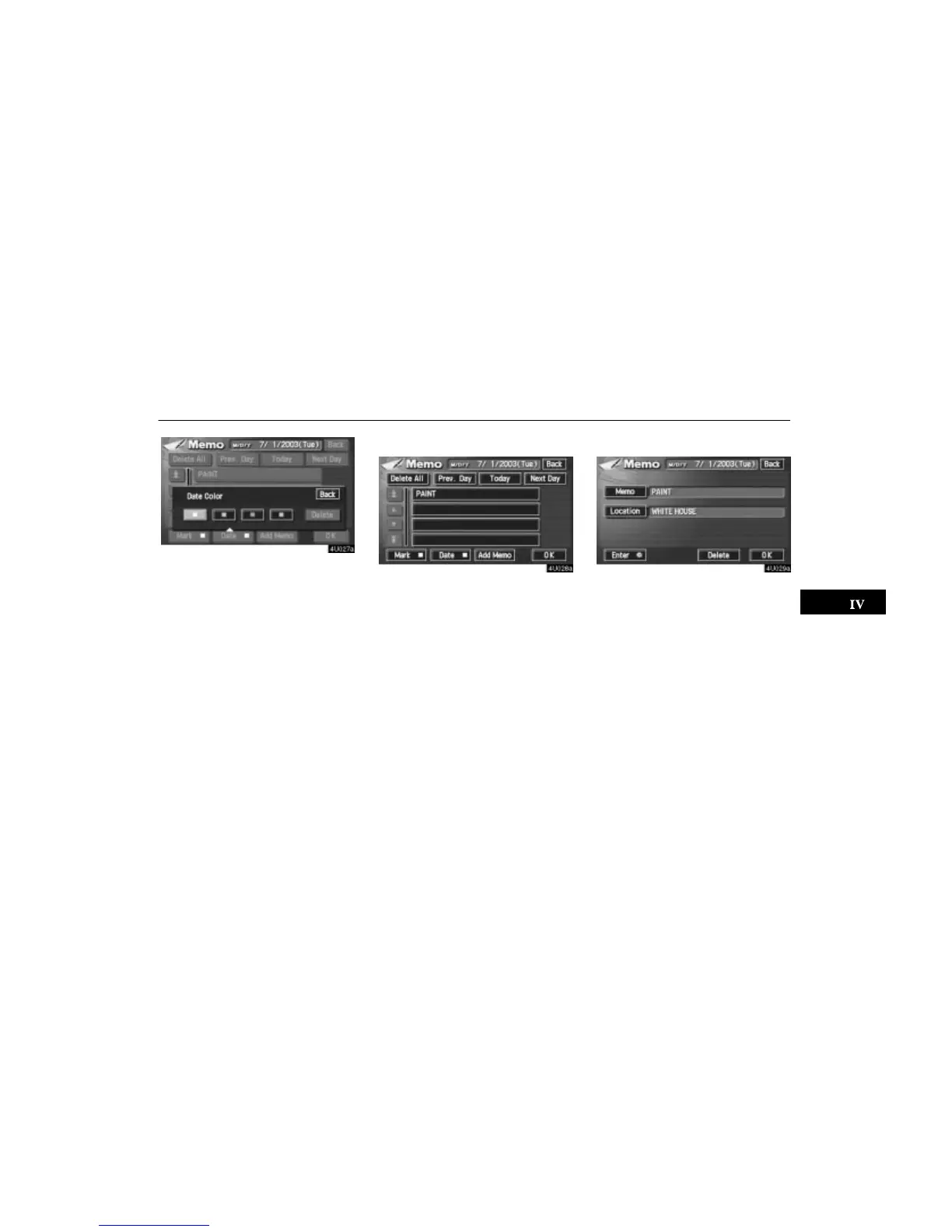
Touch your desired color for the date.
You can set a color of the mark and/or date
for the date you added the memo and/or
location.
To default the date color, touch the
“De-
lete”
switch on the screen. After you
choose the date and/or mark color, touch
the
“OK” switch to display the previous
screen.
(b) Adding a memo
To add a memo, touch the corresponding
date.
The “Memo” screen appears on the dis-
play. Touch the
“Add Memo” switch.
(See page 102 for inputting a memo.)
You can add up to 100 memos.
(c) Deleting a memo
Touch the corresponding date. Touch the
corresponding memo switch, and then
touch the
“Delete” switch on the screen.
A message appears on the display. To de-
lete, touch the
“Yes” switch. To cancel
the deletion, touch the
“No” switch.






 To Next Page