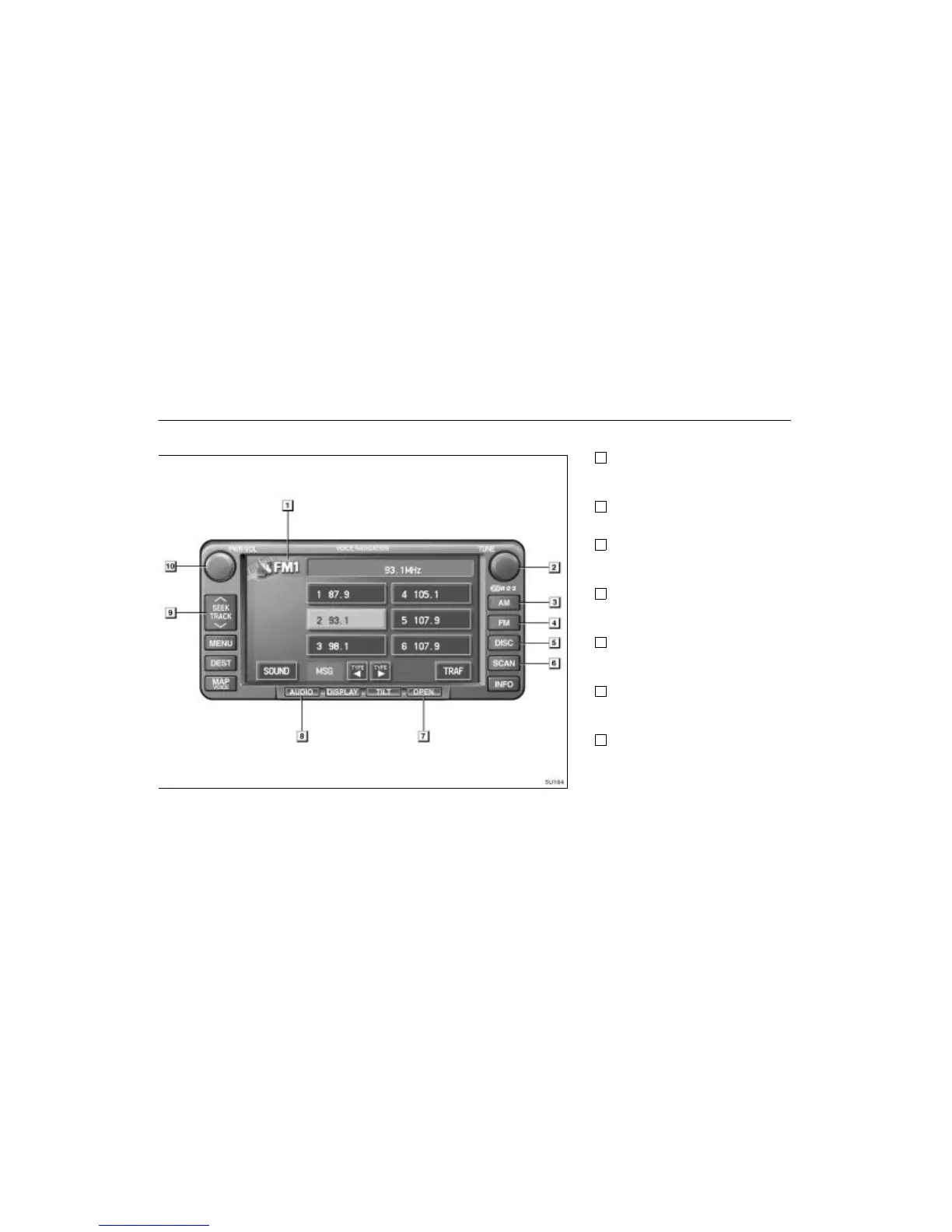
AUDIO SYSTEM
05 4RUNNER NAVI_U (L/O 0408)
112
1
Function switch display screen
Touch the switches displayed on the
screen to control the radio and compact
disc player. For details, see page 114.
2
“TUNE” knob
Turn this knob to move up or down the
station band. For details, see page 116.
3
“AM” button
Push this button to choose an AM sta-
tion. For details, see pages 114 and
116.
4
“FM” button
Push this button to choose an FM sta-
tion. For details, see pages 114 and
116.
5
“DISC” button
Push this button to turn the compact disc
player on. For details, see pages 114
and 120.
6
“SCAN” button
Push this button to scan radio stations or
the tracks on a compact disc. For de-
tails, see pages 117 and 121.
7
“OPEN” button
Push this button to open the display to
access the slot for the compact disc
player. For details, see page 119.
Quick reference





 To Next Page