AUDIO SYSTEM
05 4RUNNER NAVI_U (L/O 0408)
125
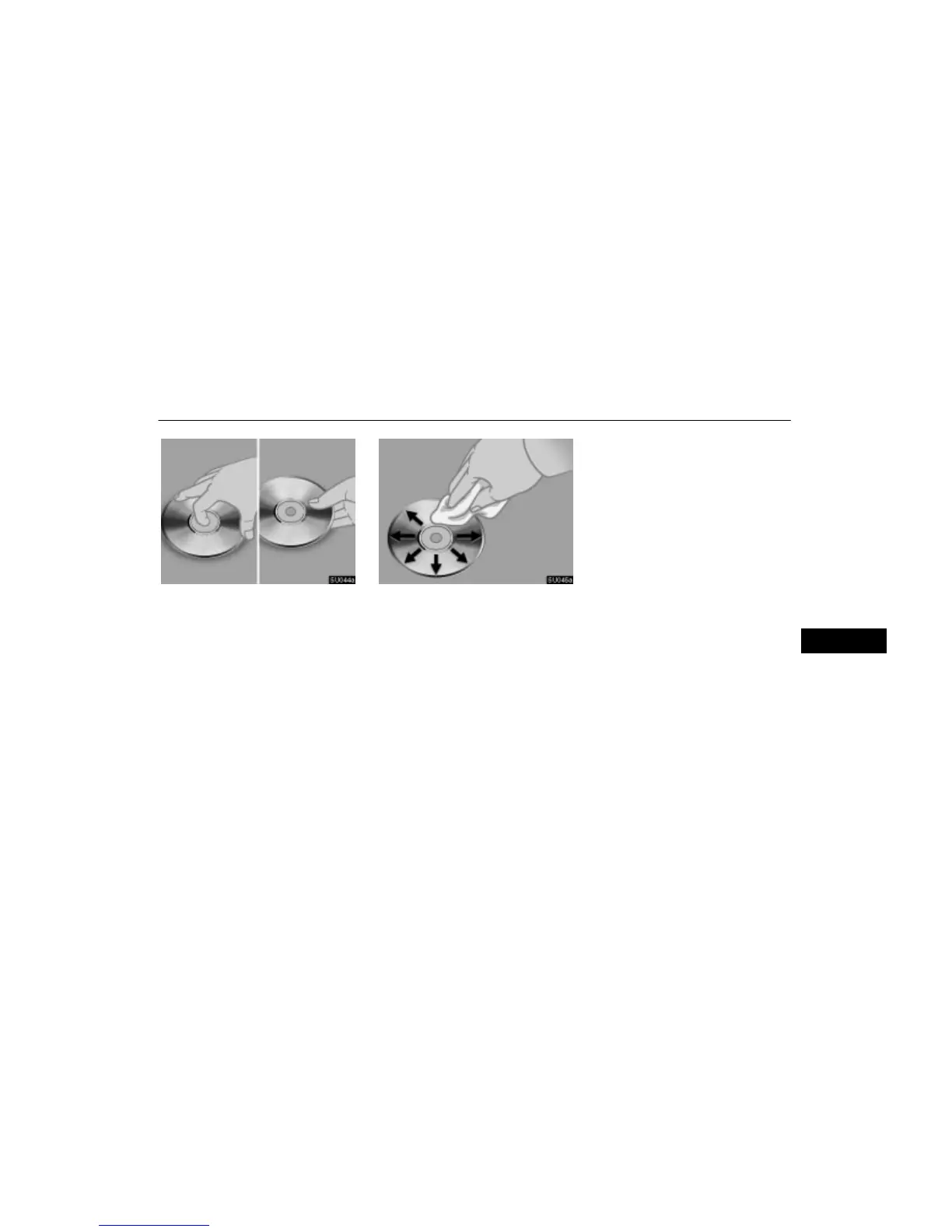
Correct Wrong
Handle compact discs carefully, especial-
ly when you are inserting them. Hold them
on the edge and do not bend them. Avoid
getting fingerprints on them, particularly
on the shiny side.
Dirt, scratches, warping, pin holes, or oth-
er disc damage could cause the player to
skip or to repeat a section of a track. (To
see a pin hole, hold the disc up to the
light.)
Remove discs from the compact disc
player when you are not listening to them.
Store them in their plastic cases away
from moisture, heat, and direct sunlight.
To clean a compact disc: Wipe it with a soft,
lint-free cloth that has been dampened with
water. Wipe in a straight line from the center
to the edge of the disc (not in circles). Dry it
with another soft, lint-free cloth. Do not use
a conventional record cleaner or anti-static
device.
V






 To Previous Page