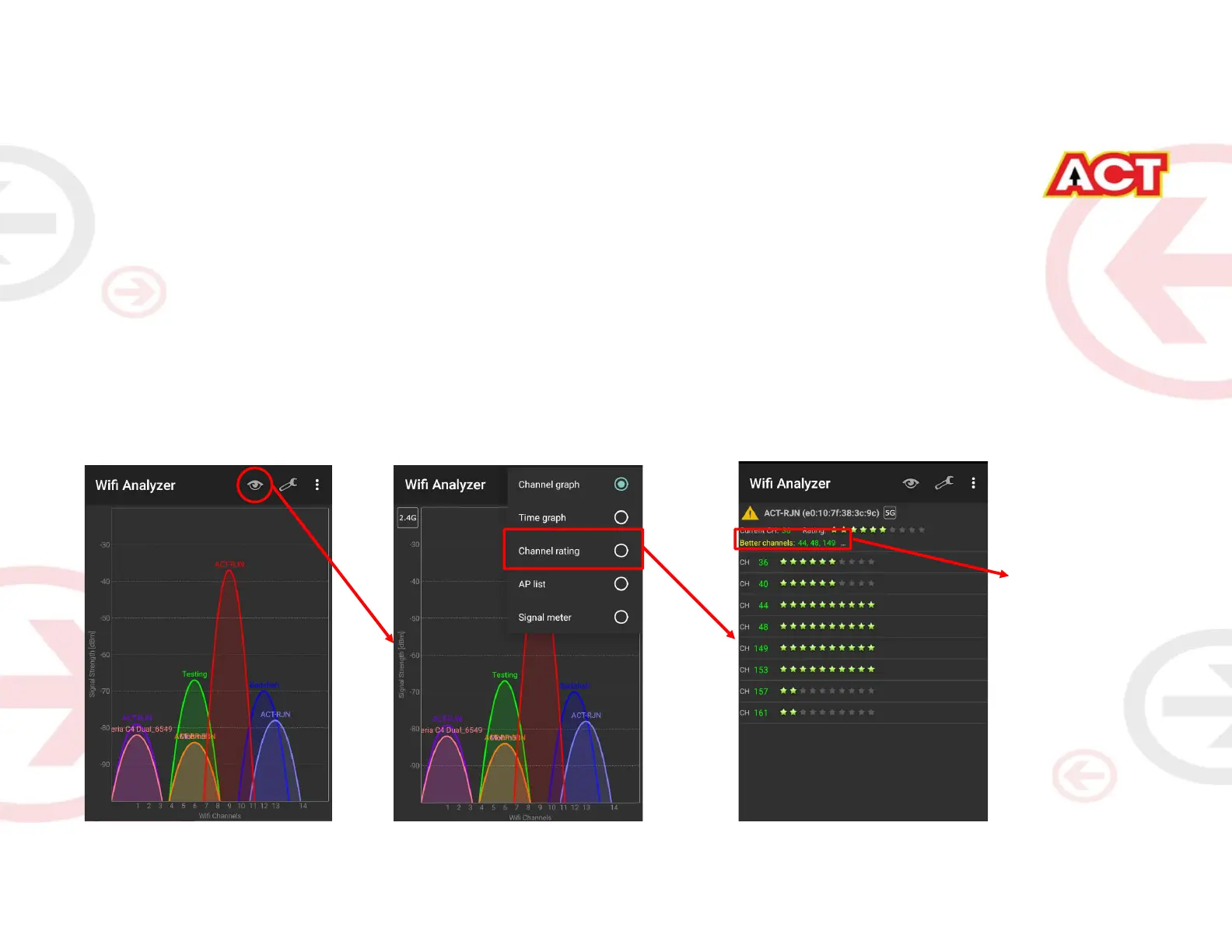
• Channels are the mediums through which your router transmits signals to other devices.
• There are several channels that one can choose from, based on the Frequency at which your router
works (Bands – 2.4 GHz) and the premises.
– Step A: Download any Wi-Fi Analyzer software from Internet (It is a Freeware).
– Step B: Choose to view different channels. We have provided an Example for better understanding.
– Step C: Channel numbers for 2.4 GHz will be in the range of 1 to 13
– Step D: Wi-Fi analyzer will show which channel is being utilized most and which one the least. Refer the example in
the next slide. Choosing a channel with least utilization will give maximum advantage.
STEP 6: Channel Change (As and when required)
More Stars implies
Lesser Utilization of
Channel




 To Next Page