94
Chapter 13
Manage the Router
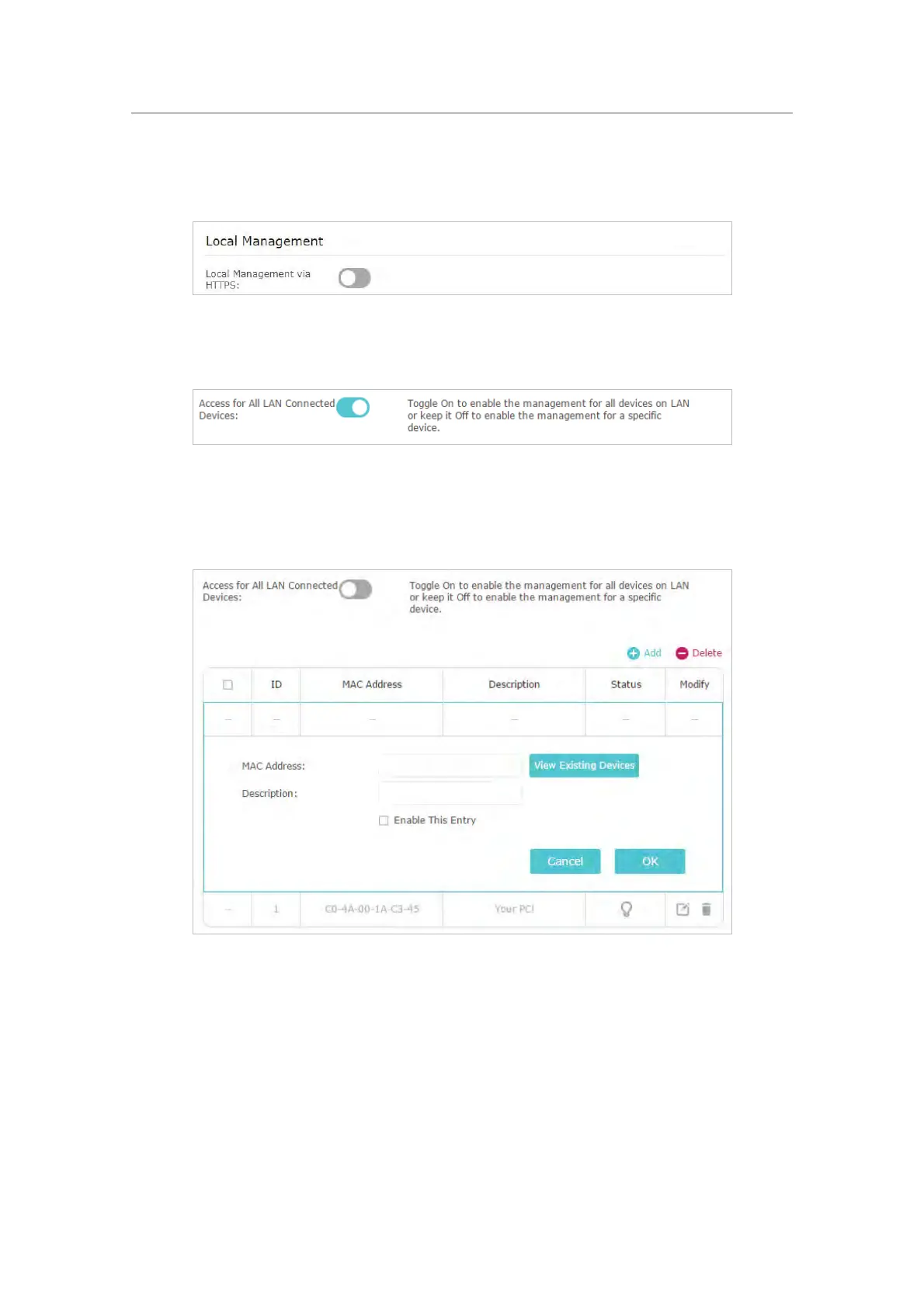
Toggle on Local Management via HTTPS if you want to access the router via HTTPS and
HTTP, or keep it disabled if you only want to access the router via HTTP.
¾ Allow all LAN connected devices to manage the router:
Toggle on Access for All LAN Connected Devices.
¾ Allow specific devices to manage the router:
1. Toggle off Access for All LAN Connected Devices.
2. Click Add.
3. Click View Existing Devices and select the device to manage the router from the
Existing Devices list, or enter the MAC address of the device manually.
4. Specify a Description for this entry.
5. Tick
the Enable This Entry checkbox.
6. Click OK.














 To Next Page