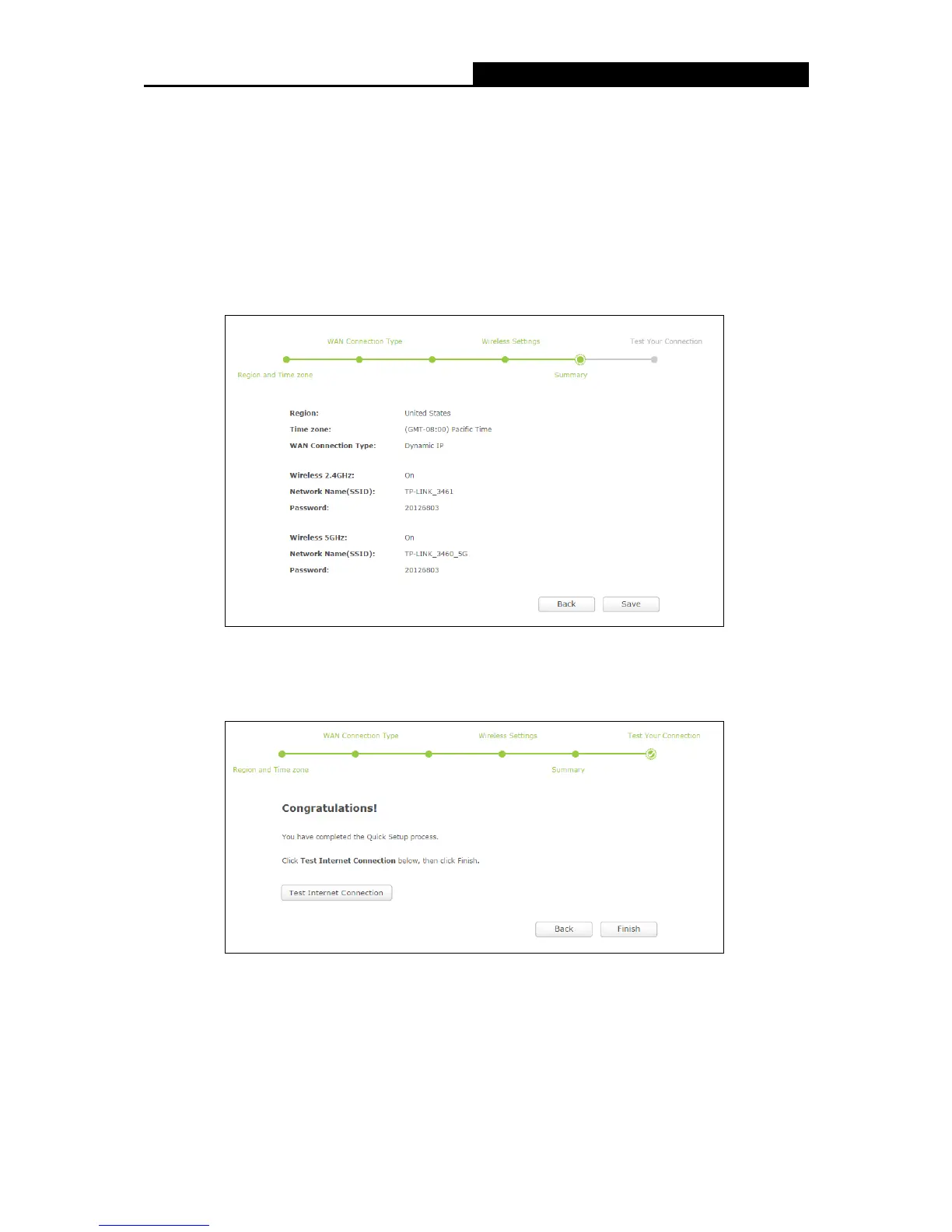
Wireless 2.4GHz/5GHz - Displays whether the wireless function is enabled or not.
Network Name (SSID) - Also called the SSID (Service Set Identification). Enter a value of up
to 32 characters. The same name must be assigned to all wireless devices in your network.
This value is case-sensitive. For example, TEST is NOT the same as test.
Password - Create a password for your 2.4GHz and 5GHz wireless network.
6. On the Summary page, verify your settings. If anything wrong, click Back to change it; if
nothing wrong, click Save to continue.
Figure 3-11 Summary
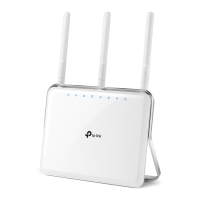
7. Congratulations! You have completed the Quick Setup process. You can click Test Internet
Connection, and then click Finish to exit.
Figure 3-12 Finish
- 15 -












 To Next Page