56
Chapter 11
Specify Your Network Settings
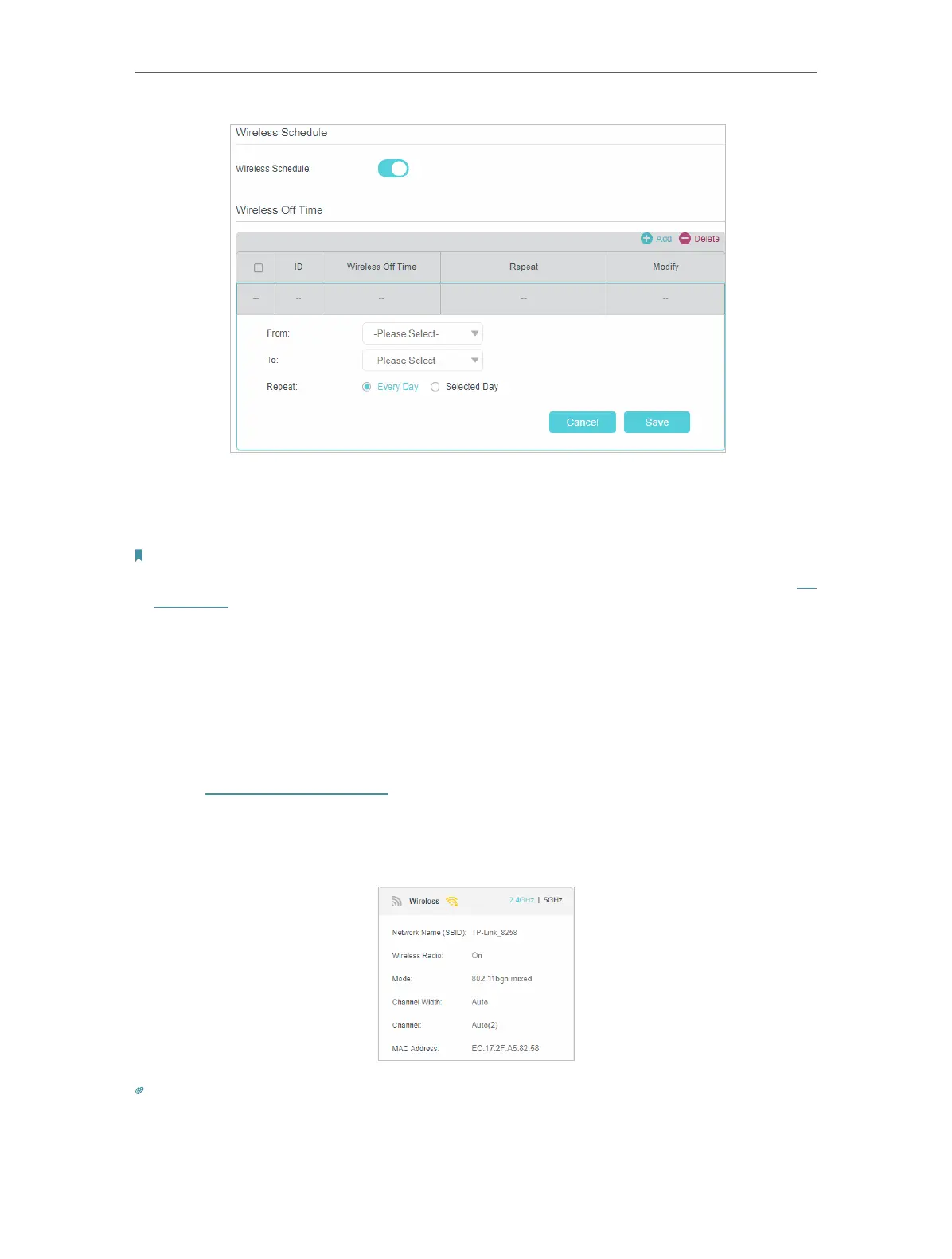
4. Set the wireless off time. Select From and To time and click Save to make the
settings effective. You can repeat the schedule every day or just certain days in a
week.
Note:
1. Please make sure that the time of the router is correct before using this function. For more details, refer to Set
System Time.
2. The wireless LED will turn off if both wireless networks are disabled.
3. The wireless network will be automatically turned on after the time period you set.
11. 5. 4. View Wireless Information
• To view the detailed wireless network settings:
1. Visit http://tplinkmodem.net, and log in with the password or your TP-Link ID.
2. Go to Advanced > Status page. You can see the Wireless box.
3. Select 2.4GHz or 5GHz to view the wireless details.
Tips:
You can also see the wrieless details by clicking the router icon on Basic > Network Map.


 To Next Page