TD-8816 ADSL2+ Modem Router User Guide
32
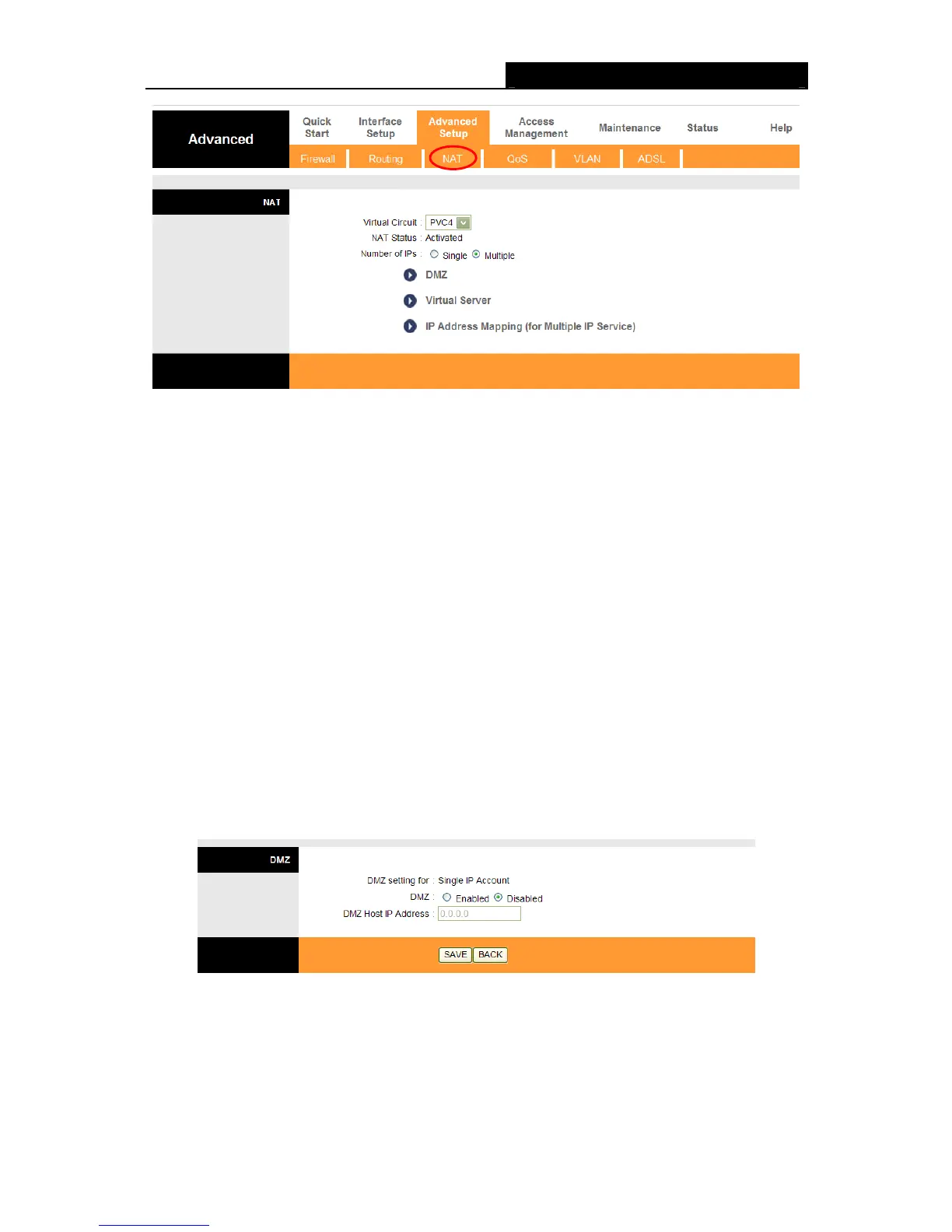
Figure 4-22
Virtual Circuit: Select the Virtual Circuit Index that you plan to setup for the NAT function.
NAT Status: This field shows the current status of the NAT function for the current VC. You
can go to the previous screen (shown in Figure 4-6) to activate the function.
Number of IPs; This field is to specify
how many IPs are provided by your ISP for current VC.
It can be single IP or multiple IPs. We select Multiple to explain.
Note:
For VCs with single IP, they share the same DMZ and Virtual servers; for VCs with multiple IPs,
each VC can set DMZ and Virtual servers. Furthermore, for VCs with multiple IPs, they can define
the Address Mapping rules; for VCs with single IP, since they have only one IP, there is no need
to individually define the Address Mapping rule.
4.4.3.1. DMZ
Choose “Ad
vanced Setup→NAT→DMZ” in Figure 4-22, you can configure the DMZ host in the
next screen. A DMZ (demilitarized zone) is a host b
etween a private local network and the outside
public network. It prevents outside users from getting direct access to a server that has company
data. Users of the public network outside the company can access to the DMZ host.
Figure 4-23
DMZ Host IP Address: Enter the specified IP Address for DMZ host on the LAN side.
4.4.3.2. Virtual Server
Choose “Advanced Setup→NAT→Virtual Server” in Figure 4-22, you can configure the Virtual
Server in the
next screen.



 To Next Page