TD-8816 ADSL2+ Modem Router User Guide
47
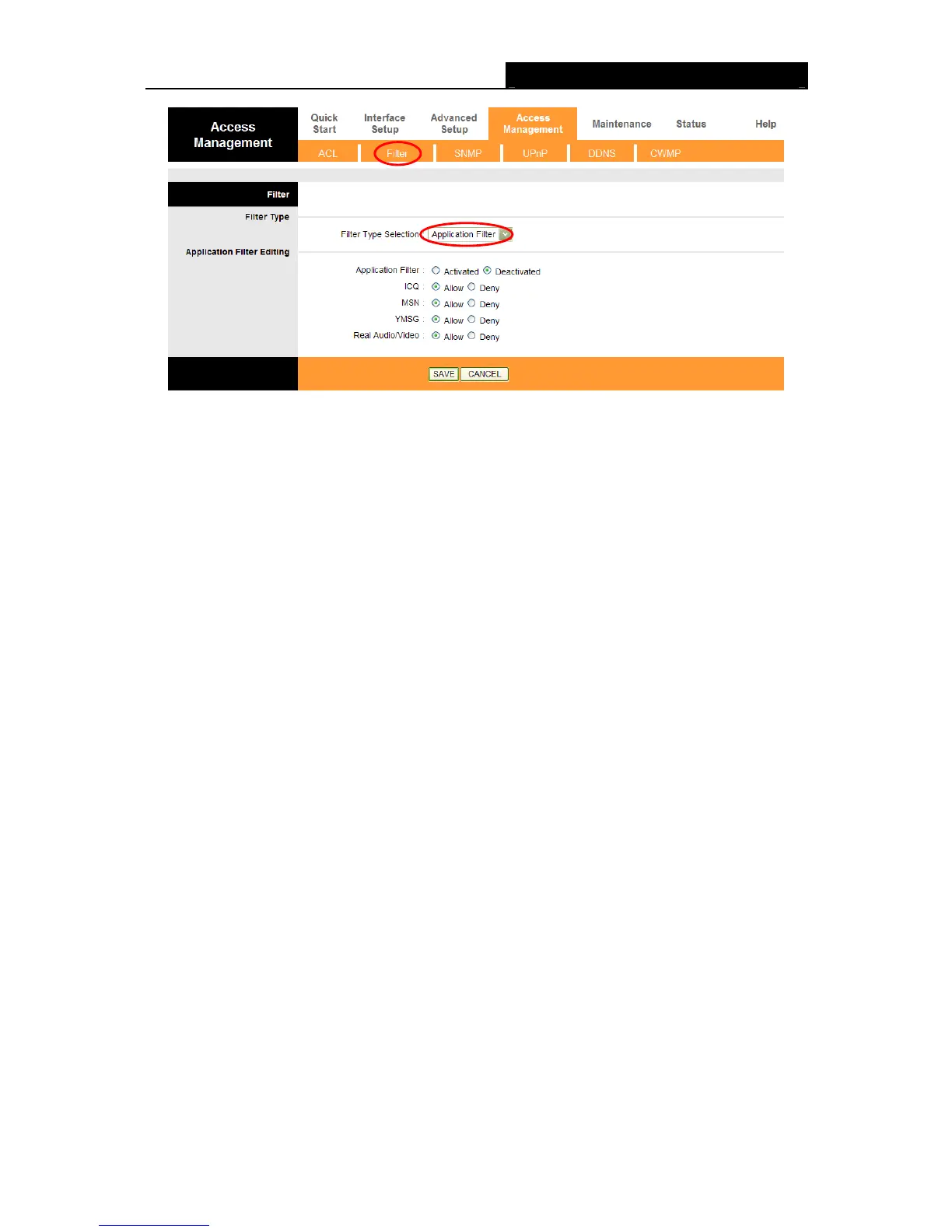
Figure 4-37
Filter Type Selection: Select the Application Filter for the next configuration.
Application Filter: Activate or deactivate the function.
ICQ & MSN & YMSG & Real Audio/Video: Select Allow or Deny for these applications. If
you select Allow, the modem router will accept the application; if you select Deny, the modem
router will forbid the application.
4.5.2.4. URL Filter
Select URL Filter as the Filter type (shown in Figure 4-38), then you can configure the filter rules
based on URL.


 To Next Page
 Loading...










