TD-8840 ADSL2+ Modem Router User Guide
50
4.5.4.2. IP Address
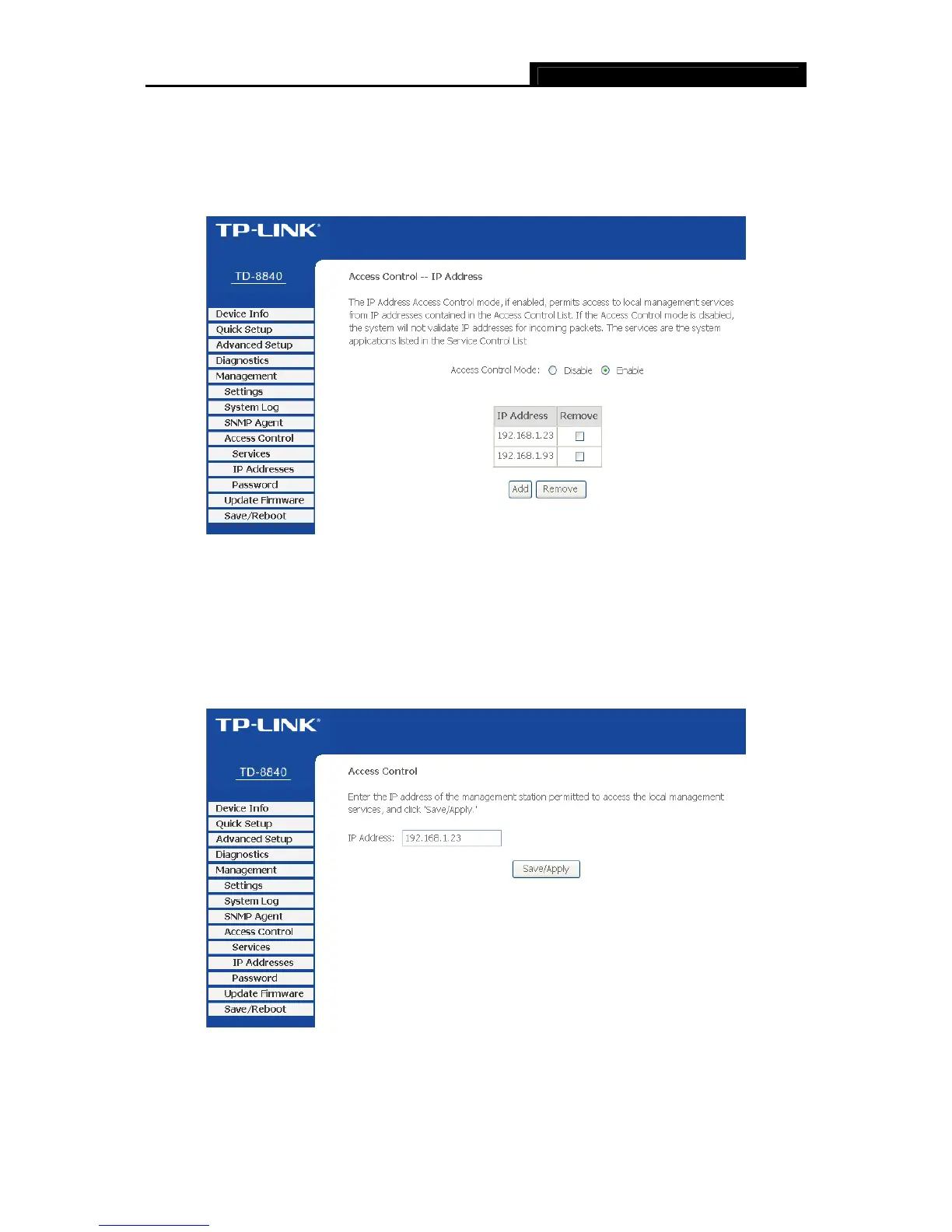
Choose “Access Control→IP Address” menu, and can view and configure the IP address
access control in the screen as shown in Figure 4-50. If enabled, only PCs with IP addresses
listed are allowed to access the Router.
Figure 4-50
To add a new entry, follow the steps below.
1. Click the Add button in Figure 4-50 to go to the Access Control page in the screen as shown
in Figure 4-51.
2. Enter the IP address (e.g. 192.168.1.23) you want to add in the IP Address filed.
3. Click Save/Apply to save your configuration.
Figure 4-51
4.5.4.3. Password
Choose “Access Control→Password” menu, and you can change the factory default password



 To Next Page