TD-W8961ND 300Mbps Wireless N ADSL2+ Modem Router User Guide
5
)
Note:
After a device is successfully added to the network by QSS function, the QSS LED will keep on for
about 5 minutes and then turn off.
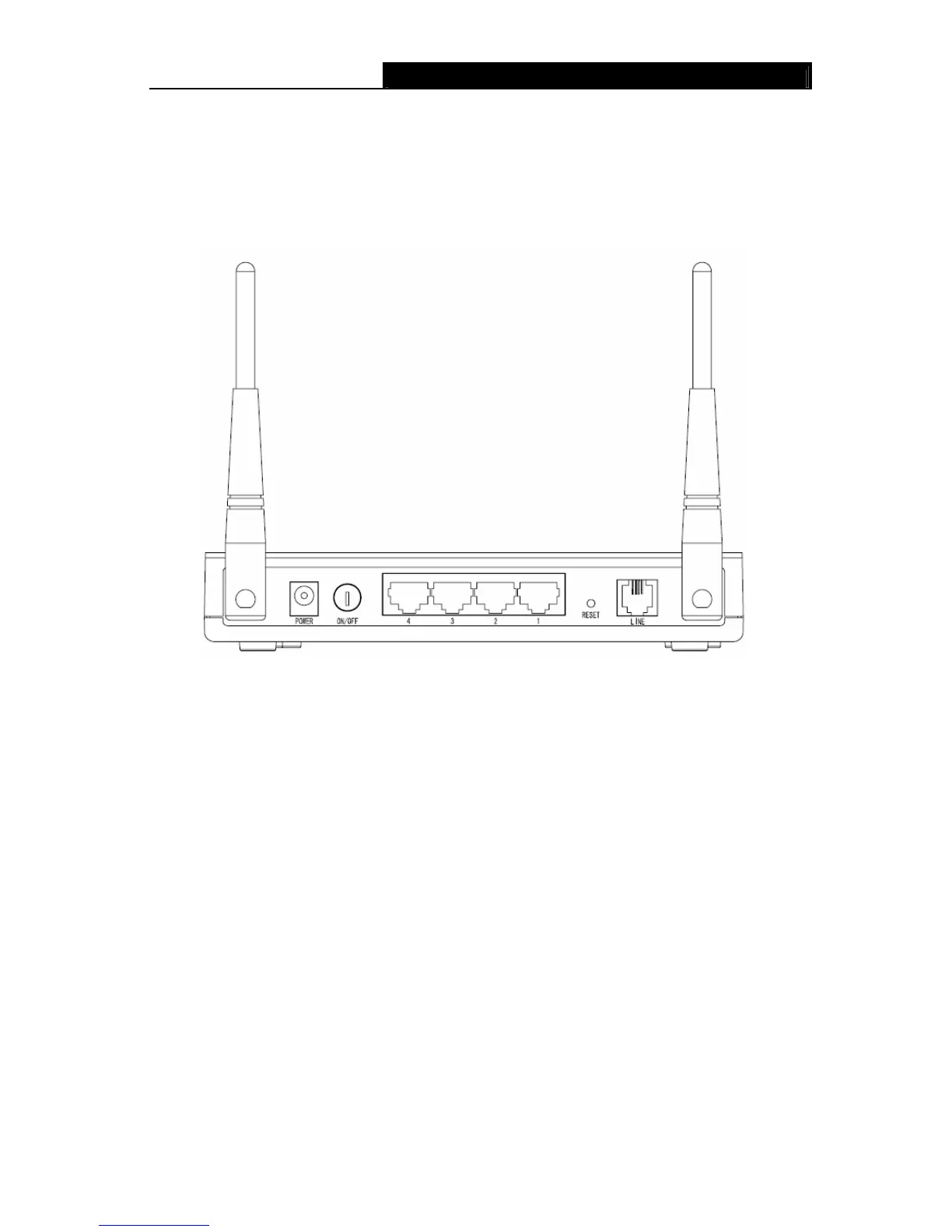
2.2 The Back Panel
Figure 2-2
¾ POWER: The Power plug is where you will connect the power adapter.
¾ ON/OFF: The switch for the power.
¾ 1, 2, 3, 4 (LAN): Through the port, you can connect the Router to your PC or the other
Ethernet network devices.
¾ RESET: There are two ways to reset the Router's factory defaults.
Method one: With the Router powered on, use a pin to press and hold the Reset button for at
least 5 seconds. And the Router will reboot to its factory default settings.
Method two: Restore the default setting from “Maintenance-SysRestart” of the Router's
Web-based Utility.
¾ LINE: Through the port, you can connect the router with the telephone. Or you can connect
them by an external separate splitter. For details, please refer to 2.4 Connecting the Router
¾ Antenna: Used for wireless operation and data transmit.
2.3 Installation Environment
¾ The Product should not be located where it will be exposed to moisture or excessive heat.
¾ Place the Router in a location where it can be connected to the various devices as well as to
a power source.



 To Next Page