EasyManua.ls Logo

TP-Link TD-W8951NB - User Manual

TP-Link TD-W8951NB
94 pages
Print Icon
To Next Page IconTo Next Page
Loading...
TD-W8951NB
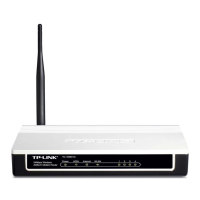
150Mbps Wireless N ADSL2+ Modem Router
(Annex B)
Rev: 3.0.0
1910010747

Other manuals for TP-Link TD-W8951NB

Questions and Answers

  • S
    Steven MartinezAug 11, 2025
    What to do if TP-Link Network Router cannot access the internet?
    • D
      danielletapiaAug 11, 2025
      If your TP-Link Network Router cannot access the internet, first, ensure all connectors, including the telephone line, Ethernet cables, and power adapter, are well-connected. Then, check if you can log on to the web management page of the modem router. Verify with your ISP that the VPI/VCI, Connection Type, account username, and password are correct. As a last resort, restore your modem router to its factory default settings and reconfigure it.
  • P
    Pamela FloresAug 18, 2025
    What to do if I cannot access the web-based configuration page of TP-Link Network Router?
    • E
      Erik WuAug 18, 2025
      If you cannot access the web-based configuration page of your TP-Link Network Router, configure your computer’s IP Address. If this doesn't work, restore your modem router’s factory default settings and reconfigure your modem router.
  • A
    Anthony WilkersonAug 27, 2025
    How to restore TP-Link Network Router to factory settings?
    • G
      Gloria WoodsAug 27, 2025
      To restore your TP-Link Network Router’s configuration to its factory default settings, press and hold the RESET button on the rear panel for 8 to 10 seconds before releasing it.
  • D
    Diana GregorySep 3, 2025
    What to do if I forget my TP-Link Network Router password?
    • D
      Daisy LeeSep 3, 2025
      If you forget your TP-Link Network Router password, try the following: first, restore the modem router’s configuration to its factory default settings. Alternatively, use the default username and password: admin, admin. You can also try to configure your modem router once again.

Summary

Hardware Setup and Connections

Step-by-Step Connection Guide

Provides step-by-step instructions for physically connecting the modem router to the telephone line and power source.

Quick Start Installation Guide

PC Configuration for Setup

Guides users on how to configure their computer's IP address and network settings for initial setup.

Accessing the Routers Web Interface

Details the process of accessing the router's web-based management interface using a browser.

Configuring Router Software Settings

Internet (WAN) Connection Setup

Covers the setup of WAN connection parameters, including ADSL types and PPPoE/PPPoA settings.

Troubleshooting Common Issues

Restoring Factory Default Settings

Step-by-step guide to reset the modem router to its original factory settings.

Technical Support Information

Global Support Contact Details

Contact information for global technical assistance and support resources.

TP-Link TD-W8951NB Specifications

General IconGeneral
BrandTP-Link
ModelTD-W8951NB
CategoryWireless Router
LanguageEnglish

Related product manuals