42
Web Smart Gigabit Switch Family User's Guide
TL-SG2109WEB/TL-SL2210WEB/TL-SL2218WEB/TL-SL2428WEB/TL-SL2452WEB
5.3.3.1 Switch IP Address
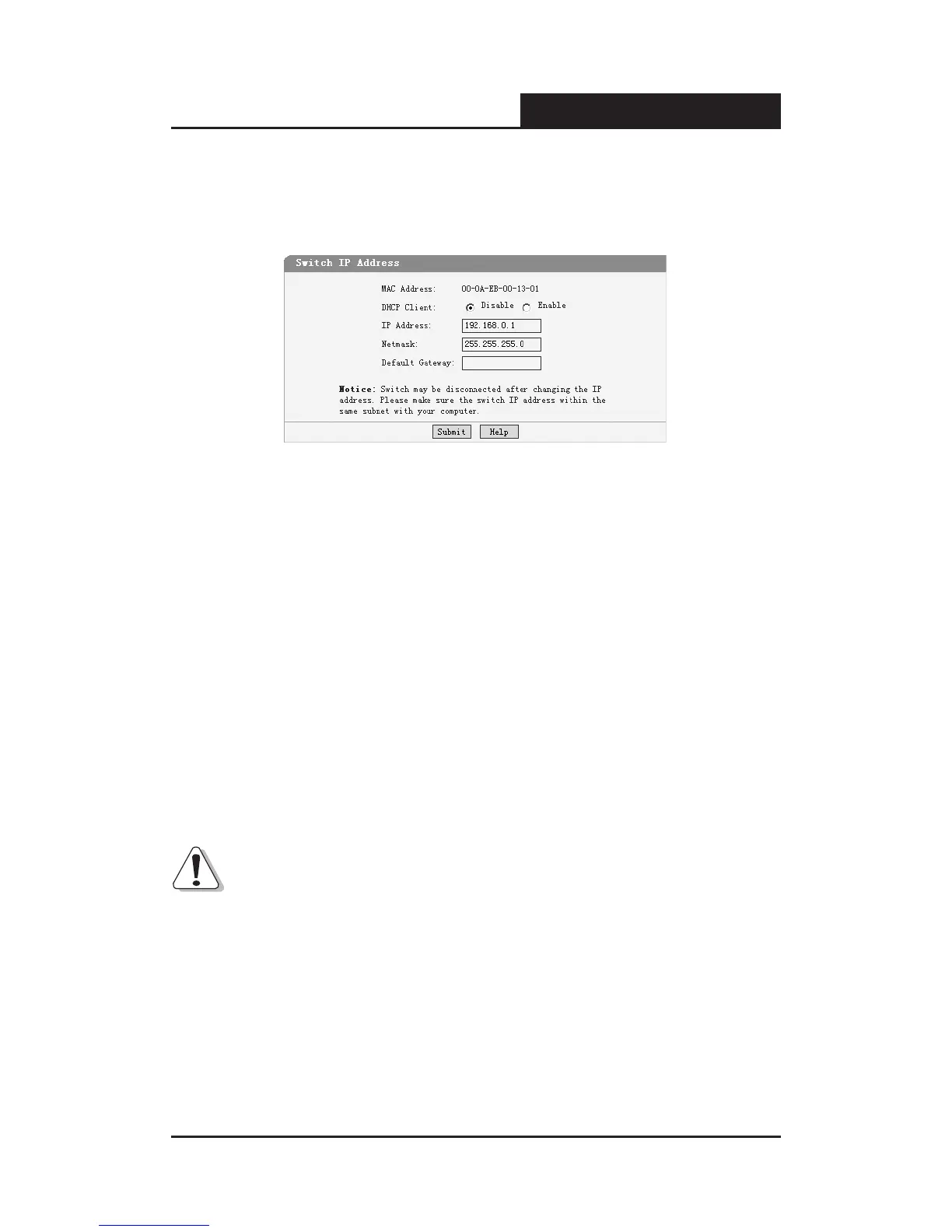
This page is showed as below:
Figure 5-26 Switch IP Address
MAC Address: Is firmed into switch in the manufacturing process; it is
sole and unchangeable.
DHCP Client: Indicates whether the DHCP function is enabled. If DHCP
client is enabled, the switch will obtain the IP address, netmask and default
gateway from the DHCP server automatically; otherwise, these three items
should be congured manually.
IP Address: Is necessary for switch management. The configuration of
switch IP address must be compliant with the subnet layout.
Default Gateway: Serves as the default destination when a packet whose
destination IP address is not within the switch’s subnet is to be forwarded.
Notice:
1) When DHCP client is enabled, the IP parameters are obtained
automatically from the DHCP server, so the “IP Address”, “Netmask” and
“Default Gateway” elds are disabled. These parameters can be queried
on the DHCP server.
2) The initial state of DHCP client is disabled and the initial IP address is
192.168.0.1.











 To Next Page