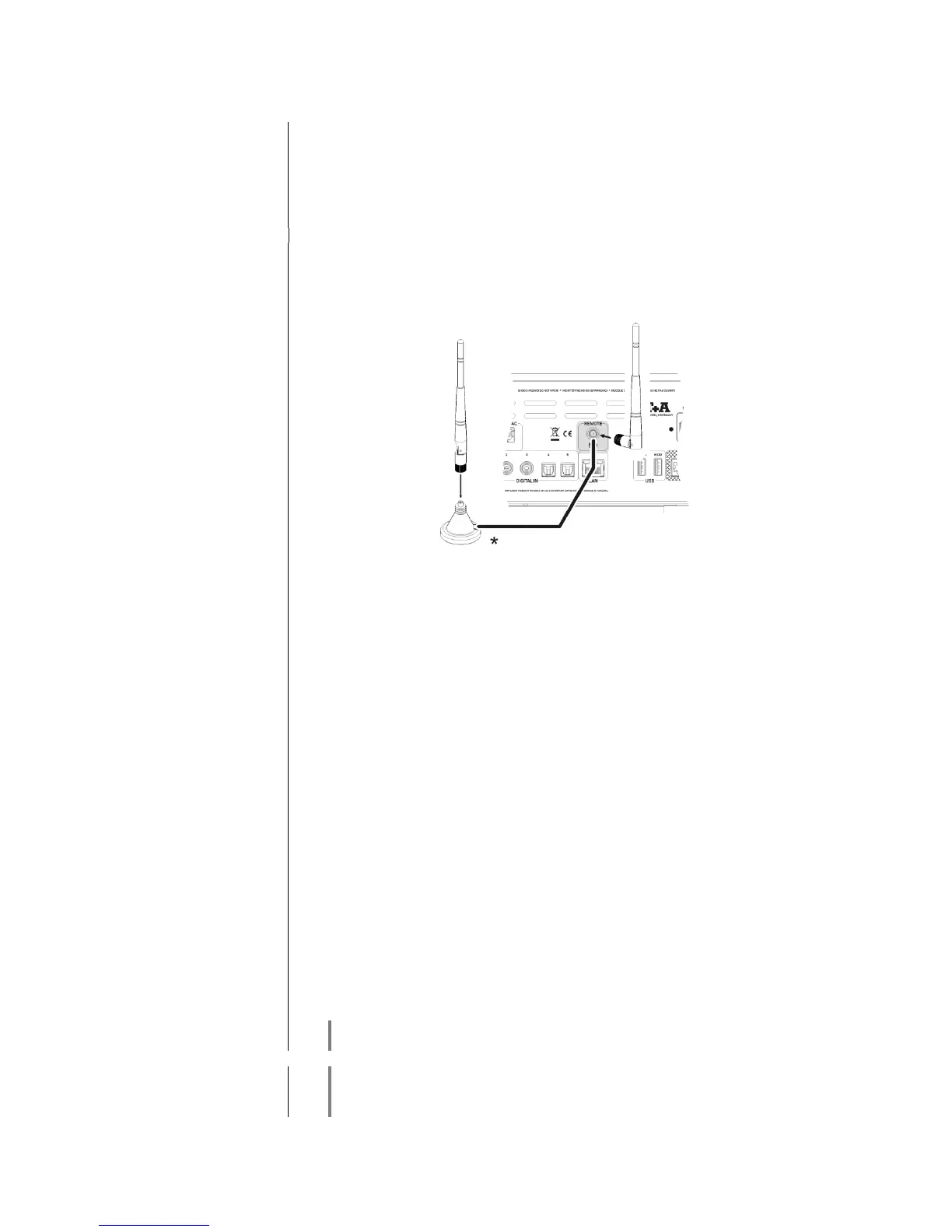
The R 1000 E can be controlled remotely using the FD 100 bi-directional radio
remote control handset if a Gateway module is installed; this is available as an
optional extra. The FD 100 features an integral full-colour screen which
provides a convenient means of controlling virtually all the Music Receiver’s
functions, even when there is no direct line-of-sight contact with it. The handset
can also display information relating to the selected source or the medium
currently playing.
Since the FD 100 operates by a radio link, an aerial must be connected to the
R 1000 E. This is plugged into the socket on the R 1000 E marked ‘Remote’.
* The aerial can also be set up free-standing using the magnetic base supplied
in the set; this ensures maximum possible range.
Before the R 1000 E can be controlled using the FD 100, the remote control
handset must first be registered to the R 1000 E. This process is known as
pairing, and only has to be carried out once. The procedure is as follows:
Press the button on the R 1000 E to call up the Configuration
menu, then select the ‘FD 100 pairing’ menu point using the
button.
To confirm the pairing process of the FD 100, press the button
until the menu entry changes to 'waiting for FD 100'. (the function
remains active for thirty seconds).
Locate the button on the FD 100 and hold it pressed in to open
the FD 100’s System Settings menu.
Now select the ‘Start pairing’ point, and press the button: the
remote control handset automatically seeks the R 1000 E.
Once the device is found, you will see in the display header the on-
screen message ‘Pairing successful’. At the same time changes the
menu entry of the R 1000 E to 'Done'. If you wish, you can change the
name of the device at this point (eg. 'Living room').
Confirm the name with the button.
For faster access the R 1000 E can also be assigned to a Hotkey; this
is the next step (see FD 100 operating instructions).
Select one - or optionally none - of the ‘F’ buttons, and confirm your
choice by pressing the button.
The FD 100 is now paired with the R 1000 E, and is ready for use.



 To Next Page