13 |
7 NAVIGATION
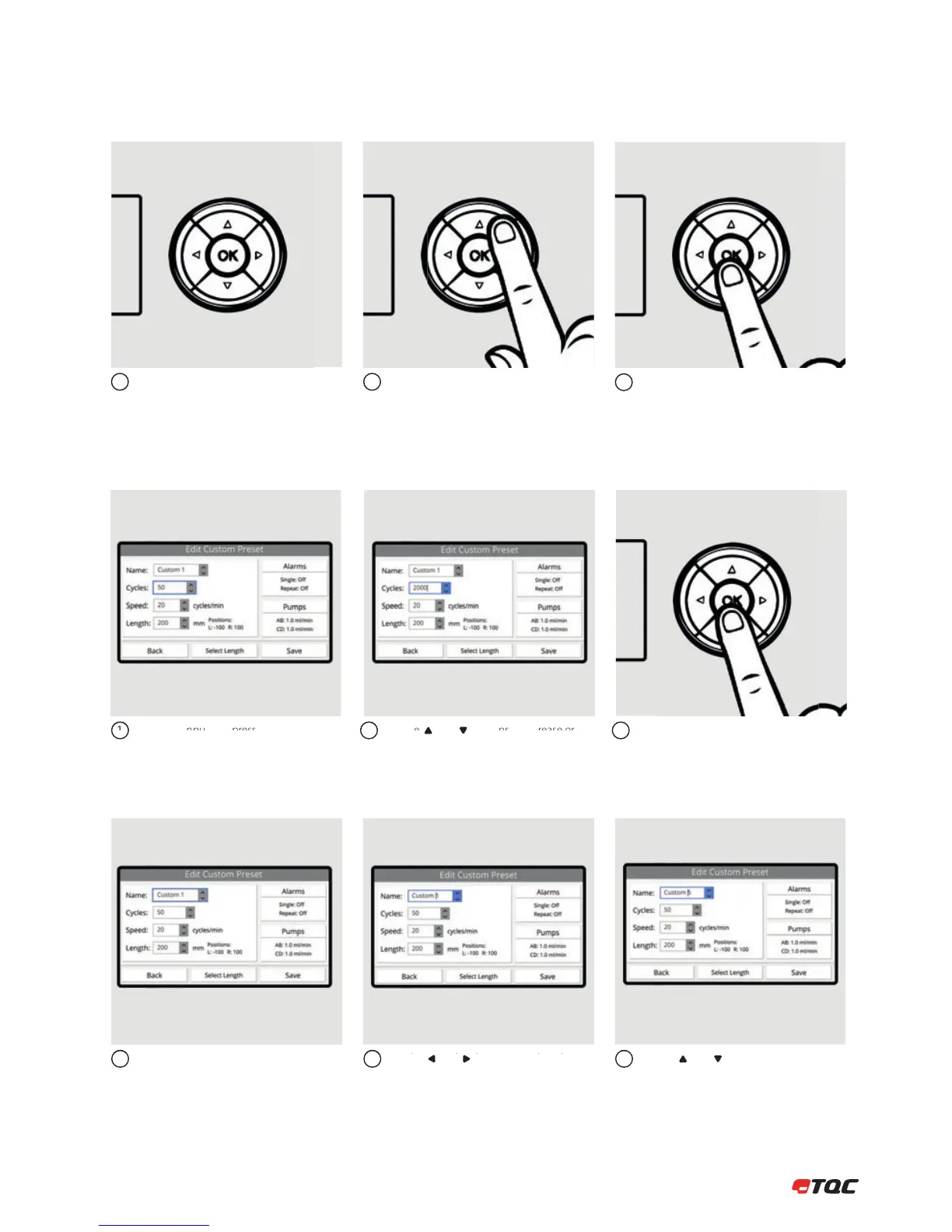
Use the 5-key button to navigate through
the interface. Red lights in the 5-key button
indicate possible actions for the selected
button.
You can change the selected button by
pressing the arrows on the 5-key button.
12
To confirm the selected button, press OK on
the 5-key button.
3
Select the input and press OK to edit the
value.
Use the and buttons to increase or
decrease the value. Hold the button to
increase or decrease in bigger steps.
Use the and buttons to select the
character.
Use the and buttons to change the
character.
Press OK to stop editing.
12
23
3
Select the input and press OK to edit the
value.
1
7.2 Number Input
7.1 Menu
7.3 Text Input



 To Next Page