17 |
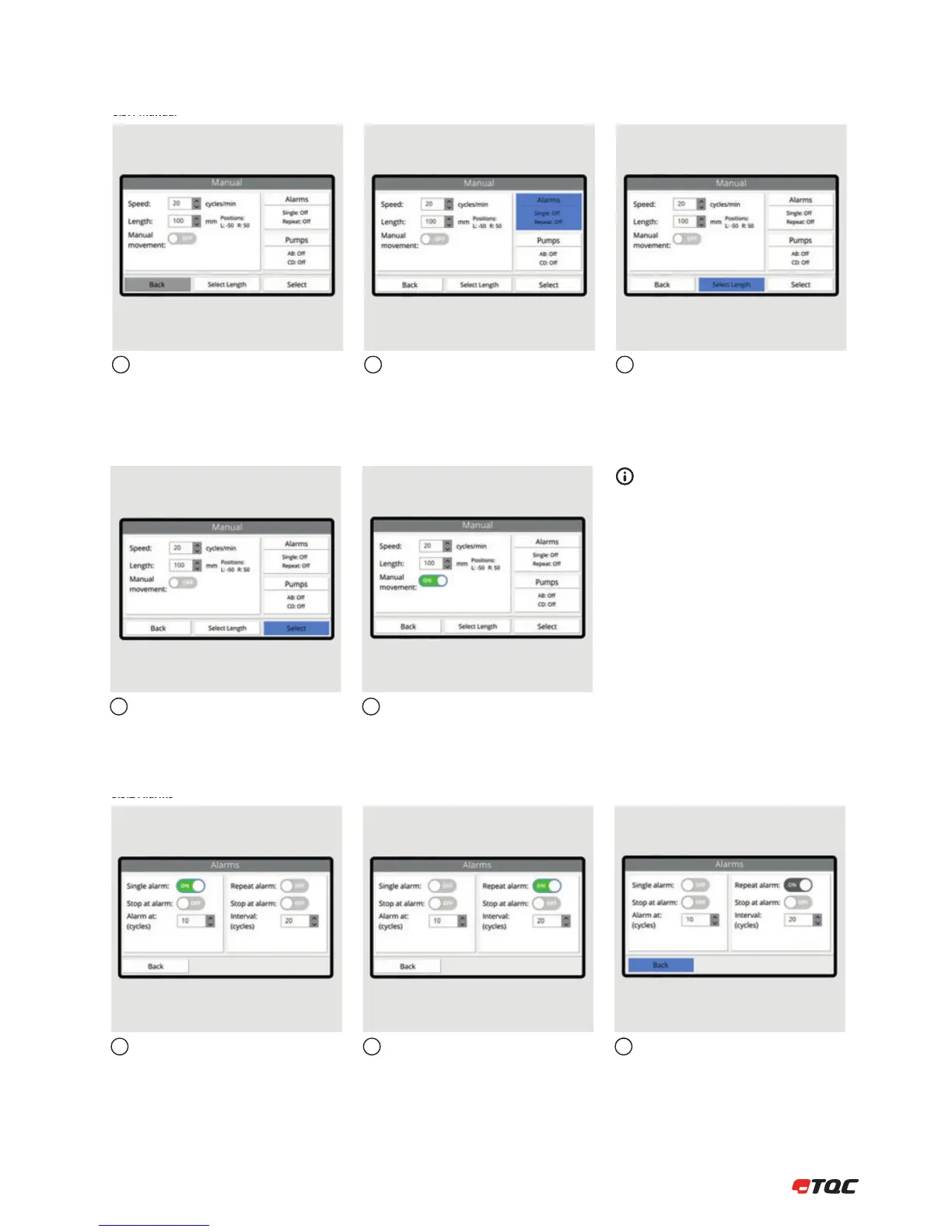
Set the speed and length.
Click Alarms to configure the alarms
settings. Click Pumps to configure the
pumps settings. (AB6000 only)
If uncertain about the left and right
position, use Select Length to determine
the positions. See 8.3.7.
123
8.3.1 Manual
Click Select to use the manual setup.
Enable Manual Movement for manual
control of the Tool Carrier in a run.
45
Manual Movement
Instead of automatic movement, the user
can move the Tool Carrier a single stroke or
cycle by the click of a button. See 8.2.2 for
more information.
Single alarm will make a sound once at set
number of cycles. Enable Stop at alarm
to stop the Tool Carrier when an alarm is
triggered.
Repeat alarm will make a sound at set
interval.
Click Back to save the alarm settings.
123
8.3.2 Alarms


 To Next Page