| 18
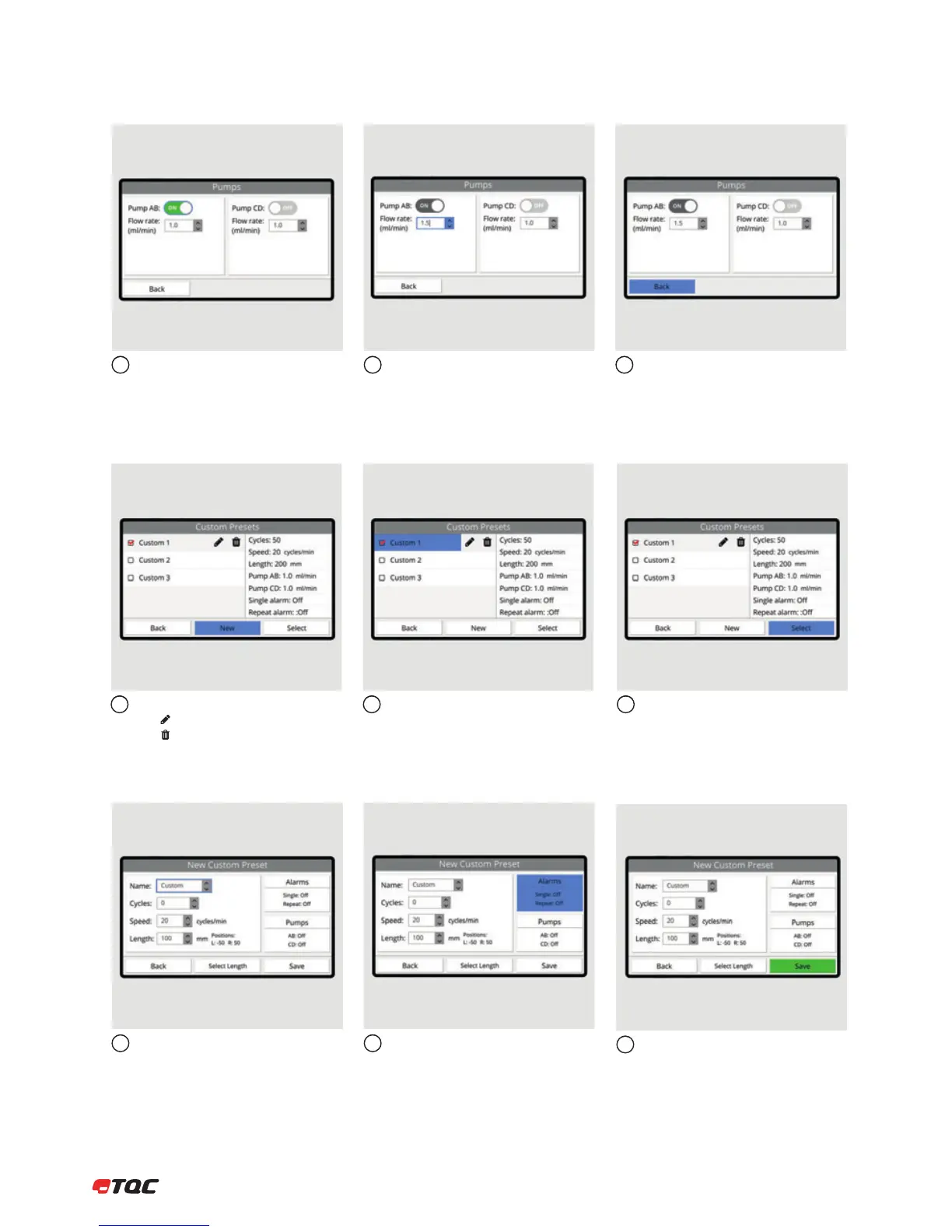
Enable or disable a pump.
Set the flow rate speed. Click Back to save the pumps settings.
123
8.3.3 Pumps
Click New to create a new custom preset.
Click to edit the selected preset.
Click to delete the selected preset.
The selected preset’s settings are listed on
the right.
12
Click Select to use the selected custom
preset.
3
8.3.4 Custom Presets
Similar to Manual, set the A, B, C, and D.
A name can be given to the custom preset.
Click Alarms to configure the alarms
settings. Click Pumps to configure the
pumps settings. (AB6000 only)
12
Click Save to save the new custom preset.
The new preset will be listed in the Custom
Presets menu.
3
8.3.5 New Custom Preset


 To Next Page