| 16
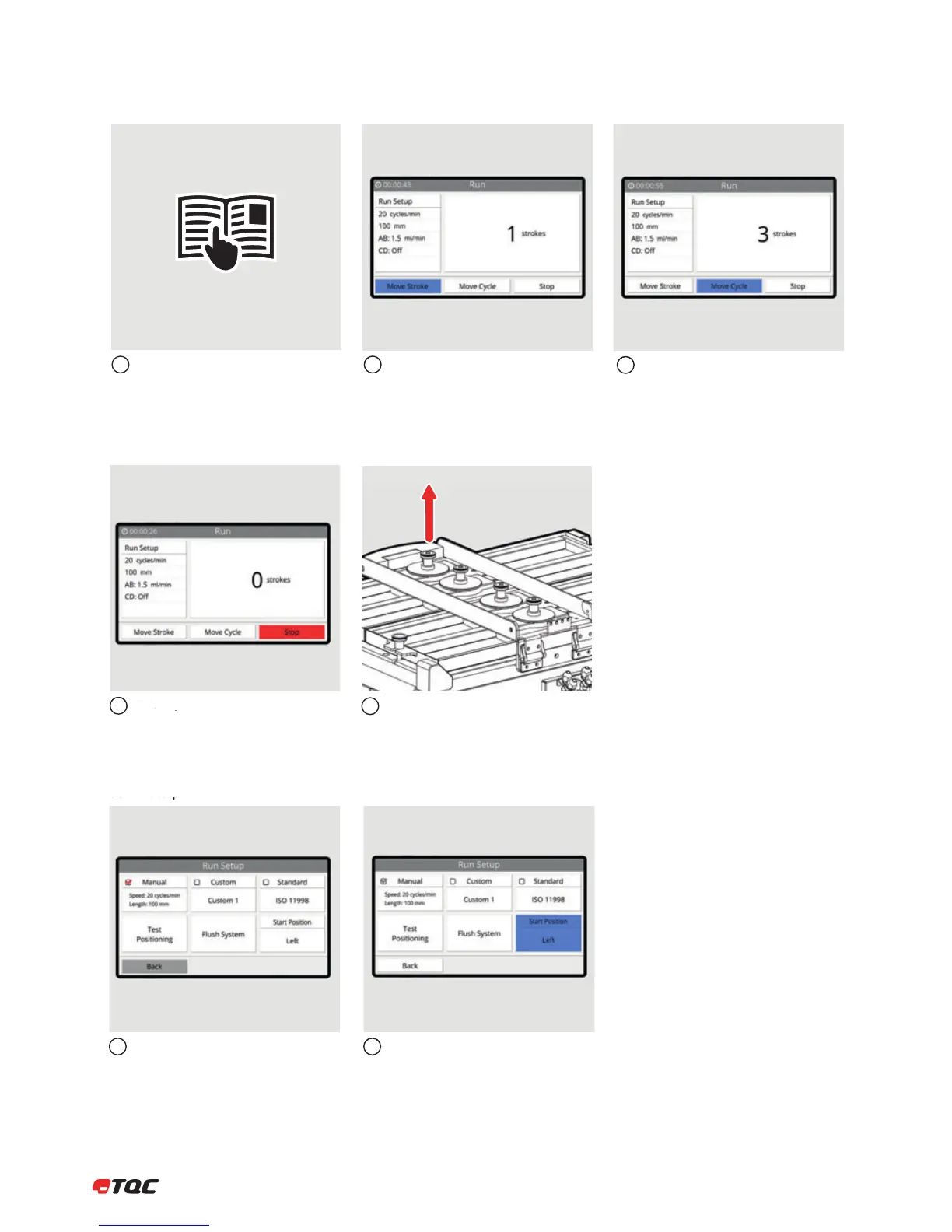
8.2.2 Manual Movement
See steps 1 – 4 from chapter 8.2.1.
8.2.1.
Click Move Stroke to move the Tool Carrier
a single stroke. (from Left to Right or Right
to Left, depending on set Start Position)
12
Click Move Cycle to move the Tool Carrier a
single cycle.
3
Click Stop to stop the run.
4
Tools may be removed when the Tool
Carrier has stopped moving.
5
Run settings are set in Manual, Custom or
Standard. The red checkmark indicates the
active setup.
Click to set the movement start position to
Left or Right.
12
8.3 Run Setup


 To Next Page