15 |
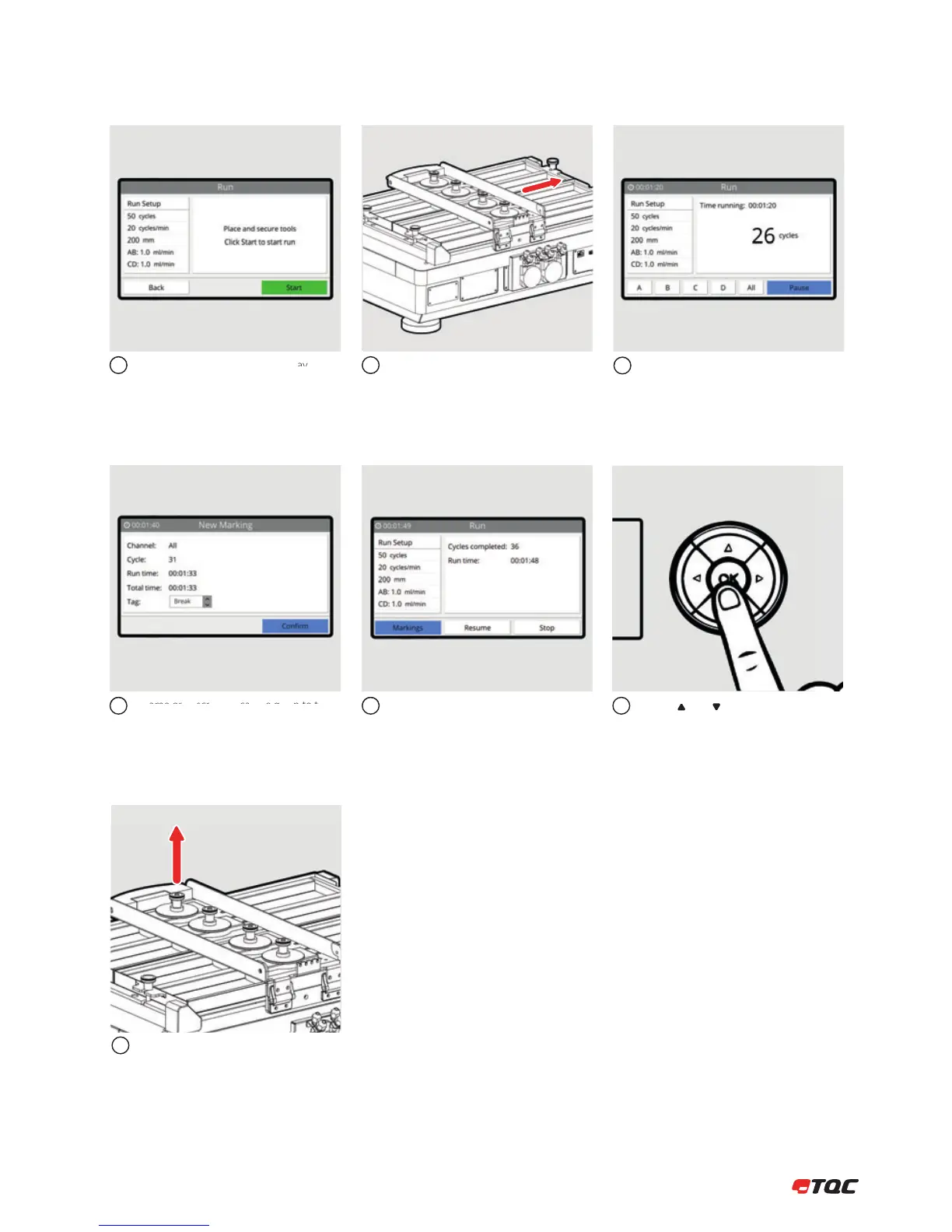
Follow the instructions on the display.
A name or description can be given to the
marking. Click Conrm to save the marking.
The Tool Carrier will now move. Stay clear
from moving parts!
4
7
5
89
Click A, B, C, or D to mark a single channel
at current cycles/time. Click All to mark all
channels at current cycles/time. Click Pause
to temporarily stop the test.
Click Markings to view all markings of the
current run. Click Resume to continue the
run. Click Stop to stop the run.
Use the and buttons to scroll through
the list of markings. Click Clear to erase all
current markings.
6
Tools may be removed when the Tool
Carrier has stopped moving.
10


 To Next Page