19 |
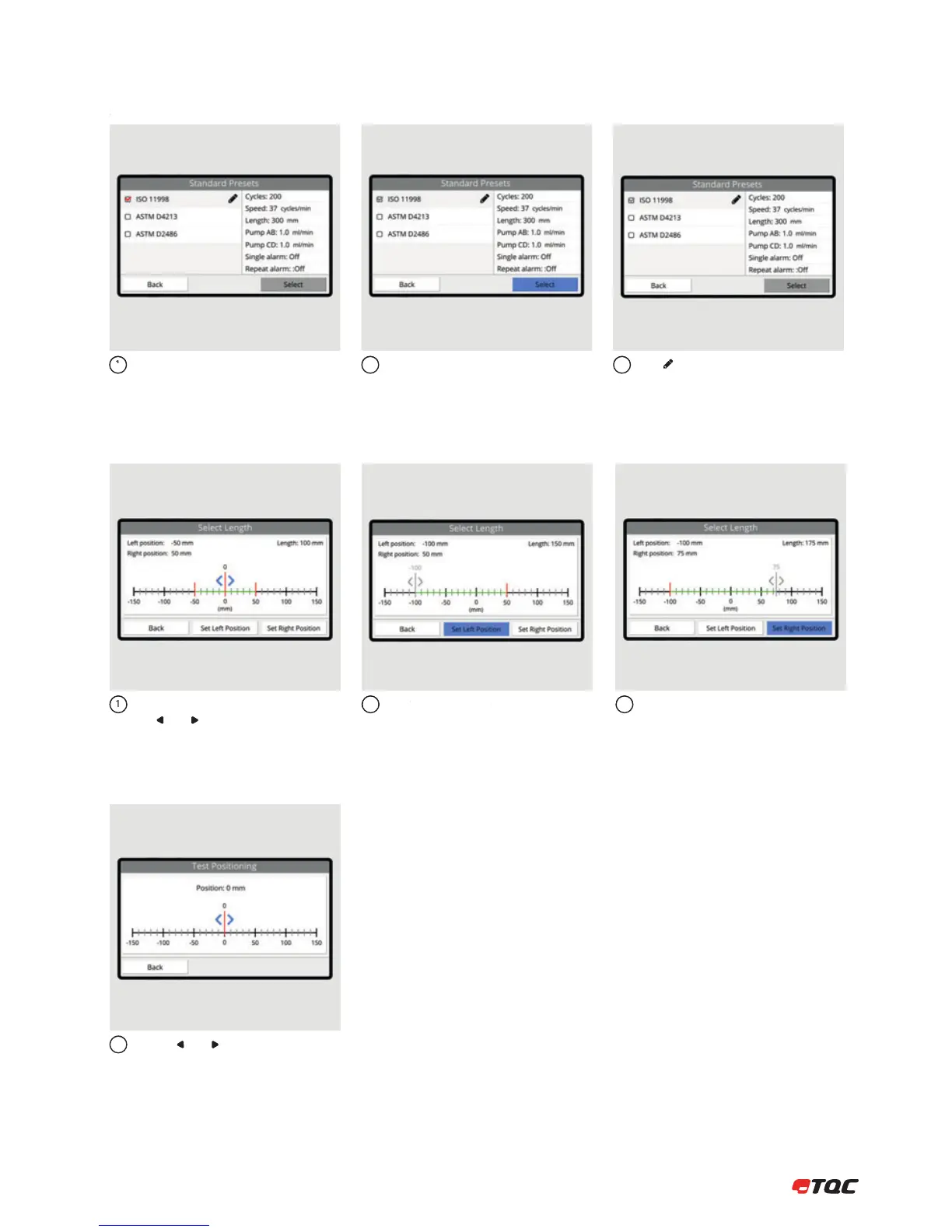
Predefined presets according several
standards.
Click Select to use the selected standard
preset.
Click to edit the number of cycles.
123
8.3.6 Standard Presets
Move the tool carrier by using
the and buttons. Make sure the Tool
Carrier can move freely.
Click Set Left Position to set the current
position as left position.
12
Click Set Right Position to set the current
position as right position.
3
8.3.7 Select Length
Use the and buttons to move the
Tool Carrier. Left and Right position for
irregular test objects can be determined.
1
8.3.8 Test Positioning


 To Next Page