| 14
8.1 Starting the Instrument
8 OPERATION
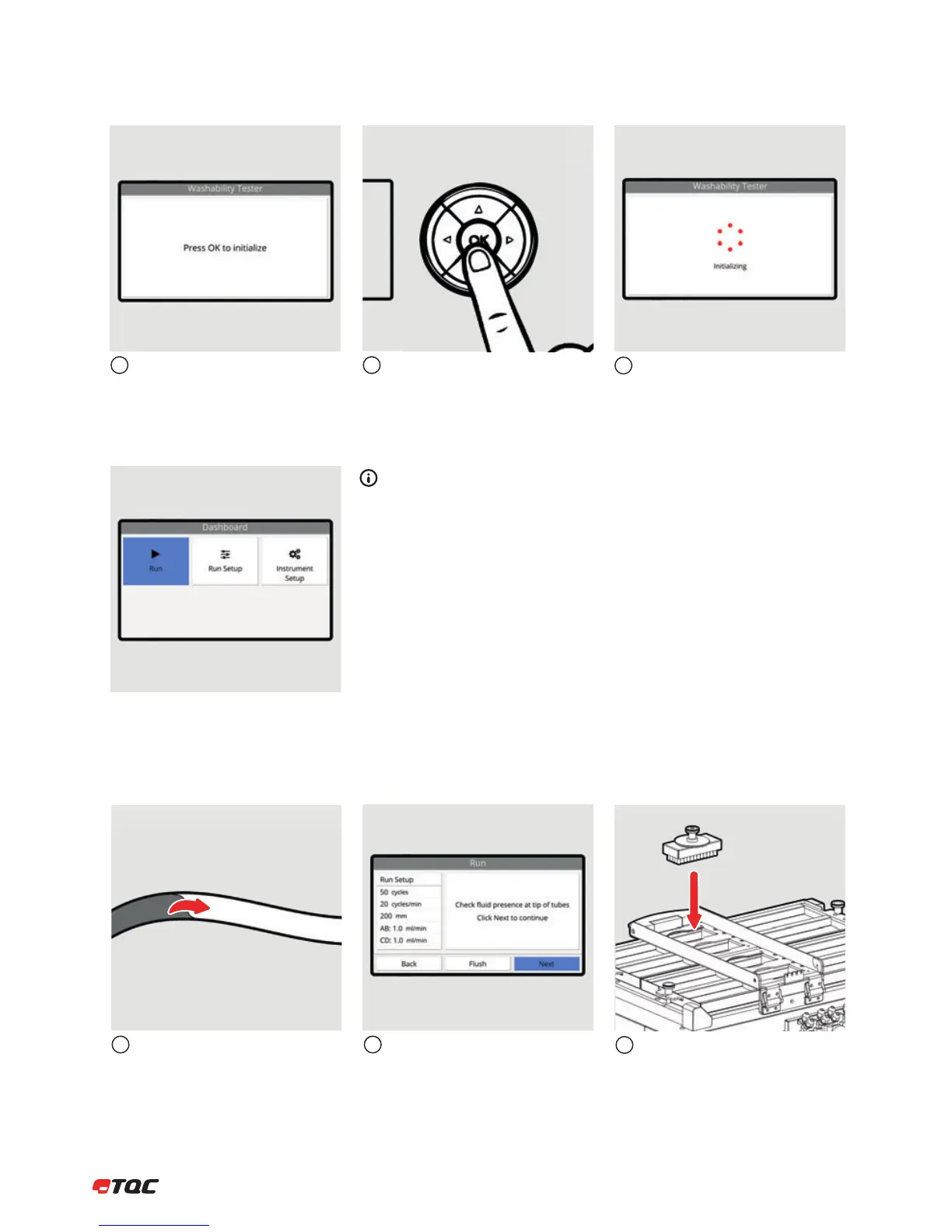
Press OK to initialize the instrument.This screen will be displayed after turning
on the instrument.
The instrument will check the system
for any errors and the Tool Carrier will be
calibrated.
12
Run
Click to start a new run.
Run Setup
Run related settings.
Instrument Setup
All instrument related settings.
3
Check fluids presence at tip of tubes.
(AB6000 only)
Follow the instructions on the display.
12
Place and secure tools.3
8.2 Run
8.2.1 Run


 To Next Page