EasyManua.ls Logo

Tractel dynafor LLX1 Series - User Manual

Tractel dynafor LLX1 Series
36 pages
Print Icon
To Next Page IconTo Next Page
Loading...
dynafor
0.2%LLX1
T
0,5 t / 1 t / 2 t / 3,2 t / 5 t / 6,3 t / 12,5 t / 20 t
dynafor
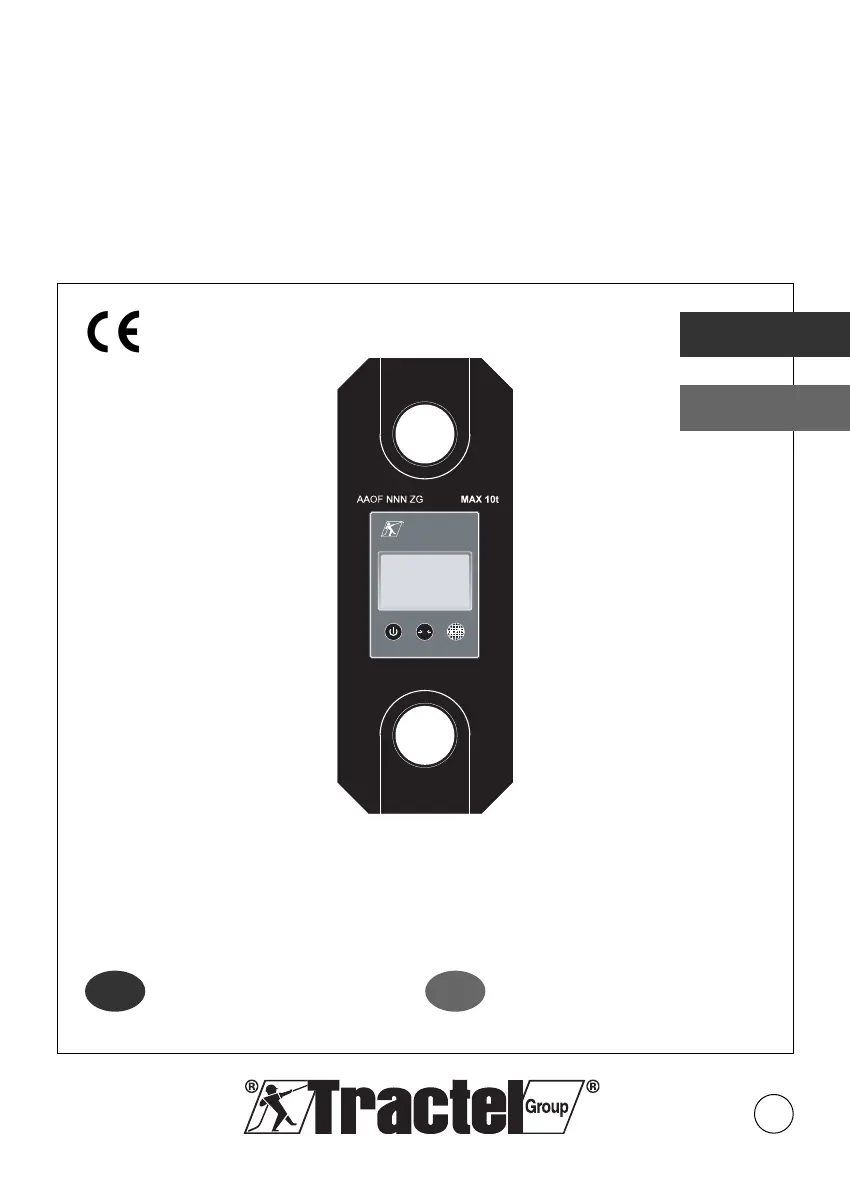
Series LLX1 Electronics Dynamometers
Dynamometry elektroniczne serii LLX1
English
Polski
5
Operation and maintenance
manual
Original manual
Instrukcja obsługi
i konserwacji
Tłumaczenie oryginalnej instrukcji
GB
PL

Table of Contents

Questions and Answers

  • C
    callahanjessicaAug 12, 2025
    What to do if the Tractel dynafor LLX1 Measuring Instruments sensor does not switch on?
    • J
      John HollandAug 12, 2025
      If your Tractel Measuring Instrument sensor isn't turning on, the first thing to check is the batteries. Replace them to see if that solves the problem. If changing the batteries doesn't help, it could be an electronic fault, in which case you should contact the after-sales service.
  • S
    Sean WrightAug 15, 2025
    Why is there a linearity or precision problem with my Tractel Measuring Instruments?
    • M
      Melissa ThompsonAug 16, 2025
      If you're experiencing linearity or precision issues with your Tractel Measuring Instruments, it could be due to a sensor malfunction or if the sensor is subjected to compression or torsion load. Try to eliminate any compression load on the sensor. If the problem persists, contacting the after-sales service is recommended.
  • T
    Thomas BarnesAug 20, 2025
    What to do if Tractel Measuring Instruments display is inconsistent?
    • J
      Jeffrey ConnerAug 20, 2025
      If the display on your Tractel Measuring Instruments isn't showing any changes or is inconsistent, it might be due to a sensor or sensor electronics malfunction. Try reinitializing the sensor by switching it off and then on again. If the problem continues, you should contact the after sales service.
  • W
    wacostaAug 25, 2025
    Why is there no display evolution or the display is inconsistent on my Tractel dynafor LLX1?
    • J
      Julie BrooksAug 25, 2025
      If you're experiencing no display evolution or an inconsistent display on your Tractel Measuring Instruments, it could be due to a sensor or sensor electronics malfunction. Try reinitialising the sensor by switching it off and then on again. If the malfunction persists after reinitialization, contact the after sales service.
  • T
    tiffanydeanAug 27, 2025
    What to do if there is a linearity or precision problem with Tractel dynafor LLX1?
    • B
      Brian ThompsonAug 27, 2025
      If you're encountering linearity or precision issues with your Tractel Measuring Instruments, it could be due to several factors. A sensor or sensor electronics malfunction is a possibility, as is the sensor being subjected to compression or torsion load, or a negative unbalance of gauge bridge. Eliminate the compression load on the sensor. Contact the after-sales service.
  • C
    Crystal BentonAug 31, 2025
    How to fix no initial reset on Tractel dynafor LLX1 Measuring Instruments?
    • H
      holly62Aug 31, 2025
      If your Tractel Measuring Instruments are not resetting initially, it could be due to the Tare Function being enabled. Disable the Tare function and display the "GROS" stress value. Another potential cause is permanent deformation of the sensor following a handling error, excessive overload, or compression. Disable the Tare function and display the "GROS" stress value. The appliance should be checked by the manufacturer before you continue using.
  • F
    fishercynthiaSep 3, 2025
    Why is the display inconsistent on my Tractel Measuring Instruments?
    • A
      Amy ArellanoSep 3, 2025
      If you're experiencing no display evolution or an inconsistent display on your Tractel Measuring Instruments, try reinitializing the sensor by switching it off and then on again. If the malfunction persists, it indicates a sensor or sensor electronics malfunction, and you should contact the after-sales service.
  • D
    David DaySep 7, 2025
    What to do if no display evolution or display is inconsistent on Tractel Measuring Instruments?
    • Z
      zharrisonSep 7, 2025
      If your Tractel Measuring Instruments display is not evolving or is inconsistent, try reinitializing it by switching the sensor off and then on again. If the malfunction persists, contact the after-sales service.

Summary

Priority Recommendations

Definitions and Pictograms

Definitions

Explains terms used in the manual.

Pictograms

Explains symbols and their meanings for safety and guidance.

Product Presentation

Operating Principle

Description and Marking

Provisions Applied

Technical Specifications

Sensor and Display Specifications

Details specifications of the sensor and display unit.

Optional Accessories

Shackles

Specifications and types of compatible shackles.

Swivel Hooks

Details on available swivel hook types and dimensions.

Remote Display

Information about associating with a remote display unit.

Installation, Utilization, and Uninstallation

Installation

Procedures and precautions for installing the unit.

Utilization

Guidelines for proper use and operating conditions.

Uninstallation

Steps for safely removing the appliance.

Utilization Prohibitions

Lists prohibited uses and modifications to the appliance.

Overload Indicator

Basic Functions

Commissioning

Initial setup including battery activation, startup sequence, and automatic zero.

Core Functions

Details on Tare, Peak Hold, and Stop functions of the device.

Advanced Functions

Access to Configuration Menu

How to enter the device's configuration menu.

Configuration Menu Parameters

Explains the available settings within the configuration menu.

Replacing the Batteries

Regulatory Check

Certificate of Adjustment

Details on the adjustment certificate and annual metrological checks.

ISO 376 Calibration Certificate

Information on ISO 376 calibration certificates and their validity period.

Maintenance

Storage, Transport, Disposal

Operating Anomalies and Troubleshooting

Remote Display Option

Product Marking

Declaration of Conformity

Tractel dynafor LLX1 Series Specifications

General IconGeneral
BrandTractel
Modeldynafor LLX1 Series
CategoryMeasuring Instruments
LanguageEnglish

Related product manuals