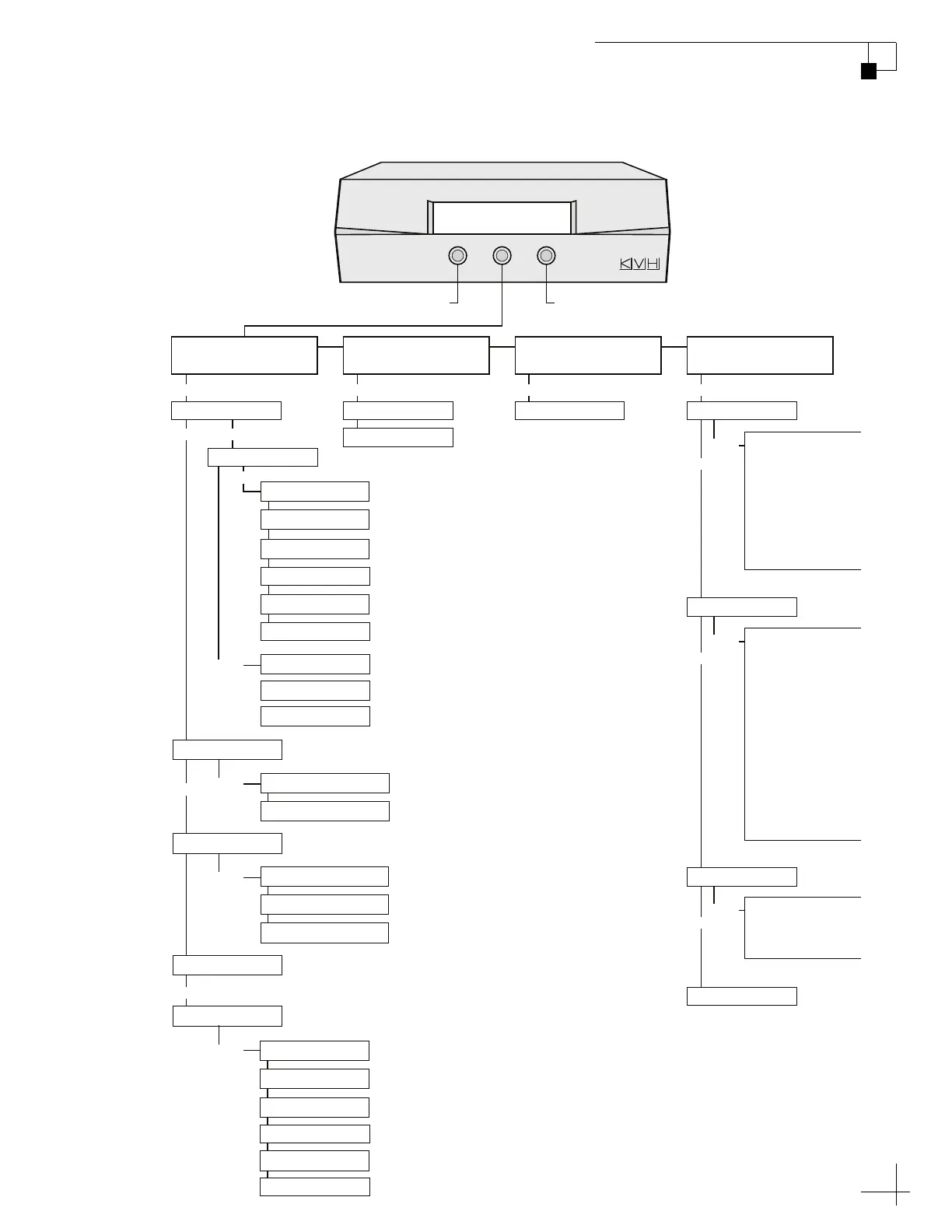
Tracking Satellite A
Sat B Menu Sat C
Press for Satellite CPress for Satellite B
Yes Next Return
Install Satellite?
Yes Next Return
Set Sat Switch Type?
Yes Next Return
Restart Antenna?
Yes Next Return
Operations Mode?
Sat Switch: Auto
Sat Switch: Manual
Antenna Restarted Get Antenna Status?
Get System Errors?
Install DTV101W, DTV119W
Install DTV101W, DTV110W, DTV119W (not used)
Get Version?
Get Serial Number?
Get Thres/Sig Level?
Get Skew Angle?
Get Bit Error Rate?
Get State?
Circular or Linear?
Set Autocal On/Off?
Get Cal Score?
Clear Cal Score?
Man Control Antenna?
Restart Antenna?
Set Sleep On/Off?
Set Instant On/Off?
Install Satellite?
Set Lat/Long?
Select Satellite?
Set Skew?
Set Sidelobe On/Off?
Sat Frequency Scan?
Configure Satellite?
Control Antenna?
Control Compass?
Set Brightness?
Service=DIRECTV?
Service=DISH?
Service=ExpressVu?
Service=Custom?
Trisat Mode?
Yes Yes Yes Yes
Yes
Yes
Next
Next
Next
Next
Next
No
Circular Linear
Yes
Yes
Yes
Install A Satname1
Install B Satname2
Select Hemisphere
Select Hemisphere
Install C Satname3
Select Hemisphere
Mode= Tri-sat?
Mode= Dual-sat?
Install DSH110W, DSH119W, DSH61W
Install DSH110W, DSH119W, DSH129W
Install DSH110W, DSH119W
Install EXVU82W, EXVU91W
Yes
Yes
Mode= DISH 1000/129?
Mode= DISH 500?
Mode= DISH 1000/61?
Next Next Next
Install HBDW13E, SIRI5E, THOR1W
Install HBD13E, AST19E, ASTS28E
Install HBDW13E, AST19E, ASTS28E
Install Europe WB?
Install Europe?
Install Scandinavia?
Install A Satname1
Install B Satname2
Select Hemisphere
Select Hemisphere
Install C Satname3
Select Hemisphere



 To Next Page