BAS-SVX51L-EN 27
Trane SerialSpy Protocol Analyzer Software
Creating a New BACnet
®
Capture
To create a new capture click Create Capture, which opens the create dialog box.
Capture Title: Provide a name for the capture.
Capture Link: Select any active BACnet
®
connection (BACnet
®
/IP Link 1, BACnet
®
/MSTP Link 1).
You can select multiple links at a time.
Two radio buttons are available. You may start the capture now or can schedule the capture at a later time.
Start capture now: Allows you to capture the network now. The duration of the capture by default is
1 hour or 60 minutes. Maximum limit is 12 hours or 720 minutes.
Schedule the Capture: You may schedule the capture by providing the start date and time duration
of the capture. The default it is 1 hour or 60 minutes. The maximum limit is 12 hours or 720 Minutes. Once
the required fields are filled, click Start Capture or click Schedule Capture if scheduling a capture.
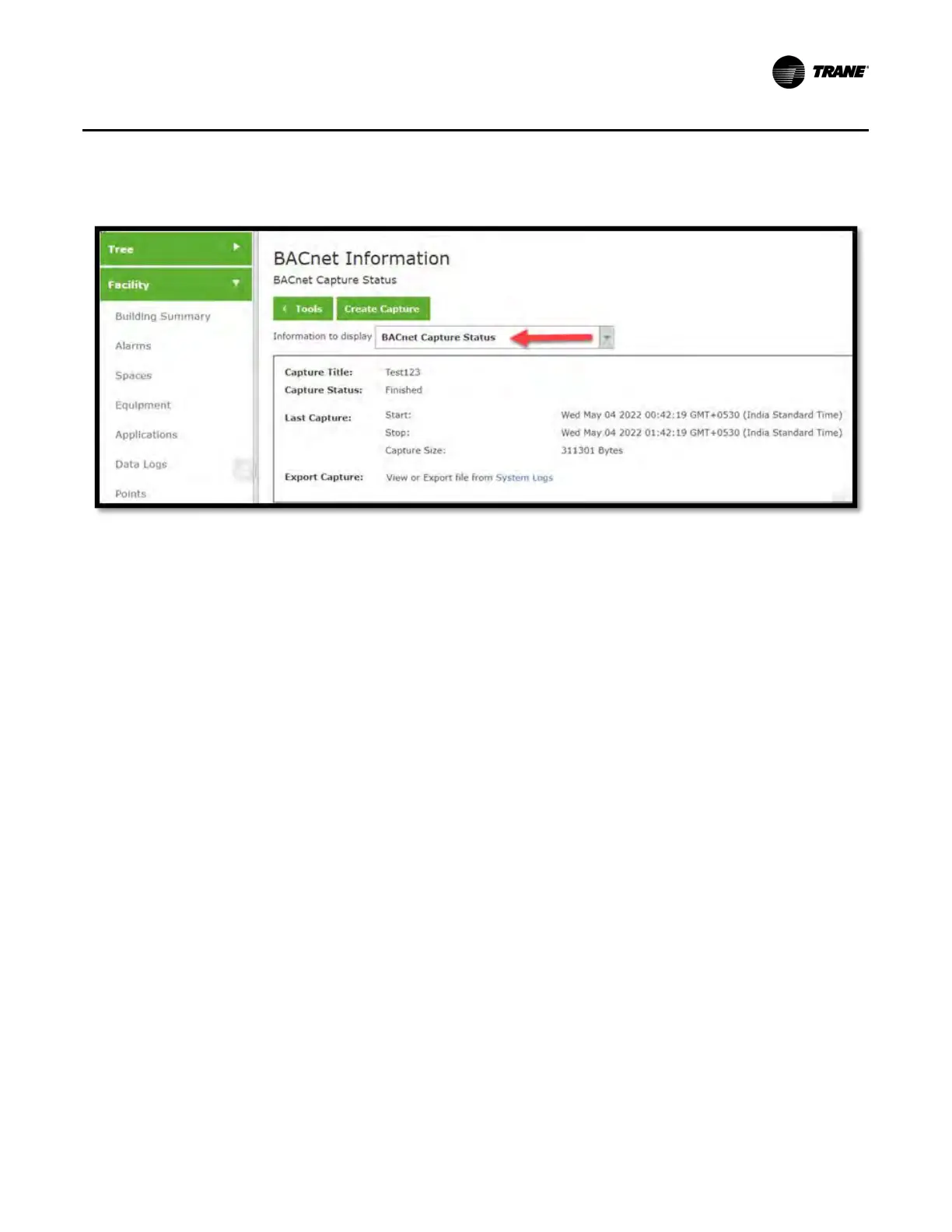
Figure 15. BACnet
®
capture status


 To Next Page