BAS-SVX51L-EN 29
Trane SerialSpy Protocol Analyzer Software
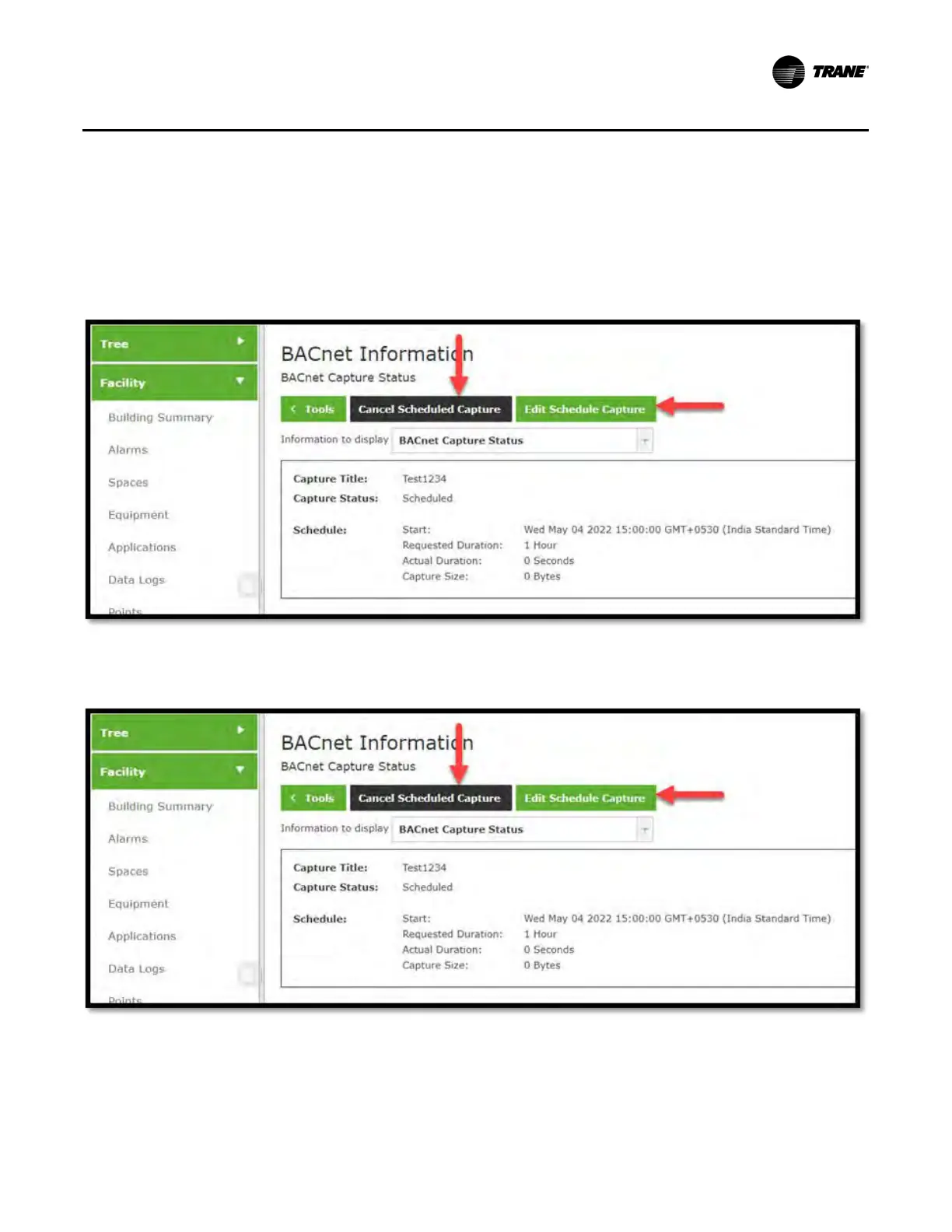
Cancel Scheduled Capture/ Edit Scheduled Capture: You can cancel the scheduled capture
by clicking Cancel Scheduled Capture. Once canceled, the capture status will be Idle and Create
Capture will be displayed.
You can also edit a scheduled capture by clicking Edit Schedule Capture, which opens the edit dialog
box (same as create).
Export Capture: The capture can be view or exported through System Logs on the Tools page.
Log Files :
• When a Capture is finished, follow the link on the Status page to System Logs, or navigate to Tools
> System Logs.
• BACnet
®
Capture Tool uses the same file format as hydra, comm, and other log files. As the main .log
file fills, data pushed to .log.1, will then push to .log.2, and so forth.
Figure 18. Cancel scheduled capture/Edit scheduled capture
Figure 19. Export capture


 To Next Page